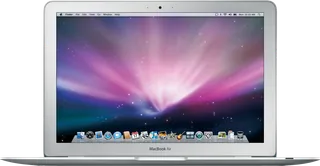
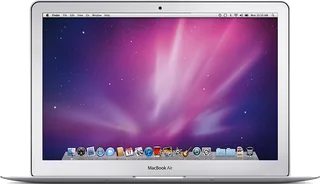
Apple MacBook Air (Original) vs Apple MacBook Air (13-inch, Late 2010)
Better figure, where one is clearly better
| AppleMacBook Air (Original) | AppleMacBook Air (13-inch, Late 2010) | |
|---|---|---|
| Overview | ||
| Released | January 2008 | October 2010 |
| Display | ||
| Screen size | 13.3″ | 13.3″ |
| Resolution | 1280 × 800 | 1440 × 900 (better) |
| Panel | TN LCD | TN LCD |
| Touchscreen | No | No |
| Display type | Glossy LED-backlit widescreen TFT LCD, millions of colours. TN panel identified in Notebookcheck’s exact-model review; refresh rate and brightness unpublished by Apple. | Glossy LED-backlit widescreen LCD, millions of colours; TN panel confirmed by Notebookcheck's exact-model review. Refresh rate and brightness unpublished by Apple. |
| Performance | ||
| Processor | Intel Core 2 Duo 1.6 GHz (MacBook Air, Original, 2008) or Intel Core 2 Duo 1.8 GHz (MacBook Air, Original, 2008) | Intel Core 2 Duo SL9400 or Intel Core 2 Duo SL9600 |
| CPU cores | 2 | 2 |
| Graphics | Intel GMA X3100 | NVIDIA GeForce 320M |
| Memory | 2 GB | 2 GB or 4 GB (better) |
| Storage | 64 GB to 80 GB | 128 GB to 256 GB (better) |
| CPU | Custom dual-core Intel Core 2 Duo at 1.6 GHz or optional 1.8 GHz, 4 MB shared L2 cache and 800 MHz frontside bus. Chip records retain the maker’s clock and model description because exact Intel part numbers are not maker-confirmed. | Dual-core Intel Core 2 Duo SL9400 at 1.86 GHz or optional SL9600 at 2.13 GHz, with 6 MB shared L2 cache and 1066 MHz frontside bus. Exact identities confirmed by Notebookcheck and EveryMac; the faster processor is offered only on the higher storage base, as documented by Macworld. |
| GPU | Intel GMA X3100 with 144 MB of DDR2 SDRAM shared with main memory | NVIDIA GeForce 320M with 256 MB of DDR3 SDRAM shared with main memory |
| Memory type | 2 GB of 667 MHz DDR2 onboard memory, not upgradeable | 2 GB of 1066 MHz DDR3 onboard memory, configurable to 4 GB |
| Storage type | 80 GB 4200-rpm Parallel ATA hard drive or optional 64 GB solid-state drive, available with either processor. No built-in optical drive; optional external USB MacBook Air SuperDrive. | 128 GB flash storage with SL9400; 256 GB base supports SL9400 or SL9600. Configurations preserve the base-specific upgrade restrictions; memory cannot be upgraded after purchase. |
| Battery and size | ||
| Battery life (maker's claim) | – | Up to 7 hours |
| Battery capacity | 37 Wh | 50 Wh (better) |
| Weight | 1.36 kg | 1.32 kg (better) |
| Thickness | 19.4 mm | 17 mm (better) |
| Width × depth | 325 × 227 mm | 325 × 227 mm |
| Battery life detail | Built-in 37 Wh lithium-polymer battery. Reference weight varies by configuration and manufacturing process; no runtime figure on the current maker technical sheet. | Built-in 50 Wh lithium-polymer battery; up to 7 hours wireless productivity or 30 days standby under Apple's test conditions. Reference weight varies by configuration and manufacturing process. |
| Charger | 45 W MagSafe Power Adapter with cable management | 45 W MagSafe Power Adapter with cable management |
| Materials | Aluminium enclosure; tapered thickness from 4 to 19.4 mm | Aluminium enclosure; tapered thickness from 3 to 17 mm |
| Colours | Silver | Silver |
| Connections | ||
| Ports | USB-A, MagSafe, headphone jack | 2 × USB-A, MagSafe, headphone jack, SD card slot |
| Wi-Fi | 802.11n draft; compatible with 802.11a/b/g | 802.11n; compatible with 802.11a/b/g |
| Bluetooth | 2.1 + EDR | 2.1 + EDR |
| Webcam | Built-in iSight camera | FaceTime camera |
| Operating system | macOS | macOS |
| Port detail | One USB 2.0 port up to 480 Mb/s, Micro-DVI video output, headphone jack and MagSafe. Micro-DVI to DVI and VGA adapters supplied; Ethernet requires an optional USB adapter. | Two USB 2.0 ports up to 480 Mb/s, Mini DisplayPort output, MagSafe, SD card slot and headphone jack supporting the Apple iPhone headset remote and microphone. DVI, VGA and dual-link DVI require separate adapters. |
| External displays | Built-in screen plus one external display up to 1920 × 1200, both with millions of colours; dual display and video mirroring | Built-in screen plus one external display up to 2560 × 1600, both with millions of colours; dual display and video mirroring |
| Keyboard | Full-size backlit keyboard with ambient light sensor | Full-size keyboard without backlighting |
| Trackpad | Multi-Touch trackpad with scroll, pinch, rotate, swipe, tap, double-tap and drag gestures | Multi-Touch trackpad |
| Speakers | Mono speaker | Stereo speakers |
| Microphones | Omnidirectional microphone | Omnidirectional microphone |
| In the box | MacBook Air, MagSafe power adapter, Micro-DVI to DVI and VGA adapters, cleaning cloth, install/restore DVDs and printed documentation; Mac OS X Leopard and iLife ’08 | MacBook Air, power adapter, AC wall plug and power cord; Mac OS X Snow Leopard, iLife ’11, Software Reinstall Drive and documentation |
More comparisons
- Apple MacBook Air (13-inch, Late 2010) vs Apple MacBook Air 13″ (M5)
- Apple MacBook Air (Original) vs Apple MacBook Air 13″ (M5)
- Apple MacBook Air (13-inch, Late 2010) vs Apple MacBook Air 15″ (M5)
- Apple MacBook Air (Original) vs Apple MacBook Air 15″ (M5)
- Apple MacBook Air (13-inch, Late 2010) vs Apple MacBook Air 13″ (M4)
- Apple MacBook Air (13-inch, Late 2010) vs Apple MacBook Air 15″ (M4)
- Apple MacBook Air (Original) vs Apple MacBook Air 13″ (M4)
- Apple MacBook Air (Original) vs Apple MacBook Air 15″ (M4)
- Apple MacBook Air (13-inch, Late 2010) vs Apple MacBook Air 13″ (M3)
- Apple MacBook Air (13-inch, Late 2010) vs Apple MacBook Air 15″ (M3)
- Apple MacBook Air (Original) vs Apple MacBook Air 13″ (M3)
- Apple MacBook Air (Original) vs Apple MacBook Air 15″ (M3)
- Apple MacBook Air (13-inch, Late 2010) vs Apple MacBook Air 15″ (M2)
- Apple MacBook Air (Original) vs Apple MacBook Air 15″ (M2)
- Apple MacBook Air (13-inch, Late 2010) vs Apple MacBook Air 13″ (M2)
- Apple MacBook Air (Original) vs Apple MacBook Air 13″ (M2)