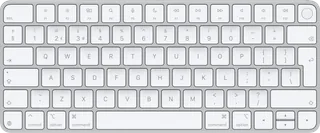
Apple Magic Keyboard with Touch ID (USB-C) vs Apple Magic Keyboard (USB-C)
Better figure, where one is clearly better
| AppleMagic Keyboard with Touch ID (USB-C) | AppleMagic Keyboard (USB-C) | |
|---|---|---|
| Overview | ||
| Released | October 2024 | October 2024 |
| Typing | ||
| Layout | Compact | Compact |
| Switches | Scissor | Scissor |
| Backlight | None | None |
| Keys labelled for | Mac | Mac |
| Touch ID | Yes | No |
| Layouts | Arabic, British English, Chinese (Pinyin), Danish, Dutch, French, German, Hungarian, International English, Italian, Norwegian, Portuguese, Russian, Spanish, Swiss, Swedish, Turkish Q, Ukrainian, US English (UK store) | Arabic, British English, Chinese (Pinyin), Danish, Dutch, French, German, Hungarian, International English, Italian, Norwegian, Portuguese, Russian, Spanish, Swiss, Swedish, Turkish Q, Ukrainian, US English (UK store) |
| Special keys | Touch ID (a quick press locks the Mac); function keys for display brightness, Mission Control, Spotlight, Dictation/Siri, Do Not Disturb, media playback, mute and volume; fn/Globe key for switching keyboards or showing emoji | Lock key (a quick press locks the Mac); function keys for display brightness, Mission Control, Spotlight, Dictation/Siri, Do Not Disturb, media playback, mute and volume; fn/Globe key for switching keyboards or showing emoji |
| Connections and battery | ||
| Connects by | Bluetooth | Bluetooth |
| Devices it switches between | 1 | 1 |
| Power | Rechargeable | Rechargeable |
| Battery life detail | About a month or more between charges in Apple's tests with an M4 iMac; sleeps when not in use | About a month or more between charges in Apple's tests with an M4 iMac; sleeps when not in use |
| Charging | USB-C port; charges from a Mac or USB-C power adapter, and plugging it into a Mac also pairs it | USB-C port; charges from a Mac or USB-C power adapter, and plugging it into a Mac also pairs it |
| Works with | Mac with Apple silicon running macOS 15.1 or later; Apple also lists recent iPad and iPhone models | Mac with macOS 15.1 or later; iPad with iPadOS 14.5 or later; iPhone with iOS 14.5 or later; Apple Vision Pro with the latest visionOS |
| Design | ||
| Weight | 243 g | 239 g (better) |
| Width × depth × height | 278.9 × 114.9 × 10.9 mm | 278.9 × 114.9 × 10.9 mm |
| Size | Height 0.41–1.09 cm, width 27.89 cm, depth 11.49 cm | Height 0.41–1.09 cm, width 27.89 cm, depth 11.49 cm |
| In the box | Magic Keyboard with Touch ID, woven USB-C charging cable | Magic Keyboard, woven USB-C charging cable |
| Warranty | 1 year (Apple One Year Limited Warranty) | 1 year (Apple One Year Limited Warranty) |

More comparisons
- Apple Apple USB Keyboard (1998) vs Apple Magic Keyboard (USB-C)
- Apple Apple Wireless Keyboard (2003) vs Apple Magic Keyboard (USB-C)
- Apple Apple Wireless Keyboard (2007) vs Apple Magic Keyboard (USB-C)
- Apple Apple Wireless Keyboard (2009) vs Apple Magic Keyboard (USB-C)
- Apple Magic Keyboard (2015, Lightning) vs Apple Magic Keyboard (USB-C)
- Apple Magic Keyboard (2015, Lightning) vs Apple Magic Keyboard with Touch ID (USB-C)
- Apple Magic Keyboard (USB-C) vs Logitech Keys-To-Go 2
- Apple Magic Keyboard (USB-C) vs Keychron B1 Pro
- Apple Magic Keyboard with Touch ID (USB-C) vs Logitech Keys-To-Go 2
- Apple Magic Keyboard with Touch ID (USB-C) vs Keychron B1 Pro
- Apple Magic Keyboard with Touch ID (USB-C) vs Logitech POP Icon Keys
- Apple Magic Keyboard (USB-C) vs Logitech POP Icon Keys
- Apple Magic Keyboard with Touch ID (USB-C) vs Logitech Pebble Keys 2 K380s
- Apple Magic Keyboard (USB-C) vs Logitech Pebble Keys 2 K380s