Creative Pebble V3 vs Creative Pebble X
Better figure, where one is clearly better
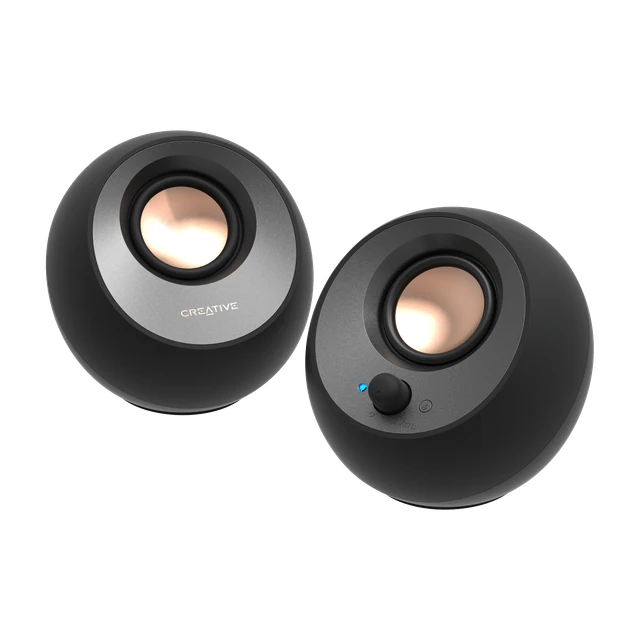
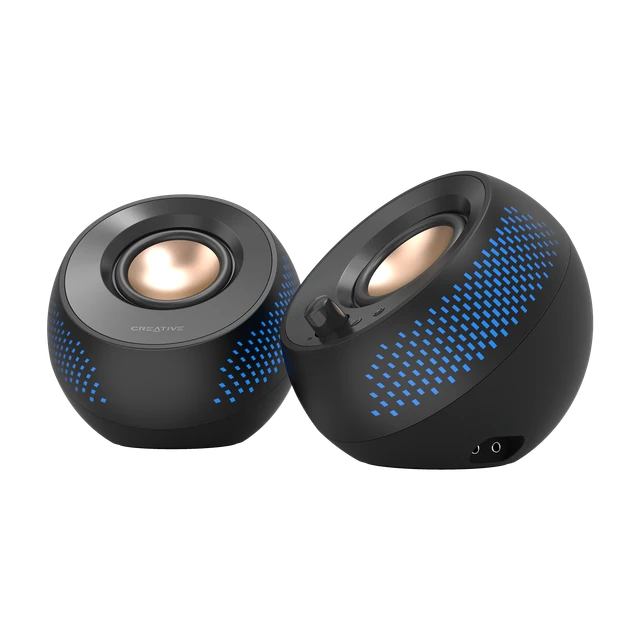
| CreativePebble V3 | CreativePebble X | |
|---|---|---|
| Overview | ||
| Released | 2020 | February 2024 |
| Sound | ||
| Type | Speaker | Speaker |
| Channels | 2.0 | 2.0 |
| Dolby Atmos | No | No |
| Drivers | 2 x 2.25″ Full-range Drivers with Passive Radiator | Speaker: Dual 2.75″ Full range Speaker Drivers |
| Amplifiers | 2 × 4 W RMS; up to 8 W RMS with a 10 W USB supply and high-gain setting. | Up to 15 W RMS / 30 W peak from PC USB-C; up to 30 W RMS / 60 W peak with a 30 W or higher USB-PD adaptor (not included). |
| Frequency response | 100–17,000 Hz | 60–20,000 Hz |
| Audio formats | – | SBC |
| Connections | ||
| Wi-Fi | No | No |
| Bluetooth | Yes | Yes |
| AirPlay | No | No |
| Voice assistants | None | None |
| Bluetooth | Bluetooth 5.0 | Bluetooth 5.3; Up to 10m / 33 ft*, *Measured in open space. Walls and structures may affect range of device. |
| Ports | USB-C audio and power; 3.5 mm AUX input; supplied USB-C to USB-A converter | USB-C audio and power; separate USB-C PD power input; 3.5 mm AUX input; headphone and microphone connections |
| App | – | Creative app for Windows audio processing and lighting; mobile RGB control |
| Design | ||
| Controls | Volume and power knob; Bluetooth/source button; high/low gain switch | Volume, Bluetooth pairing and RGB controls; six lighting presets |
| Mounting | 45° elevated drivers | 45° elevated drivers |
| Size | Left: 123 x 120 x 118 mm / 4.8 x 4.7 x 4.6 inches, Right: 123 x 120 x 118 mm / 4.8 x 4.7 x 4.6 inches; weight — Left: 310g / 0.68 lbs, Right: 360g / 0.79 lbs | Left: 139.5 x 132 x 136 mm / 5.49 x 5.2 x 5.35 inches, Right: 139.5 x 132 x 136 mm / 5.49 x 5.2 x 5.35 inches; weight — Right: 600g, Left: 600g |
| Colours | Black and white | Black |
| In the box | Creative Pebble V3 Satellites Speakers; USB-C to USB-A Converter; Warranty Leaflet; Quick Start Guide | 1 x Creative Pebble X; 2 x USB-C to USB-C Cable; 1 x 3.5 mm AUX Input Cable; 1 x Quick Start Guide |
More comparisons
- Amazon Echo Show 8 (2025) vs Creative Pebble X
- Amazon Echo Dot Max vs Creative Pebble X
- Creative Pebble Nova vs Creative Pebble X
- Creative Pebble Nova vs Creative Pebble V3
- Amazon Echo Show 15 (2nd Gen) vs Creative Pebble X
- Creative Pebble X vs Sonos Sub 4
- Bowers & Wilkins Zeppelin Pro Edition vs Creative Pebble X
- Amazon Echo Spot (2024) vs Creative Pebble X
- Creative Pebble X vs Creative Pebble X Plus
- Creative Pebble SE vs Creative Pebble X
- Creative Pebble Pro vs Creative Pebble X
- Creative Pebble V2 vs Creative Pebble X
- Creative Pebble Plus vs Creative Pebble X
- Creative Pebble vs Creative Pebble X
- Creative Pebble V3 vs Creative Pebble X Plus
- Creative Pebble SE vs Creative Pebble V3