Dell Alienware 500Hz (AW2524HF) vs Dell Alienware 27 240Hz QD-OLED (AW2726DM)
Better figure, where one is clearly better
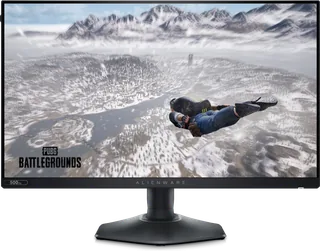
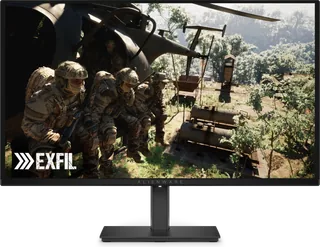
| DellAlienware 500Hz (AW2524HF) | DellAlienware 27 240Hz QD-OLED (AW2726DM) | |
|---|---|---|
| Overview | ||
| Released | September 2023 | April 2026 |
| Display | ||
| Screen size | 24.5″ | 26.5″ |
| Resolution | 1920 × 1080 (Full HD) | 2560 × 1440 (QHD) (better) |
| Sharpness | 90 pixels per inch | 111 pixels per inch (better) |
| Panel | IPS (Fast IPS) | QD-OLED |
| Refresh rate | 500 Hz (better) | 240 Hz |
| Response time (grey to grey) | 0.5 ms | 0.03 ms (better) |
| Brightness (typical) | 400 nits (better) | 200 nits |
| HDR peak brightness | – | 400 nits |
| HDR formats | HDR10 | HDR10 |
| Contrast ratio | 1,000:1 | 1,500,000:1 |
| Colour range | 99% sRGB | 99% DCI-P3 |
| DCI-P3 coverage | – | 99% |
| Colour accuracy (Delta E) | Below 1.5 | – |
| Screen finish | Matte | Glossy |
| Shape | Flat | Flat |
| Adaptive sync | FreeSync Premium, VESA AdaptiveSync, HDMI VRR | FreeSync Premium, VESA AdaptiveSync, HDMI VRR |
| Colour depth | 1.07 billion colours | 1.07 billion colours |
| sRGB coverage | 99% | – |
| Colour accuracy | ΔE2000 < 1.5 (average) in the sRGB preset mode | – |
| Colour modes | FPS, MOBA/RTS, RPG, Sports, three custom game modes, sRGB | – |
| HDR detail | HDR10 | 400 cd/m² peak (Dell UK); HDR10; Smart HDR modes Desktop, Movie HDR and Game HDR |
| Response time detail | 0.5 ms grey-to-grey minimum, 1 ms most observed (Extreme); 2 ms (Super Fast); 3 ms (Fast) | – |
| Variable refresh range | 48–480 Hz over DisplayPort (500 Hz overclocked); 48–255 Hz over HDMI (vertical scan range) | 48–240 Hz over DisplayPort; 48–120 Hz over HDMI (vertical scan range) |
| Viewing angles | 178° horizontal, 178° vertical (typical) | 178° horizontal, 178° vertical (typical) |
| Pixel pitch | 0.2832 mm x 0.2802 mm (90 ppi) | 0.2292 mm x 0.2292 mm |
| Eye care | ComfortView Plus hardware low blue light (TÜV Rheinland hardware solution); flicker-free | Hardware low blue light (TÜV Rheinland Category 3); TÜV Rheinland Eye Comfort 3.0 (3 star); flicker-free |
| Burn-in protection | – | Pixel refresh and panel health indicator |
| Connections | ||
| Video inputs | HDMI 2.1, 2 × DisplayPort 1.4 | 2 × HDMI 2.1 (TMDS), DisplayPort 1.4 |
| USB-C charging | None | None |
| USB ports | 4 × USB-A | – |
| Ethernet | No | No |
| Speakers | No | No |
| HDMI detail | 1 x HDMI 2.1 (HDCP 1.4), up to 1920 x 1080 at 255 Hz (TMDS) with HDR and VRR | 2 x HDMI (HDCP 1.4 & 2.3), up to 2560 x 1440 at 120 Hz with HDR and VRR as specified in HDMI 2.1 (TMDS) |
| DisplayPort detail | 2 x DisplayPort 1.4 (HDCP 1.4), up to 1920 x 1080 at 500 Hz with HDR and VRR | 1 x DisplayPort 1.4 (HDCP 1.4 & 2.3), up to 2560 x 1440 at 240 Hz with HDR, DSC and AdaptiveSync |
| Audio out | – | 3.5 mm headphone jack |
| USB hub detail | USB 5Gbps; 1 x USB-B upstream; 2 x USB-A rear; 2 x USB-A bottom (one with BC1.2 charging) | – |
| Design | ||
| Stand adjusts | Height, tilt, swivel, pivot | Height, tilt, swivel, pivot |
| VESA mount | Yes | Yes |
| Weight with stand | 6.01 kg | 5.9 kg |
| Height adjustment | 110 mm | 130 mm |
| Tilt | -5° to 21° | -5° to 21° |
| Swivel | -20° to 20° | -360° to 360° |
| Pivot | -90° to 90° | -90° to 90° |
| VESA pattern | 100 x 100 mm | 100 x 100 mm |
| Size with stand | 555.14 x 243.71 x 390.51–500.51 mm (W x D x H) | 609.31 x 233.40 x 393.32–523.32 mm (W x D x H) |
| Size without stand | 555.14 x 84 x 328.86 mm (W x D x H) | 609.31 x 41.95 x 354.30 mm (W x D x H) |
| Weight without stand | 3.65 kg | 3.90 kg |
| Colours | Dark grey | Black |
| Power and support | ||
| Power use | 18.5 W on mode, 0.5 W standby, 0.3 W off, 74 W maximum | 21 W on mode, 0.3 W standby, 0.3 W off, 70 W maximum |
| Energy class | – | E |
| Power supply | 100–240 VAC, 50/60 Hz, 1.2 A | 100–240 VAC, 50/60 Hz, 1.5 A (maximum) |
| Certifications | AMD FreeSync Premium, VESA AdaptiveSync Display, TÜV Rheinland hardware low blue light | TÜV Rheinland Eye Comfort 3.0 (3 star), TÜV Rheinland hardware low blue light (Category 3) |
| Warranty | 3 years limited with Advanced Exchange Service and Premium Panel Exchange (US) | 3 years limited hardware with Advanced Exchange Service and Premium Panel Exchange (UK) |
| In the box | Stand, power cable, DisplayPort 1.4 cable (1.8 m), USB-C to DisplayPort 1.4 cable (1 m), USB-A to USB-B 5Gbps cable (1.8 m), Alienware sticker | Stand, Allen key and four M4 screws, power cable, DisplayPort cable (1.8 m), HDMI cable (1.8 m) |
More comparisons
- Dell Alienware 27 240Hz QD-OLED (AW2726DM) vs Dell Alienware 32 240Hz (AW3226DM)
- Dell Alienware 27 240Hz QD-OLED (AW2726DM) vs Dell Alienware 34 240Hz (AW3426DWM)
- Dell Alienware 500Hz (AW2524HF) vs Dell Alienware 32 240Hz (AW3226DM)
- Dell Alienware 500Hz (AW2524HF) vs Dell Alienware 34 240Hz (AW3426DWM)
- Dell Alienware 27 240Hz QD-OLED (AW2726DM) vs Dell Alienware 34 280Hz QD-OLED (AW3426DW)
- Dell Alienware 27 240Hz QD-OLED (AW2726DM) vs Dell Alienware 39 5K OLED (AW3926QW)
- Dell Alienware 500Hz (AW2524HF) vs Dell Alienware 34 280Hz QD-OLED (AW3426DW)
- Dell Alienware 500Hz (AW2524HF) vs Dell Alienware 39 5K OLED (AW3926QW)
- Dell Alienware 27 360Hz QD-OLED (AW2725DF) vs Dell Alienware 27 240Hz QD-OLED (AW2726DM)
- Dell Alienware 27 280Hz QD-OLED (AW2725D) vs Dell Alienware 27 240Hz QD-OLED (AW2726DM)
- Dell Alienware 27 240Hz QD-OLED (AW2726DM) vs Lenovo Legion 27Q-10
- Dell Alienware 27 240Hz QD-OLED (AW2726DM) vs MSI MAG 274QP QD-OLED X24
- Dell Alienware 27 240Hz QD-OLED (AW2726DM) vs LG UltraGear OLED 27GX700A
- Dell Alienware 27 280Hz (AW2726DL) vs Dell Alienware 27 240Hz QD-OLED (AW2726DM)
- Dell Alienware 25 320Hz (AW2525HM) vs Dell Alienware 27 240Hz QD-OLED (AW2726DM)
- Dell Alienware 27 240Hz QD-OLED (AW2726DM) vs Dell Alienware 34 240Hz QD-OLED (AW3425DW)