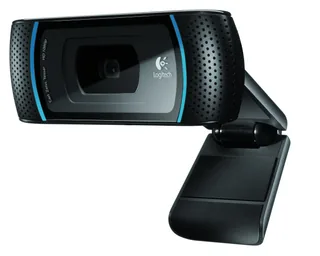
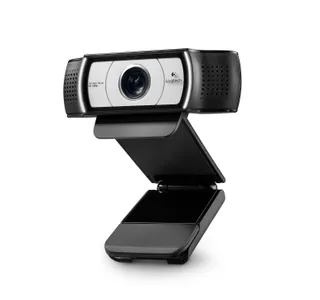
Logitech HD Pro Webcam C910 vs Logitech C930e Business Webcam
Better figure, where one is clearly better
| LogitechHD Pro Webcam C910 | LogitechC930e Business Webcam | |
|---|---|---|
| Overview | ||
| Released | 2010 | 2013 |
| Video | ||
| Highest resolution | 1080p (1920 × 1080) at 30 fps | 1080p (1920 × 1080) at 30 fps |
| Highest frame rate | 30 fps | 30 fps |
| Sensor | 5 MP | 3 MP |
| Field of view | 83° diagonal | 90° diagonal |
| Autofocus | Yes | Yes |
| Sensor | 5 MP optical resolution; software-enhanced still photos up to 10 MP | 3 MP camera |
| Resolutions and frame rates | 1080p recording at 30 fps according to PC World; Logitech's original video calling software supports up to 720p. 01net measured about 15 fps at 1080p in its test setup. | 1080p at 30 fps; 720p at 30 fps |
| Lens | Carl Zeiss glass optics, 4.3 mm focal length and 83° diagonal field of view | Glass lens; 90° diagonal field of view; 4x digital zoom |
| Focus | Autofocus | Autofocus |
| Image features | RightLight 2 automatic light correction | RightLight 2 automatic light correction; H.264 SVC and UVC 1.5 encoding |
| Audio | ||
| Microphones | 2 | 2 |
| Microphones | Two microphones for stereo sound | Two omnidirectional microphones, with up to 1 m stated range |
| Connections and software | ||
| Connector | USB-A | USB-A |
| Connection | Fixed USB-A cable; USB 2.0 recommended for HD recording | Attached USB-A cable; plug-and-play USB connection |
| Works with | Original software supported Windows XP, Vista and 7, and Mac OS X 10.5 or 10.6 | Windows 8 or later, macOS 10.7 or later and ChromeOS; UVC applications |
| Software | Logitech Webcam Software 2.0 for Windows and 2.1 for Mac at release | Optional Logitech camera settings app for digital pan, tilt and zoom |
| Design | ||
| Privacy shutter | No | Yes |
| Weight | – | 162 g |
| Mount | Adjustable universal clip for laptop and monitor edges; no tripod thread | Universal clip fits laptops and monitors and has a tripod thread |
| Privacy | Software privacy setting only; no physical shutter | Attachable lens shade included |
| Cable | 1.5 m attached | 1.5 m, attached |
| Size | – | 43 × 94 × 71 mm (height × width × depth), including mounting clip |
| In the box | Webcam, software installation CD and documentation | Webcam, attachable privacy shade and user documentation |