Samsung LCD R74 vs Samsung LED D8000 (2011)
Better figure, where one is clearly better
| SamsungLCD R74 | SamsungLED D8000 (2011) | |
|---|---|---|
| Overview | ||
| Released | 2006 | 2011 |
| Display | ||
| Panel | LCD | LED LCD |
| Panel detail | HD Ready LCD. TechRadar identifies the 40-inch panel as 1366 × 768; the maker manual lists 1360 × 768 at 60 Hz as a PC input timing, not a native panel resolution or refresh specification. Native pixel matrices for the other sizes remain unverified. | Edge-lit LCD with active-shutter 3D. The 2011 UK manual confirms Full HD resolution across the three sizes; its 60 Hz PC input timing is not the panel's native refresh rate, which Samsung does not specify there. |
| Resolution | – (26, 32, 37″), 1366 × 768 (40″) | 1920 × 1080 (Full HD) (better) |
| HDR formats | None | None |
| Picture processing | Digital Natural Image engine (DNIe), digital noise reduction and picture-in-picture. Contemporary reviews establish sale in 2006; no maker source establishes the first on-sale month. | Samsung Auto Motion Plus and Micro Dimming are described in contemporary 55-inch reviews. The UK manual gives 1920 × 1080 resolution but no native panel refresh rate or dimming-zone count. |
| Picture modes | Dynamic, Standard, Movie and Custom picture presets in the manual. | Active 3D playback over HDMI and 2D-to-3D conversion on the reviewed 55-inch unit. Expert Reviews found native 3D more convincing than converted 2D content. |
| Motion handling | – | What Hi-Fi? finds no motion setting entirely satisfactory on its 55-inch unit. Expert Reviews recommends reducing Auto Motion Plus from its default setting and still notes blur in very fast action. |
| Sizes | ||
| Sizes | 26, 32, 37, 40″ | 40, 46, 55″ |
| Largest size | 40″ | 55″ (better) |
| Gaming | ||
| HDMI ports | 1 (0 HDMI 2.1 at 4K 120 Hz+) | 4 (0 HDMI 2.1 at 4K 120 Hz+) |
| Variable refresh rate | None | None |
| Auto low latency mode | No | – |
| HDMI detail | One HDMI/DVI input with HDCP and separate DVI audio input. The manual warns that HDMI/DVI is not for a computer graphics card; use VGA for a PC. Component supports 720p and 1080i. Two SCART sockets; composite video and S-Video, located on the rear on the 26-inch and side on the larger sizes. | Four HDMI inputs, with ARC on HDMI 2, accept up to 1080p video in the UK manual. The same guide lists PC/VGA, component, composite and two SCART inputs, plus optical audio and headphones. There is no 4K or 120 Hz HDMI input. |
| Game features | Manual Game Mode for an attached games console; no automatic low latency mode or variable refresh rate. | The UK manual confirms active 3D over HDMI; neither manufacturer document confirms VRR or automatic low-latency switching. |
| Smart TV and sound | ||
| Smart TV platform | None (no smart platform) | Samsung Smart TV |
| Wi-Fi | – | Wi-Fi, built in on the reviewed 55-inch unit (Expert Reviews) |
| Processor | DNIe | – |
| Speakers | 2.0 channels | – |
| eARC | No | – |
| Speaker detail | 26-inch 2 × 5 W; 32, 37 and 40-inch 2 × 10 W. Separate left/right speakers in the maker manual. | UK manual gives 10 W × 2 for 40 and 46 inches and 15 W × 2 for 55 inches. What Hi-Fi? finds its 55-inch unit's sound thin; Expert Reviews considers it adequate for casual viewing. |
| Audio features | SRS TruSurround XT, equaliser, auto volume and headphone output; RCA audio output for an external amplifier. | Dolby Digital and Dolby Digital Plus in the UK manual; ARC on HDMI 2 and an optical output. The guide also lists a headphone socket. |
| Casting | – | Samsung AllShare media sharing appears in the UK manual. The 55-inch Expert Reviews unit streamed local media over Ethernet and Wi-Fi. |
| TV tuners | Analogue and digital terrestrial reception, CI card slot and seven-day digital programme guide. | Analogue and DVB-T2/C/S2 digital tuners in the UK manual; Freeview HD and Freesat are confirmed on the reviewed UK 55-inch set. Guide and USB recording are also described. |
| USB | – | Three USB ports on the reviewed 55-inch set (Expert Reviews); the UK manual confirms USB as an input source. |
| Ethernet | – | Ethernet LAN shown in the UK manual. |
| Optical audio out | Optical digital audio output. | One optical digital audio output in the UK manual. |
| Design and power | ||
| Size | Without stand, width × height × depth: 26-inch 675 × 475.5 × 75 mm; 32-inch 800 × 548.5 × 80 mm; 37-inch 923 × 618.5 × 87 mm; 40-inch 991.5 × 658.5 × 87 mm. The manual publishes only weights including the stand, so configuration weights are omitted. | Without stand, width × height × depth from the UK guide: 40-inch 908.6 × 524.9 × 29.7 mm; 46-inch 1041.1 × 599.4 × 29.7 mm; 55-inch 1232.6 × 707.2 × 29.7 mm. Configuration weights exclude stands. |
| Stand | Swivel ±20°. With stand, width × height × depth and weight: 26-inch 675 × 530 × 215.5 mm, 10.55 kg; 32-inch 800 × 603 × 252 mm, 15.45 kg; 37-inch 923 × 676.5 × 326 mm, 22.8 kg; 40-inch 991.5 × 713 × 326 mm, 24 kg. | With-stand weight from the UK guide: 40-inch 11.3 kg; 46-inch 14.3 kg; 55-inch 18.6 kg. The stand swivels 20° either way. Samsung's guide says the 55-inch model needs its dedicated wall-mount kit rather than the VESA kit listed for other sizes. |
| Power use | Maker rated power: 26-inch 120 W; 32-inch 152 W; 37-inch 170 W; 40-inch 190 W. AC 220–240 V, 50 Hz. | – |
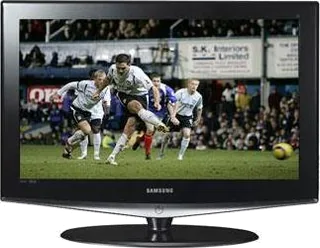
| Colours | Gloss black cabinet with metallic lower trim, as shown in the contemporary reviews. | – |
| In the box | Remote control, two AAA batteries, power cord, cleaning cloth, stand components and instructions; assembly varies by screen size. | UK quick guide identifies the conventional remote and stand; What Hi-Fi? and Expert Reviews both report a pair of active 3D glasses with the 55-inch retail unit. |

More comparisons
- LG OLED evo C6 vs Samsung LED D8000 (2011)
- LG OLED evo C6 vs Samsung LCD R74
- Samsung LED D8000 (2011) vs Samsung Neo QLED QN90F
- Samsung LCD R74 vs Samsung Neo QLED QN90F
- Samsung LED D8000 (2011) vs Samsung LED H8000
- Samsung LCD R74 vs Samsung LED F8000
- Samsung LED D8000 (2011) vs Samsung LED F8000
- LG LM660T vs Samsung LED D8000 (2011)
- Samsung LED D8000 (2011) vs Samsung LED ES8000 (2012)
- Samsung LED D8000 (2011) vs Sony BRAVIA HX853
- Samsung LED C8000 vs Samsung LED D8000 (2011)
- LG LE8900 vs Samsung LED D8000 (2011)
- Samsung LED B8000 vs Samsung LED D8000 (2011)
- Samsung LCD A656 vs Samsung LCD R74
- Samsung LCD R74 vs Sony BRAVIA W4000
- Samsung LCD F86 vs Samsung LCD R74