Photo 1 of 18
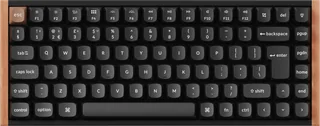
Keychron K2 Max · Photo source
Keychron · K Max
K2 Max
Keychron's 75% wireless mechanical keyboard with QMK firmware and an optional hot-swappable version, connecting by 2.4 GHz receiver, Bluetooth or cable, suited to people who want a compact mechanical keyboard for Mac and Windows.
- Layout
- Compact
- Switches
- Mechanical
- Backlight
- RGB
- Battery
- 190 hours
- Connects by
- Bluetooth, USB receiver and Cable
- Weight
- 940 g
Specifications
Report a wrong or missing specTyping
- Layout
- Compact
- Switches
- Mechanical
- Backlight
- RGB
- Keys labelled for
- Mac, Windows and more
- Touch ID
- No
- Switches
- Keychron Super mechanical switches (Red, Brown or Banana), rated for 50 million clicks; south-facing; hot-swappable version accepts almost all 3-pin and 5-pin MX-style switches
- Keycaps
- Double-shot PBT, OSA profile; extra keycaps for Windows and macOS
- Layouts
- 84 keys (75%); ANSI (keychron.com); UK, Nordic, German and Swiss ISO (ISO Layout Collection; UK ISO on keychron.uk)
- Backlight
- South-facing RGB with 22 effects, adjustable hue, saturation, brightness and speed; a white-backlight version is also sold
- Special keys
- 12 multimedia keys; Mac/Windows system toggle that keeps a separate layout for each; N-key rollover wireless and wired
Connections and battery
- Connects by
- Bluetooth, USB receiver and Cable
- Devices it switches between
- 3
- Power
- Rechargeable
- Battery life (maker's claim)
- Up to 190 hours
- Receiver
- 2.4 GHz USB receiver at 1,000 Hz polling; Bluetooth 5.2 (spec table; the page text says 5.1) at 90 Hz to up to three devices; USB-C wired at 1,000 Hz
- Battery life detail
- 4,000 mAh lithium-polymer battery; around 190 hours with the backlight off and around 100 hours with RGB at its lowest brightness (Keychron's lab tests)
- Works with
- macOS, Windows and Linux
- Software
- QMK firmware; Keychron Launcher web app for key remapping and macros
Design
- Weight
- 940 g
- Width × depth × height
- 311.54 × 121.54 × 41.54 mm
- Size
- 311.54 × 121.54 mm (plastic frame), 940 g; 316.62 × 126.56 mm (aluminium frame), 1,080 g; height with keycaps 32.06 mm at the front, 41.54 mm at the rear; typing angles of 5°, 9° and 12°
- Materials
- ABS or ABS and aluminium frame; steel plate; IXPE, PET and EPDM foams
- Colours
- Black, White (keychron.com)
Pros and cons
Pros
- Connects by 2.4 GHz receiver (1,000 Hz), Bluetooth to three devices, or USB-C cable (1,000 Hz)
- Hot-swappable version takes almost any 3-pin or 5-pin MX-style switch
- QMK firmware, remappable in the Keychron Launcher web app; Mac and Windows keycaps included
Cons
- Around 100 hours per charge with the RGB backlight on at its lowest brightness
- 1,000 Hz polling, where newer gaming keyboards offer 8,000 Hz
- 90 Hz polling over Bluetooth
Closest rivals
Model | Layout | Switches | Backlight | Battery | Connects by | Weight | Released |
|---|---|---|---|---|---|---|---|
| Compact | Magnetic (Hall effect) | RGB | 110 hours | Bluetooth, USB receiver and Cable | 980 g | Aug 2024 | |
| Compact | Mechanical | RGB | 65 hours | Bluetooth, USB receiver and Cable | 610 g | Apr 2024 | |
| Compact | Magnetic (Hall effect) | RGB | 120 hours | Bluetooth, USB receiver and Cable | 820 g | May 2025 |

Sources
- keychron.uk/products/keychron-k2-max-qmk-wireless-mechanical-keyboard-iso-layou…
- keychron.com/products/keychron-k2-max-qmk-wireless-mechanical-keyboard
Photo: cdn.shopify.com
- Keychron K2 Max QMK Wireless Custom Mechanical Keyboard RGB Backlight Aluminum Frame 75% Layout Fully Assembled for Mac Windows Linux Hot Swappable Keychron Super Red: keychron.com/cdn/shop/files/Keychron-K2-Max-QMK-Wireless-Custom-Mechanical-Keyb…
- Keychron K2 Max QMK Wireless Custom Mechanical Keyboard RGB Backlight Aluminum Frame 75% Layout Fully Assembled for Mac Windows Linux Hot Swappable Keychron Super Brown: keychron.com/cdn/shop/files/Keychron-K2-Max-QMK-Wireless-Custom-Mechanical-Keyb…
- Keychron K2 Max QMK Wireless Custom Mechanical Keyboard RGB Backlight Aluminum Frame 75% Layout Fully Assembled for Mac Windows Linux Hot Swappable Keychron Super Banana: keychron.com/cdn/shop/files/Keychron-K2-Max-QMK-Wireless-Custom-Mechanical-Keyb…
- Keychron K2 Max QMK Wireless Custom Mechanical Keyboard RGB Backlight 75% Layout Fully Assembled for Mac Windows Linux Hot Swappable Keychron Super Red: keychron.com/cdn/shop/files/Keychron-K2-Max-QMK-Wireless-Custom-Mechanical-Keyb…
- Keychron K2 Max QMK Wireless Custom Mechanical Keyboard RGB Backlight 75% Layout Fully Assembled for Mac Windows Linux Hot Swappable Keychron Super Brown: keychron.com/cdn/shop/files/Keychron-K2-Max-QMK-Wireless-Custom-Mechanical-Keyb…
- Keychron K2 Max QMK Wireless Custom Mechanical Keyboard RGB Backlight 75% Layout Fully Assembled for Mac Windows Linux Hot Swappable Keychron Super Banana: keychron.com/cdn/shop/files/Keychron-K2-Max-QMK-Wireless-Custom-Mechanical-Keyb…
- White Keychron K2 Max ANSI keyboard, Super Red switch and included alternate keycaps (maker configuration view 12): keychron.com/cdn/shop/files/Keychron-K2-Max-Wireless-Custom-Mechanical-Keyboard…
- White Keychron K2 Max ANSI keyboard, Super Brown switch and included alternate keycaps (maker configuration view 13): keychron.com/cdn/shop/files/Keychron-K2-Max-Wireless-Custom-Mechanical-Keyboard…
- White Keychron K2 Max ANSI keyboard, Super Banana switch and included alternate keycaps (maker configuration view 14): keychron.com/cdn/shop/files/Keychron-K2-Max-Wireless-Custom-Mechanical-Keyboard…
- White Keychron K2 Max ANSI keyboard, Super Red switch and included alternate keycaps (maker configuration view 15): keychron.com/cdn/shop/files/Keychron-K2-Max-Wireless-Custom-Mechanical-Keyboard…
- White Keychron K2 Max ANSI keyboard, Super Brown switch and included alternate keycaps (maker configuration view 16): keychron.com/cdn/shop/files/Keychron-K2-Max-Wireless-Custom-Mechanical-Keyboard…
- White Keychron K2 Max ANSI keyboard, Super Banana switch and included alternate keycaps (maker configuration view 17): keychron.com/cdn/shop/files/Keychron-K2-Max-Wireless-Custom-Mechanical-Keyboard…
- Keychron K2 Max UK ISO keyboard and included alternate Mac/Windows keycaps: cdn.shopify.com/s/files/1/0059/0630/1017/files/Keychron-K2-Max-QMK-Wireless-Cus…
- Keychron K2 Max UK ISO keyboard with Super Banana switch and included alternate Mac/Windows keycaps: keychron.uk/cdn/shop/files/Keychron-K2-Max-QMK-Wireless-Custom-Mechanical-Keybo…
- Keychron K2 Max, Black ANSI angled hardware photo extracted above detached icons: Keychron; global exact K2 Max maker page; Black ANSI angled hardware photo extracted above detached icons. Native RGB preserved; reviewed plain studio exterior alpha-only.
- Keychron K2 Max, Black ISO angled hardware photo extracted above detached icons: Keychron; uk exact K2 Max maker page; Black ISO angled hardware photo extracted above detached icons. Native RGB preserved; reviewed plain studio exterior alpha-only.
- Keychron K2 Max, Black ANSI hot-swap sockets and photographed Brown switches, hardware-only rectangular detail extracted from fabric-scene source: Keychron; global exact K2 Max maker page; Black ANSI hot-swap sockets and photographed Brown switches, hardware-only rectangular detail extracted from fabric-scene source. Native RGB preserved; reviewed plain studio exterior alpha-only.


