Dell XPS 14 DA14260 · Photo source
Dell · XPS
XPS 14 DA14260
The 2026 XPS 14 is Dell's thin 14-inch premium laptop with Intel Core Ultra Series 3 processors, a 120 Hz LCD or a 2.8K OLED touchscreen and a 70 Wh battery, suited to people who want a light, well-built Windows laptop with long battery life.
Model history · 2 models, 2024–2026
- 2024XPS 14 9440Compare
- 2026XPS 14 DA14260
- Size
- 14″
- Display
- IPS LCD or OLED, 120 Hz
- Processor
- Intel Core Ultra 5, Core Ultra 7, Core Ultra X7 358H or Core Ultra X9 388H
- Memory
- 16 GB – 64 GB
- Weight
- 1.36 kg
- Battery
- 31 h
What reviewers say
Reviewers praise the light, stiffer redesign, the excellent OLED screen and strong Panther Lake performance, especially with Arc B390 graphics, and welcome the return of physical function keys. Engadget found the keyboard missed quick key presses and battery life mediocre, where Tom's Guide found it strong; Notebookcheck and Tom's Guide regret the dropped microSD slot and the smaller screen.
From notebookcheck.net, engadget.com and tomsguide.com
Specifications
Report a wrong or missing specDisplay
- Screen size
- 14″
- Resolution
- 1920 × 1200 or 2880 × 1800
- Panel
- IPS LCD or OLED
- Refresh rate
- 120 Hz
- Brightness
- 500 nits or 400 nits
- HDR peak brightness
- 500 nits
- Touchscreen
- No or Yes
- Display type
- 2K (1920 × 1200) WLED LCD, non-touch, anti-glare, 1–120 Hz; or 2.8K (2880 × 1800) OLED touchscreen, anti-reflective and anti-smudge, 20–120 Hz
- Pixel density
- 161.7 ppi (LCD); 242.6 ppi (OLED)
- Colour range
- 100% sRGB (LCD); 100% DCI-P3 (OLED)
- Screen finish
- Anti-glare (LCD); anti-reflective, anti-smudge (OLED)
- Display features
- 2000:1 contrast (LCD); OLED 400 nits typical, 500 nits peak, 1,000,000:1 contrast, 2 ms response; TÜV Rheinland low blue light; Eyesafe
Performance
- Processor
- Intel Core Ultra 5 325, Intel Core Ultra 7 355, Intel Core Ultra X7 358H or Intel Core Ultra X9 388H
- CPU cores
- 8 or 16
- CPU threads
- 8 or 16
- Graphics
- Intel Graphics or Intel Arc B390 GPU
- AI engine (NPU)
- 47 TOPS, 49 TOPS or 50 TOPS
- Memory
- 16 GB, 32 GB or 64 GB
- Storage
- 512 GB to 4 TB
- CPU
- Core Ultra 5 325 or Core Ultra 7 355 (8 cores, 25 W base, 45 W turbo); Core Ultra X7 358H or X9 388H (16 cores, 25 W base, 65 W turbo); Dell UK also sells a Core Ultra 7 366H
- GPU
- Intel Graphics (Core Ultra 5 and 7); Intel Arc B390 graphics with 12 Xe cores (Core Ultra X7 and X9)
- AI engine
- Intel AI Boost NPU, up to 47–50 TOPS depending on processor; Copilot+ PC
- Memory type
- LPDDR5X, soldered; 16 GB at 7467 MT/s (Core Ultra 5 and 7); 32 or 64 GB at 9600 MT/s (Core Ultra X7 and X9)
- Storage type
- One M.2 slot; 512 GB or 1 TB M.2 2230 PCIe Gen 4 SSD, or 2 TB or 4 TB M.2 2280 PCIe Gen 5 SSD
- Cooling
- Fans, which Dell says are its largest and thinnest yet; bursts up to 65 W
Battery and size
- Battery life (maker's claim)
- Up to 31 hours
- Battery capacity
- 70 Wh
- Weight
- 1.36 kg
- Thickness
- 15.2 mm
- Width × depth
- 309.52 × 209.71 mm
- Battery life detail
- 70 Wh 3-cell; up to 31 hours of Netflix streaming with the 2K LCD (250 nits) or 24 hours with the OLED (Core Ultra X7 358H, 200 nits); 40 h 27 min of local video playback (2K LCD, 150 nits), all Dell tests
- Charger
- 100 W USB-C adapter (can be left out in the UK)
- Fast charging
- ExpressCharge Boost with the 100 W adapter; 0–35% in 20 minutes, 0–80% in one hour
- Materials
- CNC aluminium top and bottom covers; Gorilla Glass 3 palm rest
- Colours
- Graphite
Connections
- Ports
- 3 × Thunderbolt 4, headphone jack
- Wi-Fi
- Wi-Fi 7
- Bluetooth
- 6
- Webcam
- 8MP with IR
- Operating system
- Windows
- Port detail
- 3 × Thunderbolt 4 USB-C with USB4, DisplayPort 2.1 and Power Delivery; 3.5 mm headset jack; lock slot through the USB-C ports
- Keyboard
- Backlit zero-lattice keyboard; capacitive touch function row
- Trackpad
- Seamless glass haptic touchpad, 150 × 73.92 mm
- Speakers
- Quad speakers (two woofers, two tweeters), 10 W total
- Microphones
- Dual digital-array microphones
- Biometrics
- IR camera for Windows Hello face recognition
- In the box
- Laptop and 100 W USB-C power adapter (unless ordered without)
Configurations
| Processor | Memory | Storage | Screen |
|---|---|---|---|
| Intel Core Ultra 5 325 | 16 GB | 512 GB | 1920 × 1200, 120 Hz |
| Intel Core Ultra 7 355 | 16 GB | 512 GB | 1920 × 1200, 120 Hz |
| Intel Core Ultra 7 355 | 16 GB | 1 TB | 2880 × 1800, 120 Hz |
| Intel Core Ultra X7 358H | 32 GB | 1 TB | 2880 × 1800, 120 Hz |
| Intel Core Ultra X9 388H | 64 GB | 4 TB | 2880 × 1800, 120 Hz |
Pros and cons
Pros
- Dell claims up to 31 hours of streaming video with the 2K LCD
- Core Ultra X7 and X9 models get Intel Arc B390 graphics with 12 Xe cores
- Three Thunderbolt 4 ports, all with DisplayPort 2.1 and charging
Cons
- Memory is soldered; 32 GB and 64 GB need a Core Ultra X7 or X9
- No USB-A, HDMI or card reader
- The base 1920 × 1200 LCD isn't a touchscreen
Closest rivals
Model | Size | Display | Processor | Memory | Weight | Battery | Released |
|---|---|---|---|---|---|---|---|
| 14″ | IPS LCD, 60–120 Hz | Intel Core Ultra 5 or 7 | 16 GB – 32 GB | 1.36 kg | 18.97 h | Jan 2026 | |
| 14″ | OLED or IPS LCD, 60–120 Hz | Intel Core Ultra 5 or 7 | 16 GB – 32 GB | 1.37 kg | 27.4 h | Jan 2026 | |
| 14″ | IPS LCD or OLED, 60–120 Hz | AMD Ryzen AI 5 or 7 | 16 GB – 64 GB | 1.38 kg | 22.9 h | May 2025 |
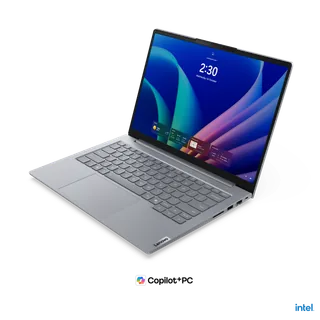

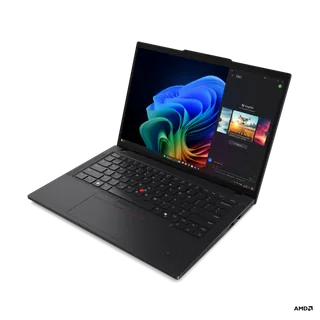
Previous model: XPS 14 9440.
Sources
- dell.com/en-uk/shop/laptop-computers/spd/xps14da14260
- dl.dell.com/content/manual4228996-xps-14-da14260-setup-and-specifications.pdf
- dell.com/en-us/blog/this-is-xps-now
Photo: i.dell.com
- Dell XPS 14 (DA14260), right open profile: Dell; https://i.dell.com/is/image/DellContent/content/dam/ss2/product-images/dell-client-products/notebooks/xps-notebooks/xps-14-da14260/media-gallery/touch/laptop-da14260t-gray-gallery-8.psd
- Dell XPS 14 (DA14260), front display at keyboard level: Dell; https://i.dell.com/is/image/DellContent/content/dam/ss2/product-images/dell-client-products/notebooks/xps-notebooks/xps-14-da14260/media-gallery/touch/laptop-da14260t-gray-gallery-12.psd
- Dell XPS 14 (DA14260), opposite front angle: Dell; https://i.dell.com/is/image/DellContent/content/dam/ss2/product-images/dell-client-products/notebooks/xps-notebooks/xps-14-da14260/media-gallery/touch/laptop-da14260t-gray-gallery-3.psd
- Dell XPS 14 (DA14260), keyboard top view: Dell; https://i.dell.com/is/image/DellContent/content/dam/ss2/product-images/dell-client-products/notebooks/xps-notebooks/xps-14-da14260/media-gallery/touch/laptop-da14260t-gray-gallery-4.psd
- Dell XPS 14 (DA14260), rear angle: Dell; https://i.dell.com/is/image/DellContent/content/dam/ss2/product-images/dell-client-products/notebooks/xps-notebooks/xps-14-da14260/media-gallery/touch/laptop-da14260t-gray-gallery-5.psd
- Dell XPS 14 (DA14260), opposite rear angle: Dell; https://i.dell.com/is/image/DellContent/content/dam/ss2/product-images/dell-client-products/notebooks/xps-notebooks/xps-14-da14260/media-gallery/touch/laptop-da14260t-gray-gallery-6.psd
- Dell XPS 14 (DA14260), left open profile: Dell; https://i.dell.com/is/image/DellContent/content/dam/ss2/product-images/dell-client-products/notebooks/xps-notebooks/xps-14-da14260/media-gallery/touch/laptop-da14260t-gray-gallery-7.psd
- Dell XPS 14 (DA14260), closed lid: Dell; https://i.dell.com/is/image/DellContent/content/dam/ss2/product-images/dell-client-products/notebooks/xps-notebooks/xps-14-da14260/media-gallery/touch/laptop-da14260t-gray-gallery-9.psd
- Dell XPS 14 (DA14260), rear quarter keyboard view: Dell; https://i.dell.com/is/image/DellContent/content/dam/ss2/product-images/dell-client-products/notebooks/xps-notebooks/xps-14-da14260/media-gallery/touch/laptop-da14260t-gray-gallery-10.psd
- Dell XPS 14 (DA14260) and XPS 16 (DA16260) family lineup, maker CES press photograph 1: Dell; /Dell XPS - CES 2026/EMBARGOED UNTIL JAN. 5 @ 3pm PT – XPS 14 & 16/High-Res Imagery/Family & Extended Imagery/Dell XPS 14&16 1.png
- Dell XPS 14 (DA14260) and XPS 16 (DA16260) family lineup, maker CES press photograph 2: Dell; /Dell XPS - CES 2026/EMBARGOED UNTIL JAN. 5 @ 3pm PT – XPS 14 & 16/High-Res Imagery/Family & Extended Imagery/Dell XPS 14&16 2.png
- Dell XPS 14 (DA14260) and XPS 16 (DA16260) family lineup, maker CES press photograph 3: Dell; /Dell XPS - CES 2026/EMBARGOED UNTIL JAN. 5 @ 3pm PT – XPS 14 & 16/High-Res Imagery/Family & Extended Imagery/Dell XPS 14&16 3.png
- Dell XPS 14 (DA14260) and XPS 16 (DA16260) family lineup, maker CES press photograph 4: Dell; /Dell XPS - CES 2026/EMBARGOED UNTIL JAN. 5 @ 3pm PT – XPS 14 & 16/High-Res Imagery/Family & Extended Imagery/Dell XPS 14&16 4.png
- Dell XPS 14 (DA14260), two-unit open-and-closed configuration: Dell; /Dell XPS - CES 2026/EMBARGOED UNTIL JAN. 5 @ 3pm PT – XPS 14 & 16/High-Res Imagery/Standard Imagery/XPS 14 2K LCD/Dell XPS 14 Touch 1.png
- Dell XPS 14 (DA14260), two-unit front-and-rear configuration: Dell; /Dell XPS - CES 2026/EMBARGOED UNTIL JAN. 5 @ 3pm PT – XPS 14 & 16/High-Res Imagery/Standard Imagery/XPS 14 2K LCD/Dell XPS 14 Touch 2.png
- Dell XPS 14 (DA14260), two-unit opening configuration: Dell; /Dell XPS - CES 2026/EMBARGOED UNTIL JAN. 5 @ 3pm PT – XPS 14 & 16/High-Res Imagery/Standard Imagery/XPS 14 2K LCD/Dell XPS 14 Touch 3.png
- Dell XPS 14 (DA14260), front view, maker SocialScroll screen: Dell
- Dell XPS 14 (DA14260), Japanese-layout keyboard top view: Dell; /Dell XPS - CES 2026/EMBARGOED UNTIL JAN. 5 @ 3pm PT – XPS 14 & 16/High-Res Imagery/Standard Imagery/XPS 14 2K LCD/Dell XPS 14 Touch 12.png
- Dell XPS 14 (DA14260), closed side profile: Dell; /Dell XPS - CES 2026/EMBARGOED UNTIL JAN. 5 @ 3pm PT – XPS 14 & 16/High-Res Imagery/Standard Imagery/XPS 14 2K LCD/Dell XPS 14 Touch 15.png
- Dell XPS 14 (DA14260), opposite closed side profile: Dell; /Dell XPS - CES 2026/EMBARGOED UNTIL JAN. 5 @ 3pm PT – XPS 14 & 16/High-Res Imagery/Standard Imagery/XPS 14 2K LCD/Dell XPS 14 Touch 17.png
- Dell XPS 14 (DA14260), maker Non-Touch configuration front display: Dell; /Dell XPS - CES 2026/EMBARGOED UNTIL JAN. 5 @ 3pm PT – XPS 14 & 16/High-Res Imagery/Standard Imagery/XPS 14 OLED/Dell XPS 14 Non-Touch 1.png
- Dell XPS 14 (DA14260), maker Non-Touch configuration opposite front angle: Dell; /Dell XPS - CES 2026/EMBARGOED UNTIL JAN. 5 @ 3pm PT – XPS 14 & 16/High-Res Imagery/Standard Imagery/XPS 14 OLED/Dell XPS 14 Non-Touch 2.png
- Dell XPS 14 (DA14260), maker Non-Touch configuration front angle: Dell; /Dell XPS - CES 2026/EMBARGOED UNTIL JAN. 5 @ 3pm PT – XPS 14 & 16/High-Res Imagery/Standard Imagery/XPS 14 OLED/Dell XPS 14 Non-Touch 3.png
- Dell XPS 14 (DA14260), LCD display physical-bezel close-up with native onscreen software: Dell; https://i.dell.com/is/image/DellContent/content/dam/ss2/product-images/dell-client-products/notebooks/xps-notebooks/xps-14-da14260/pdp/xps-14-pdp-mod-screencompare-lcd-uk-ie.psd
- Dell XPS 14 (DA14260), OLED display physical-bezel close-up with native onscreen software: Dell; https://i.dell.com/is/image/DellContent/content/dam/ss2/product-images/dell-client-products/notebooks/xps-notebooks/xps-14-da14260/pdp/xps-14-pdp-mod-screencompare-oled-uk-ie.psd
- Dell XPS 14 (DA14260), rear lid and hinge close-up: Dell; https://i.dell.com/is/image/DellContent/content/dam/ss2/product-images/dell-client-products/notebooks/xps-notebooks/xps-14-da14260/pdp/xps-14-pdp-mod-craftmanship.psd
- Dell XPS 14 (DA14260), Shimmer Gold front and rear views: Dell