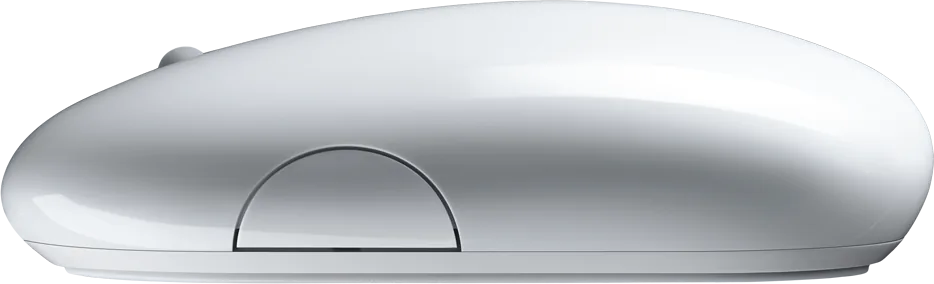
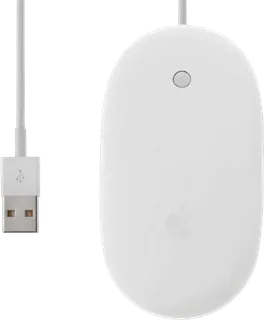
Wireless Mighty Mouse
Apple's Bluetooth 2.0 Mighty Mouse with laser tracking, a scroll ball, four programmable controls and power from one or two AA batteries.
- Shape
- Standard
- Buttons
- 4
- DPI
- –
- Battery
- –
- Connects by
- Bluetooth
- Weight
- 115 g
What reviewers say
Macworld and Engadget praised the all-direction scroll ball, cable-free design and improved surface tracking. Macworld found the squeeze control hard to press and wanted more flexible button assignments; Engadget found Bluetooth pointing less precise than a wired mouse despite the stronger laser sensor.
From macworld.com and engadget.com
Specifications
Report a wrong or missing specTracking
- Shape
- Standard
- Hand
- Either hand
- Sensor
- Laser
- Buttons
- 4
- Sensor
- Laser tracking; Apple described it as 20 times more sensitive than a standard optical mouse but did not publish DPI.
- Scroll wheel
- Clickable Scroll Ball scrolls vertically, horizontally and diagonally.
- Gestures
- Touch sensors distinguish left and right clicks; the two side contacts act together as one squeeze control.
Connections and battery
- Connects by
- Bluetooth
- Power
- AA battery
- Receiver
- Bluetooth 2.0 connection to a Mac with built-in Bluetooth; no USB receiver is included.
- Charging
- Runs on one or two AA cells, including alkaline or rechargeable cells. Apple's guide says the original box contained two nonrechargeable AA lithium batteries. No charging port.
- Works with
- At launch, a Mac with Bluetooth; Mac OS X 10.4.6 or later was needed to customise the controls.
- Software
- Mac OS X Mouse preferences assign Spotlight, Dashboard, Exposé or an application to the four controls.
Design
- Weight
- 115 g
- Colours
- White
- In the box
- Wireless Mighty Mouse and two AA lithium batteries. ITmedia measured 115 g with both supplied cells, or 100 g with one; Apple did not publish a weight.
Pros and cons
Pros
- Scroll Ball pans vertically, horizontally and diagonally
- Laser tracking works on more surfaces than the original optical model
- Runs on either one or two replaceable AA batteries
Cons
- No wired fallback connection
- Side squeeze control requires a firm press
- Button assignments in Apple's software are limited
Closest rivals
Model | Shape | Buttons | DPI | Battery | Connects by | Weight | Released |
|---|---|---|---|---|---|---|---|
| Standard | 4 | – | – | Cable | 77 g | Aug 2005 | |
| Standard | 2 | – | – | Bluetooth | 105 g | Oct 2009 | |
| Standard | 1 | – | 3 months | Bluetooth | – | Sept 2003 |

Sources
- apple.com/uk/newsroom/2006/07/25Apple-Debuts-Wireless-Mighty-Mouse
- cdsassets.apple.com/live/6GJYWVAV/user/ma1199_wireless_mighty_mouse_ug.pdf
- itmedia.co.jp/pcuser/articles/0608/09/news025.html
- macworld.com/article/180992/btmightymouse.html
- engadget.com/2006-07-29-review-apples-wireless-mighty-mouse.html
Photo: cdsassets.apple.com