Photo 1 of 8
ASUS ROG Strix Pulsar XG27AQNGV · Photo source
ASUS · ROG
ROG Strix Pulsar XG27AQNGV
ASUS's 27-inch 1440p Ultrafast IPS esports monitor that runs at 360Hz with NVIDIA G-SYNC Pulsar, which strobes the backlight while variable refresh rate is active.
- Size
- 27″
- Resolution
- 2560 × 1440
- PPI
- 109
- Panel
- IPS
- Refresh
- 360 Hz
- Brightness
- 400 nits
- HDR
- –
- USB-C power
- –
What reviewers say
Reviewers agree G-Sync Pulsar gives excellent motion clarity with VRR, and praise the fast response, low input lag and strong factory calibration. The common criticisms are IPS's low contrast and the lack of meaningful HDR; TFTCentral noted Pulsar only works with NVIDIA graphics cards, and RTINGS saw some image duplication with it.
From tftcentral.co.uk and rtings.com
Specifications
Report a wrong or missing specDisplay
- Screen size
- 27″
- Resolution
- 2560 × 1440 (QHD)
- Sharpness
- 109 pixels per inch
- Panel
- IPS (Ultrafast IPS)
- Refresh rate
- 360 Hz
- Response time (grey to grey)
- 1 ms
- Brightness (typical)
- 400 nits
- HDR peak brightness
- 500 nits
- HDR formats
- HDR10
- Contrast ratio
- 1,000:1
- Colour range
- 90% DCI-P3
- DCI-P3 coverage
- 90%
- Screen finish
- Matte
- Shape
- Flat
- Adaptive sync
- G-Sync, VESA AdaptiveSync
- Colour depth
- 10-bit, 1073.7M colours (ASUS's user guide lists 16.7M colours)
- Colour accuracy
- Delta E < 2
- Colour modes
- GameVisual: Scenery, Racing, Cinema, RTS/RPG, G-SYNC Esports, sRGB
- Response time detail
- Overdrive modes: Extreme, Esports, Normal, Off
- Motion blur reduction
- NVIDIA G-SYNC Pulsar (variable-frequency backlight strobing with VRR), Pulsar Low FPS; ULMB 2 when G-SYNC is off
- Viewing angles
- 178° / 178° (CR ≥ 10)
- Pixel pitch
- 0.233 mm
- Eye care
- TÜV-certified Flicker-free and Low Blue Light (hardware solution); G-SYNC Ambient Adaptive brightness and colour temperature via a built-in light sensor
- Calibration
- Colour pre-calibration report in the box
Connections
- Video inputs
- 2 × HDMI 2.1, DisplayPort 1.4
- USB-C charging
- None
- USB ports
- 3 × USB-A
- KVM switch
- No
- Ethernet
- No
- Speakers
- No
- HDMI detail
- 2 × HDMI 2.1 (FRL); 50–120 Hz vertical range
- DisplayPort detail
- DisplayPort 1.4 with DSC; 59–360 Hz vertical range
- USB hub detail
- 3 × USB 3.2 Gen 1 Type-A, 1 × USB 3.2 Gen 1 Type-B upstream
- Audio out
- Earphone jack
Design
- Stand adjusts
- Height, tilt, swivel, pivot
- VESA mount
- Yes
- Weight with stand
- 6.5 kg
- Height adjustment
- 0–110 mm
- Tilt
- +20° to −5°
- Swivel
- +45° to −45°
- Pivot
- +90° to −90°
- VESA pattern
- 100 × 100 mm
- Size with stand
- 61.4 × 50.3 × 18.8 cm (W × H × D)
- Size without stand
- 61.4 × 36.7 × 8.6 cm (W × H × D)
- Weight without stand
- 4.3 kg
- Controls
- 5-way button, close button, two shortcut buttons (GamePlus and GameVisual by default) and power button
- Colours
- Black
Power and support
- Power use
- Under 38 W on; under 0.5 W standby; under 0.3 W off
- Energy class
- F (SDR), G (HDR)
- Power supply
- External AC adapter, 20 V 9 A
- Certifications
- G-SYNC Pulsar, TÜV Flicker-free, TÜV Low Blue Light (Hardware Solution)
- In the box
- DisplayPort cable, power adapter, power cord, colour pre-calibration report, ROG pouch, quick start guide, warranty card
Pros and cons
Pros
- NVIDIA G-SYNC Pulsar combines backlight strobing with variable refresh rate for clearer motion
- 360Hz at 2560 x 1440 over DisplayPort with 1ms grey-to-grey response
- Stand adjusts for height (110 mm), tilt, swivel and pivot
Cons
- The two HDMI 2.1 inputs are limited to 120Hz
- No USB-C input and no KVM switch
- No local dimming and 1000:1 typical contrast for HDR10 content
Closest rivals
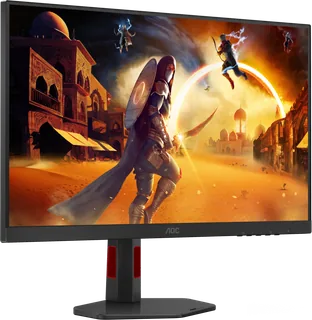
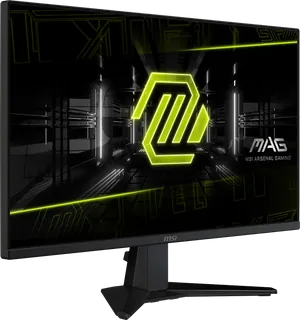
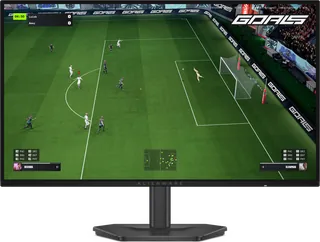
Model | Size | Resolution | PPI | Panel | Refresh | Brightness | HDR | USB-C power | Released |
|---|---|---|---|---|---|---|---|---|---|
| 27″ | 2560 × 1440 | 109 | IPS | 320 Hz | 450 nits | 400 | – | Oct 2025 | |
| 27″ | 2560 × 1440 | 109 | IPS | 320 Hz | 400 nits | 400 | – | Feb 2025 | |
| 27″ | 2560 × 1440 | 109 | IPS | 280 Hz | 400 nits | – | – | Apr 2026 |
Sources
- rog.asus.com/uk/monitors/27-to-31-5-inches/rog-strix-pulsar-xg27aqngv/spec
- rog.asus.com/uk/monitors/27-to-31-5-inches/rog-strix-pulsar-xg27aqngv
- dlcdnets.asus.com/pub/ASUS/LCD%20Monitors/XG27AQNGV/XG27AQNGV_English.pdf
- rog.asus.com/articles/gaming-monitors/nvidia-and-rog-pave-the-way-for-next-gen-…
- eprel.ec.europa.eu/screen/product/electronicdisplays/2452366
- tftcentral.co.uk/reviews/asus-rog-strix-pulsar-xg27aqngv
Photo: dlcdnwebimgs.asus.com
- Front-left view: dlcdnwebimgs.asus.com/gain/EEE5E88C-D4DD-4563-A826-3C4E03531795/w2000/h1470
- Front-right view: dlcdnwebimgs.asus.com/gain/50A283CE-EC0F-411E-9151-FFDDFDF1ED87/w2000/h1470
- Rear underside connection close-up: dlcdnwebimgs.asus.com/gain/9A88162B-6539-4A95-B268-B692261A6771/w2000/h1470
- Side view: dlcdnwebimgs.asus.com/gain/4B8B4CD8-20B4-4ABC-9F12-A214D942777D/w2000/h1470
- Upper view of physical monitor and stand: dlcdnwebimgs.asus.com/gain/FDD1CA54-4A2F-48B2-928F-B3D3A519417E/w2000/h1470
- Rear display shell and upper stand close-up; cropped maker photograph: dlcdnwebimgs.asus.com/files/media/202511/f95e2663-f402-489d-a3eb-390e7f7a2f5c/v…
- Angled display and compact stand view: dlcdnwebimgs.asus.com/files/media/202511/f95e2663-f402-489d-a3eb-390e7f7a2f5c/v…

