Photo 1 of 2
BenQ PD2730S · Photo source
BenQ · PD Series
PD2730S
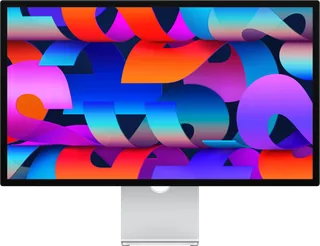
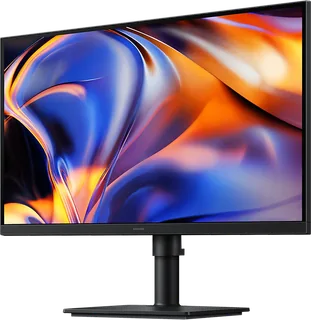
BenQ's 27-inch 5K IPS designer monitor with Thunderbolt 4 (90W charging and daisy-chaining), factory calibration and a KVM switch, aimed at Mac and PC users doing colour-critical design work.
- Size
- 27″
- Resolution
- 5120 × 2880
- PPI
- 218
- Panel
- IPS
- Refresh
- 60 Hz
- Brightness
- 400 nits
- HDR
- 400
- USB-C power
- 90 W
What reviewers say
Reviewers agree the 5K panel is razor-sharp with accurate colour, and praise the wide connectivity including Thunderbolt 4, the design and the bundled Hotkey Puck. PCWorld found HDR underwhelming and missed Ethernet and a refresh above 60Hz, TechRadar found the speakers poor and brightness limited, and Tom's Guide missed an Adobe RGB mode and thought it a little expensive.
From pcworld.com, techradar.com and tomsguide.com
Specifications
Report a wrong or missing specDisplay
- Screen size
- 27″
- Resolution
- 5120 × 2880 (5K)
- Sharpness
- 218 pixels per inch
- Panel
- IPS
- Refresh rate
- 60 Hz
- Response time (grey to grey)
- 5 ms
- Brightness (typical)
- 400 nits
- HDR peak brightness
- 400 nits
- HDR certification
- DisplayHDR 400
- HDR formats
- HDR10
- Contrast ratio
- 2,000:1
- Colour range
- 98% P3, 100% Rec.709
- DCI-P3 coverage
- 98%
- Screen finish
- Matte
- Shape
- Flat
- Colour depth
- 1.07 billion colours
- sRGB coverage
- 100%
- Colour accuracy
- Delta E (avg) ≤ 2
- Colour modes
- User1, User2, DCI-P3, Display P3, Rec.709, sRGB, HDR, M-book, DICOM, CAD/CAM, Animation, Darkroom
- Viewing angles
- 178° / 178° (CR ≥ 10)
- Eye care
- Flicker-free, Low Blue Light
- Calibration
- Factory calibration report; Uniformity Technology; software calibration with Palette Master Ultimate
Connections
- Video inputs
- HDMI 2.1, DisplayPort 1.4, Thunderbolt 4
- USB-C charging
- Up to 90 W
- USB ports
- USB-C, 3 × USB-A, Thunderbolt 4
- KVM switch
- Yes
- Ethernet
- No
- Speakers
- Yes
- HDMI detail
- 1 × HDMI 2.1, HDCP 2.3
- USB-C detail
- Thunderbolt 4 input with DisplayPort Alt Mode, data and 90 W power delivery; Thunderbolt 4 out with 15 W power delivery
- Daisy chaining
- Thunderbolt 4, for two 5K 60 Hz monitors (not on Apple M1 or M2 base chips)
- USB hub detail
- USB 3.2 Gen 2 (10 Gbps); 3 × USB-A downstream (two 4.5 W, one 7.5 W charging), 1 × USB-C downstream (7.5 W charging), 1 × USB-C upstream (data only)
- Picture by picture
- PIP/PBP, DualView
- Audio out
- Headphone jack
- Speaker detail
- 3 W × 2
Design
- Stand adjusts
- Height, tilt, swivel, pivot
- VESA mount
- Yes
- Weight with stand
- 8.3 kg
- Height adjustment
- 150 mm
- Tilt
- -5° to 20°
- Swivel
- 30° / 30° (left / right)
- Pivot
- 90°
- VESA pattern
- 100 × 100 mm
- Size with stand
- 427.58–577.58 × 614 × 242.07 mm (H × W × D)
- Size without stand
- 368 × 614 × 77.4 mm (H × W × D)
- Weight without stand
- 5.6 kg
- Controls
- Hotkey Puck G3
Power and support
- Power use
- 40 W normal, 230 W max, < 0.5 W sleep
- Power supply
- Built-in, 100–240 V
- Software
- Display Pilot 2, Palette Master Ultimate, Display ColorTalk, Display Quickit
- Certifications
- TÜV Flicker-free, Low Blue Light and Reflection Free; Calman Verified; Pantone Validated; Pantone SkinTone Validated; SolidWorks
- In the box
- Hotkey Puck G3, Thunderbolt 4 cable (1 m), DP 1.4 and HDMI 2.1 cables (may vary by region), calibration report, quick start guide, warranty card, safety instructions
Pros and cons
Pros
- 5K (5120 x 2880) resolution at 218 ppi
- Thunderbolt 4 input with 90W charging, a Thunderbolt 4 daisy-chain port, a USB hub and a KVM switch
- Stand adjusts for height (150 mm), tilt, swivel and pivot
Cons
- 60Hz refresh rate
- HDR limited to VESA DisplayHDR 400, with 400-nit peak brightness
- No Ethernet port
Closest rivals
Model | Size | Resolution | PPI | Panel | Refresh | Brightness | HDR | USB-C power | Released |
|---|---|---|---|---|---|---|---|---|---|
| 27″ | 5120 × 2880 | 218 | IPS | 60 Hz | 600 nits | – | 96 W | Mar 2022 | |
| 27″ | 5120 × 2880 | 218 | IPS | 60 Hz | 600 nits | – | 96 W | Mar 2026 | |
| 27″ | 5120 × 2880 | 218 | IPS | 60 Hz | 350 nits | – | 90 W | May 2026 |

Sources
- benq.eu/en-uk/monitor/creative-pro/pd2730s/spec.html
- benq.eu/en-uk/monitor/creative-pro/pd2730s.html
- benq.eu/en-uk/monitor/creative-pro/pd2730s/buy.html
- benq.eu/en-uk/news/products/-benq-sets-new-standard-for-designers-with-uk-launc…
- benq.com/en-us/news/monitor/new-5k-color-accurate-monitor-at-adobe-max-2024.html
Photo: image.benq.com
- BenQ PD2730S, three-quarter rear with stand: image.benq.com/is/image/benqco/pd2730s-2