Photo 1 of 9
Dell Alienware 27 280Hz QD-OLED (AW2725D) · Photo source
Dell · Alienware
Alienware 27 280Hz QD-OLED (AW2725D)
Alienware's lowest-priced 27-inch QD-OLED gaming monitor, with a 2560 x 1440 panel at 280Hz and HDMI 2.1 FRL on two ports, for PC and console players.
- Size
- 26.7″
- Resolution
- 2560 × 1440
- PPI
- 110
- Panel
- QD-OLED
- Refresh
- 280 Hz
- Brightness
- 250 nits
- HDR
- True Black 400
- USB-C power
- –
What reviewers say
Reviewers agree it offers most of what pricier QD-OLEDs do for less, praising its rich colour, deep contrast, sharp picture and fast 280Hz gaming. The common complaints are limited connectivity, with no USB-C input, and no speakers; Tom's Hardware saw slightly green neutral tones in HDR, and PCWorld found the picture adjustments limited.
From tomshardware.com, tomsguide.com and pcworld.com
Specifications
Report a wrong or missing specDisplay
- Screen size
- 26.7″
- Resolution
- 2560 × 1440 (QHD)
- Sharpness
- 110 pixels per inch
- Panel
- QD-OLED
- Refresh rate
- 280 Hz
- Response time (grey to grey)
- 0.03 ms
- Brightness (typical)
- 250 nits
- HDR peak brightness
- 1,000 nits
- HDR certification
- DisplayHDR True Black 400
- Contrast ratio
- 1,500,000:1
- Colour range
- 99.3% DCI-P3
- DCI-P3 coverage
- 99.3%
- Colour accuracy (Delta E)
- Below 1
- Screen finish
- Glossy
- Shape
- Flat
- Adaptive sync
- G-Sync Compatible, FreeSync Premium Pro, VESA AdaptiveSync, HDMI VRR
- Colour depth
- 1.07 billion colours (10-bit over HDMI)
- Colour accuracy
- Delta E < 1 (average) (sRGB); Delta E < 2 (average) (DCI-P3)
- Colour modes
- Standard, Creator, FPS, MOBA/RTS, RPG, Sports, three custom game modes
- HDR detail
- 1000 cd/m² HDR peak at 3% APL
- Variable refresh range
- 48–280 Hz (vertical scan range)
- Viewing angles
- 178° horizontal, 178° vertical (typical)
- Pixel pitch
- 0.2292 mm x 0.2292 mm
- Eye care
- ComfortView Plus hardware low blue light (TÜV Rheinland Category 3); flicker-free
- Burn-in protection
- Pixel refresh and panel health indicator
Connections
- Video inputs
- 2 × HDMI 2.1, DisplayPort 1.4
- USB-C charging
- None
- USB ports
- USB-C, USB-A
- Ethernet
- No
- Speakers
- No
- HDMI detail
- 2 x HDMI 2.1 FRL (HDCP 1.4 & 2.3), up to 2560 x 1440 at 280 Hz, 10-bit, with HDR and VRR; up to 2160p input for consoles
- DisplayPort detail
- 1 x DisplayPort 1.4 (HDCP 1.4 & 2.3), up to 2560 x 1440 at 280 Hz with HDR, DSC and VRR
- USB-C detail
- 1 x USB-C 5Gbps downstream port with 15 W charging (data only, no video)
- USB hub detail
- USB 5Gbps; 1 x Type-B upstream; 1 x Type-A downstream; 1 x USB-C downstream (15 W)
- Picture by picture
- Picture by Picture and Picture in Picture
Design
- Stand adjusts
- Height, tilt, swivel, pivot
- VESA mount
- Yes
- Weight with stand
- 6.35 kg
- Height adjustment
- 110 mm
- Tilt
- -5° to 21°
- Swivel
- -20° to 20°
- Pivot
- -90° to 90°
- VESA pattern
- 100 x 100 mm
- Size with stand
- 609.51 x 206.00 x 406.41–516.41 mm (W x D x H)
- Size without stand
- 609.51 x 69.48 x 355.58 mm (W x D x H)
- Weight without stand
- 3.92 kg
- Colours
- Dark Blue
Power and support
- Power use
- 25.3 W on mode, 0.5 W standby, 0.3 W off, 120 W maximum
- Energy class
- F
- Power supply
- 100–240 VAC, 50/60 Hz, 1.5 A (typical)
- Software
- Alienware Command Center
- Warranty
- 3 years Basic Support with Advanced Exchange Service (UK)
- In the box
- Stand, power cable, DisplayPort 1.4 cable (1.8 m), HDMI 2.1 FRL cable (1.8 m), USB-A to USB-B 5Gbps cable (1.8 m), microfibre cloth
Pros and cons
Pros
- 280Hz at 2560 x 1440 over DisplayPort 1.4 or either of two HDMI 2.1 FRL ports
- Factory calibrated to Delta E < 1 in sRGB and < 2 in DCI-P3; VESA DisplayHDR True Black 400 with a 1,000-nit peak
- Stand adjusts for height (110 mm), tilt, swivel and pivot
Cons
- 250-nit typical SDR brightness
- Only two USB ports (one USB-A, one USB-C at 15W), no USB-C video input
- No speakers or headphone jack
Closest rivals
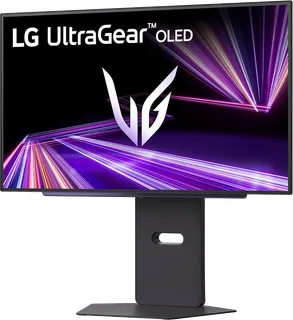
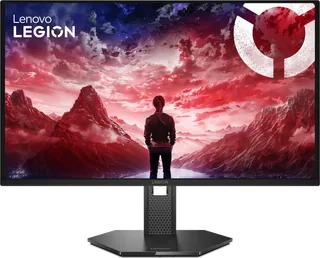
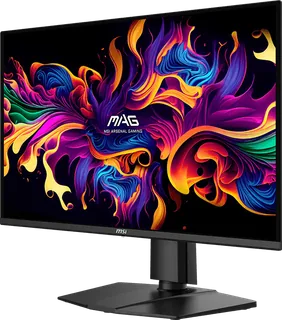
Model | Size | Resolution | PPI | Panel | Refresh | Brightness | HDR | USB-C power | Released |
|---|---|---|---|---|---|---|---|---|---|
| 26.5″ | 2560 × 1440 | 111 | OLED | 280 Hz | 335 nits | True Black 500 | – | Aug 2025 | |
| 26.5″ | 2560 × 1440 | 111 | QD-OLED | 240 Hz | 200 nits | – | – | Nov 2025 | |
| 26.5″ | 2560 × 1440 | 111 | QD-OLED | 240 Hz | 200 nits | – | – | Sept 2025 |
Sources
- dell.com/en-gb/shop/monitors/apd/alienware-27-280hz-qd-oled-gaming-monitor-aw27…
- dl.dell.com/content/manual27898846-alienware-27-280hz-qd-oled-gaming-monitor-aw…
- eprel.ec.europa.eu/qr/2281221
- dell.com/en-us/blog/monitor-madness-alienware-announces-six-new-gaming-monitors
- tftcentral.co.uk/news/dell-alienware-aw2725d-announced-with-27-qd-oled-panel-28…
Photo: i.dell.com
- View right-facing Alienware 27 280Hz QD-OLED Gaming Monitor AW2725D. Gameplay on screen is of The Hidden Ones.; official Dell image: i.dell.com/is/image/DellContent/content/dam/ss2/product-images/dell-client-prod…
- View left-facing Alienware 27 280Hz QD-OLED Gaming Monitor AW2725D. Gameplay on screen is of The Hidden Ones.; official Dell image: i.dell.com/is/image/DellContent/content/dam/ss2/product-images/dell-client-prod…
- View rear-facing Alienware 27 280Hz QD-OLED Gaming Monitor AW2725D; official Dell image: i.dell.com/is/image/DellContent/content/dam/ss2/product-images/dell-client-prod…
- View underside Alienware 27 280Hz QD-OLED Gaming Monitor AW2725D; official Dell image: i.dell.com/is/image/DellContent/content/dam/ss2/product-images/dell-client-prod…
- View rear-facing Alienware 27 280Hz QD-OLED Gaming Monitor AW2725D; official Dell image: i.dell.com/is/image/DellContent/content/dam/ss2/product-images/dell-client-prod…
- View rear-facing Alienware 27 280Hz QD-OLED Gaming Monitor AW2725D; official Dell image: i.dell.com/is/image/DellContent/content/dam/ss2/product-images/dell-client-prod…
- View Alienware 27 280Hz QD-OLED Gaming Monitor AW2725D. Gameplay on screen is of The Hidden Ones.; official Dell image: i.dell.com/is/image/DellContent/content/dam/ss2/product-images/dell-client-prod…
- Alienware monitor close up of the glyph on the back of the monitor.; official Dell image: i.dell.com/is/image/DellContent/content/dam/ss2/product-images/dell-client-prod…