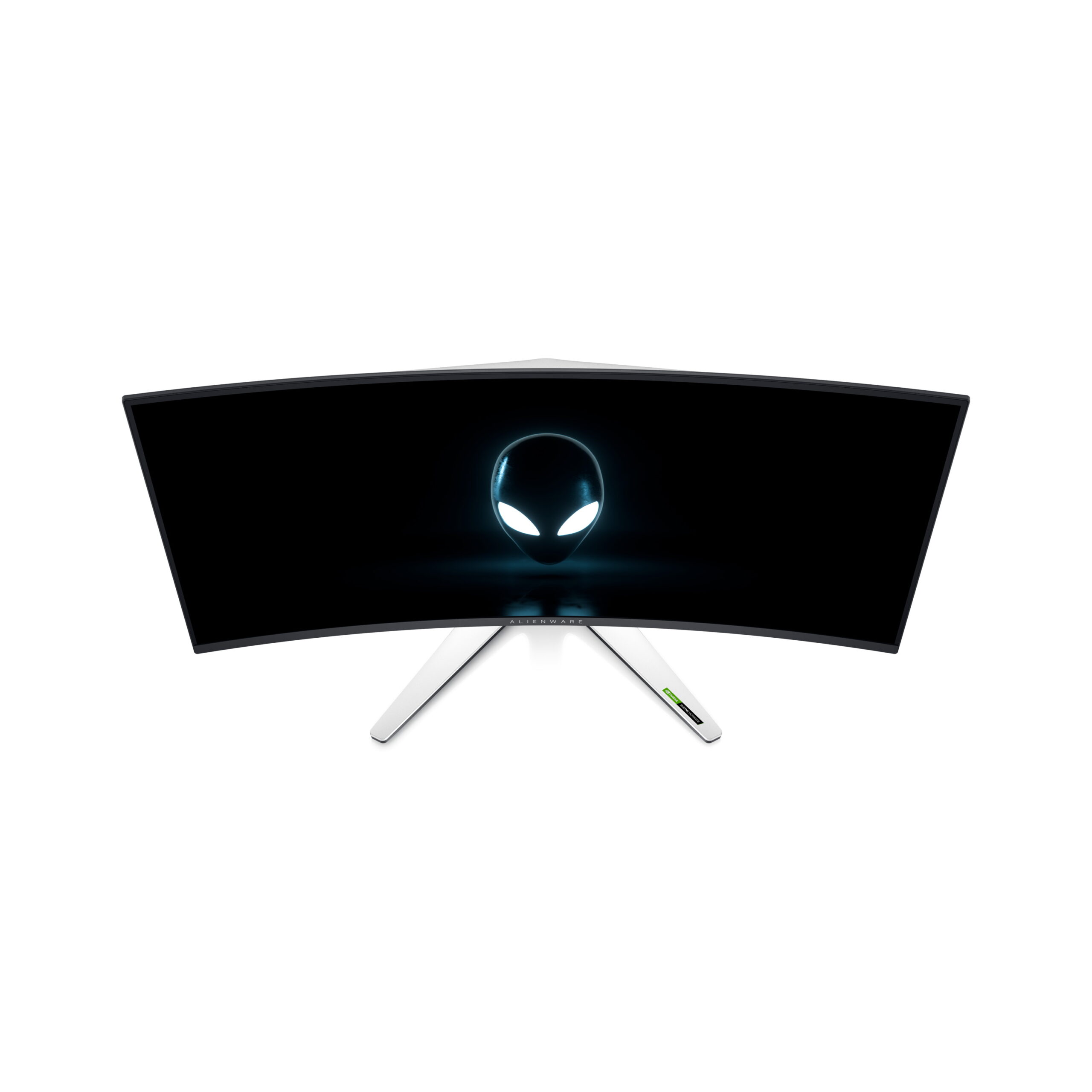
Photo 1 of 9
Dell Alienware 34 Curved QD-OLED (AW3423DW) · Photo source
Dell · Alienware
Alienware 34 Curved QD-OLED (AW3423DW)
Alienware's first 34-inch QD-OLED ultrawide gaming monitor, with a 175Hz DisplayPort input and a dedicated G-Sync Ultimate module.
- Size
- 34.18″
- Resolution
- 3440 × 1440
- PPI
- 109
- Panel
- QD-OLED
- Refresh
- 175 Hz
- Brightness
- 250 nits
- HDR
- True Black 400
- USB-C power
- –
What reviewers say
Reviewers praise the responsive motion, deep blacks and vivid HDR picture, particularly for PC gaming. Both find that bright room lighting weakens its black levels. TFTCentral highlights limited console support and OLED care interruptions, but found text fringing and fan noise less troublesome than some early reports suggested.
From tftcentral.co.uk and pcgamesn.com
Specifications
Report a wrong or missing specDisplay
- Screen size
- 34.18″
- Resolution
- 3440 × 1440 (UWQHD)
- Sharpness
- 109 pixels per inch
- Panel
- QD-OLED
- Refresh rate
- 175 Hz
- Response time (grey to grey)
- 0.1 ms
- Brightness (typical)
- 250 nits
- HDR peak brightness
- 1,000 nits
- HDR certification
- DisplayHDR True Black 400
- Contrast ratio
- 1,000,000:1
- Colour range
- 99.3% DCI-P3
- DCI-P3 coverage
- 99.3%
- Shape
- Curved (1800R)
- Adaptive sync
- G-Sync
- Subpixel layout
- Triangular RGB arrangement (TFTCentral)
- Colour depth
- 1.07 billion colours up to 144Hz; 16.7 million colours at 175Hz
- sRGB coverage
- 149% sRGB (maker stated gamut)
- Colour modes
- Creator mode offers sRGB and DCI-P3 presets (TFTCentral)
- HDR detail
- DisplayHDR True Black 400; HDR Peak 1000 mode; per-pixel light control
- Response time detail
- Maker's 0.1ms figure is grey to grey
- Viewing angles
- 178° horizontal and vertical
- Pixel pitch
- 0.23 mm
- Eye care
- ComfortView Plus hardware low blue light, TÜV Rheinland certified; ambient light sensor
- Burn-in protection
- Pixel shifting, pixel refresh and panel refresh (TFTCentral); three-year maker warranty includes OLED burn-in
Connections
- Video inputs
- 2 × HDMI 2.0, DisplayPort 1.4
- USB-C charging
- None
- USB ports
- 4 × USB-A
- Speakers
- No
- HDMI detail
- 2 x HDMI 2.0; up to 3440 x 1440 at 100Hz
- DisplayPort detail
- 1 x DisplayPort 1.4; up to 3440 x 1440 at 175Hz
- USB hub detail
- USB 3.2 Gen 1, 5Gbps; one USB-B upstream and four USB-A downstream, including one front-bottom BC 1.2 charging port at up to 2A
- Audio out
- Rear line output and bottom headphone output
Design
- Stand adjusts
- Height, tilt, swivel
- VESA mount
- Yes
- Weight with stand
- 10.37 kg
- Height adjustment
- 110 mm
- Tilt
- -5° to 21°
- Swivel
- -20° to 20°
- VESA pattern
- 100 x 100 mm
- Size with stand
- 815.25 x 305.71 x 415.57 mm (W x D x H, lowest position)
- Size without stand
- 815.25 x 137.11 x 364.15 mm (W x D x H)
- Weight without stand
- 6.92 kg
- Controls
- Joystick (TFTCentral); AlienFX lighting
Power and support
- Power use
- 42.3 W on mode; 200 W maximum; 0.5 W standby; 0.3 W off
- Power supply
- 100–240 VAC, 50/60Hz
- Warranty
- Three-year Advanced Exchange Service and Premium Panel Exchange, including OLED burn-in
- In the box
- DisplayPort cable, Mini DisplayPort-to-DisplayPort cable, HDMI cable and USB upstream cable
Pros and cons
Pros
- QD-OLED with a 1,000-nit HDR peak and DisplayHDR True Black 400 certification
- G-Sync Ultimate and 175Hz at 3440 x 1440 over DisplayPort
- Four USB-A downstream ports and a three-year warranty including OLED burn-in
Cons
- HDMI 2.0 is limited to 100Hz at native resolution
- 10-bit colour is limited to 144Hz; 175Hz uses 8-bit colour
- No USB-C video or laptop charging
Closest rivals
Model | Size | Resolution | PPI | Panel | Refresh | Brightness | HDR | USB-C power | Released |
|---|---|---|---|---|---|---|---|---|---|
| 34.18″ | 3440 × 1440 | 109 | QD-OLED | 240 Hz | 250 nits | True Black 400 | 98 W | May 2024 | |
| 34″ | 3440 × 1440 | 110 | OLED | 240 Hz | 275 nits | True Black 400 | 65 W | Sept 2025 | |
| 34.18″ | 3440 × 1440 | 109 | QD-OLED | 165 Hz | 250 nits | True Black 400 | – | 2022 |
Newer model: Alienware 34 240Hz QD-OLED (AW3425DW).
Sources
- dell.com/en-hk/shop/alienware-34-curved-qd-oled-gaming-monitor-aw3423dw/apd/210…
- dell.com/en-us/blog/monitor-madness-alienware-announces-six-new-gaming-monitors
- tftcentral.co.uk/reviews/dell-alienware-aw3423dw-qd-oled
Photo: i.dell.com
- View Alienware AW3423DW; official Dell isolated product view: i.dell.com/is/image/DellContent/content/dam/ss2/product-images/dell-client-prod…
- View Alienware AW3423DW; official Dell isolated product view: i.dell.com/is/image/DellContent/content/dam/ss2/product-images/dell-client-prod…
- View Alienware AW3423DW; official Dell isolated product view: i.dell.com/is/image/DellContent/content/dam/ss2/product-images/dell-client-prod…
- View Alienware AW3423DW; official Dell isolated product view: i.dell.com/is/image/DellContent/content/dam/ss2/product-images/dell-client-prod…
- View Alienware AW3423DW; official Dell isolated product view: i.dell.com/is/image/DellContent/content/dam/ss2/product-images/dell-client-prod…
- View Alienware AW3423DW; official Dell isolated product view: i.dell.com/is/image/DellContent/content/dam/ss2/product-images/dell-client-prod…
- View Alienware AW3423DW; official Dell isolated product view: i.dell.com/is/image/DellContent/content/dam/ss2/product-images/dell-client-prod…
- Alienware AW3423DW, official CES2022 overhead front render; Alienware logo displayed on screen: pr-com.de/wp-content/uploads/2022/01/Alienware-AW3423DW_2-scaled.jpg