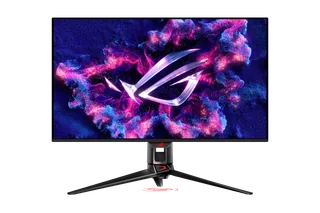
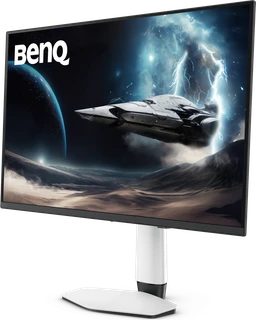
ASUS ROG Swift OLED PG32UCDM vs BenQ MOBIUZ EX321UZ
Better figure, where one is clearly better
| ASUSROG Swift OLED PG32UCDM | BenQMOBIUZ EX321UZ | |
|---|---|---|
| Overview | ||
| Released | February 2024 | February 2026 |
| Display | ||
| Screen size | 31.5″ | 31.5″ |
| Resolution | 3840 × 2160 (4K) | 3840 × 2160 (4K) |
| Sharpness | 140 pixels per inch | 140 pixels per inch |
| Panel | QD-OLED (3rd-gen QD-OLED) | QD-OLED (4th-gen QD-OLED) |
| Refresh rate | 240 Hz | 240 Hz |
| Response time (grey to grey) | 0.03 ms | 0.03 ms |
| Brightness (typical) | 250 nits | 300 nits (better) |
| HDR peak brightness | 1,000 nits | 1,000 nits |
| HDR certification | DisplayHDR True Black 400 | DisplayHDR True Black 500 |
| HDR formats | HDR10, Dolby Vision | – |
| Contrast ratio | 1,500,000:1 | 1,500,000:1 |
| Colour range | 99% DCI-P3 | 99% DCI-P3 |
| DCI-P3 coverage | 99% | 99% |
| Screen finish | Glossy | Glossy |
| Shape | Flat | Flat |
| Adaptive sync | FreeSync Premium Pro, G-Sync Compatible | FreeSync Premium Pro |
| Colour depth | 10-bit (1.07 billion colours) | 1.07 billion colours |
| Colour accuracy | ΔE < 2; colour calibration report via DisplayWidget Center | Delta E < 2 |
| Colour modes | – | Cinema HDR, Fantasy HDR, Realistic HDR, Sci-fi HDR, Display P3, sRGB, Custom, DisplayHDR, Cinema, Sci-fi, Realistic, Fantasy, Gamer 1, Gamer 2, Gamer 3 |
| HDR detail | HDR10, Dolby Vision; 1,000 cd/m² peak | – |
| Motion blur reduction | Extreme Low Motion Blur | Blur Reduction |
| Viewing angles | 178° / 178° (CR ≥ 10) | 178° / 178° (CR ≥ 10) |
| Pixel pitch | 0.1814 x 0.1814 mm | – |
| Eye care | Flicker-free, TÜV Low Blue Light (hardware) | Flicker-free, Low Blue Light, Color Weakness |
| Burn-in protection | ASUS OLED Care, custom heatsink with graphene film, proximity sensor | Graphene film and aluminium-plated heat dissipation; Pixel Refresh, Pixel Shift, Idle Dimmer and Logo Dimming |
| Calibration | – | Factory calibration report |
| Connections | ||
| Video inputs | 2 × HDMI 2.1, DisplayPort 1.4, USB-C | 2 × HDMI 2.1, DisplayPort 2.1 UHBR20, USB-C |
| USB-C charging | Up to 90 W | Up to 90 W |
| USB ports | 3 × USB-A | 2 × USB-A, USB-C |
| KVM switch | Yes | Yes |
| Ethernet | No | No |
| Speakers | No | – |
| HDMI detail | 2 x HDMI 2.1 (FRL) | 2 × HDMI 2.1, one with eARC; ALLM, VRR and CEC; HDCP 2.3 |
| DisplayPort detail | 1 x DisplayPort 1.4 with DSC | – |
| USB-C detail | 1 x USB-C with DisplayPort Alt Mode and 90 W Power Delivery | DisplayPort Alt Mode, data and 90 W power delivery |
| USB hub detail | 3 x USB-A 3.2 Gen 1, 1 x USB-B upstream | USB 3.2 Gen 1 (5 Gbps); 2 × USB-A downstream (4.5 W charging), 1 × USB-C downstream (7.5 W charging), 1 × USB-C upstream (data only) |
| Picture by picture | PiP and PbP | – |
| Audio out | Earphone jack, S/PDIF optical out | Headphone jack |
| Design | ||
| Stand adjusts | Height, tilt, swivel | Height, tilt, swivel |
| VESA mount | Yes | Yes |
| Weight with stand | 8.8 kg | 8.29 kg |
| Height adjustment | 0–80 mm | 100 mm |
| Tilt | -5° to 20° | -5° to 15° |
| Swivel | -15° to 15° | 15° / 15° (left / right) |
| VESA pattern | 100 x 100 mm | 100 × 100 mm |
| Size with stand | 718 x 499–579 x 274 mm (W x H x D) | 598.14 × 718.88 × 223.48 mm (H × W × D) |
| Size without stand | 718 x 430 x 74 mm (W x H x D) | 418.14 × 718.88 × 82.93 mm (H × W × D) |
| Weight without stand | 6.0 kg | 5.99 kg |
| Controls | 1/4-inch tripod socket, Aura Sync lighting | – |
| Colours | Black | – |
| Power and support | ||
| Power use | Less than 42 W on (200 nits), less than 0.5 W standby, less than 0.3 W off | 45 W normal, 300 W max, < 0.5 W sleep |
| Power supply | External adapter, AC 100–240 V; DC 20 V 14 A | Built-in, 100–240 V |
| Software | DisplayWidget Center | Color Shuttle, Display Quickit |
| Certifications | VESA DisplayHDR 400 True Black, AMD FreeSync Premium Pro, G-SYNC Compatible, TÜV Flicker-free, TÜV Low Blue Light | TÜV Flicker-free and Low Blue Light (Hardware Solution) |
| Warranty | 3 years, including panel burn-in | – |
| In the box | Power adapter and cord, DisplayPort cable, HDMI Ultra High Speed cable, USB-C cable, USB 3.2 cable, VESA mount kit, ROG pouch | Remote control, DP 2.1 and HDMI 2.1 cables (may vary by region), calibration report, cleaning cloth, quick start guide, safety instructions |
More comparisons
- ASUS ROG Swift OLED PG27UCWM vs ASUS ROG Swift OLED PG32UCDM
- ASUS ROG Swift OLED PG32UCDM vs Philips Evnia 32M2N8900P
- BenQ MOBIUZ EX321UZ vs Philips Evnia 32M2N8900P
- ASUS ROG Swift OLED PG32UCDM vs Samsung Odyssey OLED G8 32″ (G80SH)
- BenQ MOBIUZ EX321UZ vs Samsung Odyssey OLED G8 32″ (G80SH)
- AOC AGON PRO AG326UZD2 vs ASUS ROG Swift OLED PG32UCDM
- AOC AGON PRO AG326UZD2 vs BenQ MOBIUZ EX321UZ
- ASUS ROG Swift OLED PG32UCDM vs MSI MPG 322UR QD-OLED X24
- BenQ MOBIUZ EX321UZ vs MSI MPG 322UR QD-OLED X24
- ASUS ROG Swift OLED PG32UCDM vs Dell UltraSharp 32 4K QD-OLED (U3226Q)
- BenQ MOBIUZ EX321UZ vs Lenovo Legion Pro 32UD-10
- BenQ MOBIUZ EX321UZ vs Samsung Odyssey OLED G8 (G80SD)
- BenQ MOBIUZ EX321UZ vs LG UltraGear OLED 32GS95UE
- BenQ MOBIUZ EX321UZ vs MSI MPG 321URX QD-OLED
- BenQ MOBIUZ EX321UZ vs Dell Alienware 32 4K QD-OLED Gaming Monitor (AW3225QF)
- ASUS ROG Strix Pulsar XG27AQNGV vs ASUS ROG Swift OLED PG32UCDM