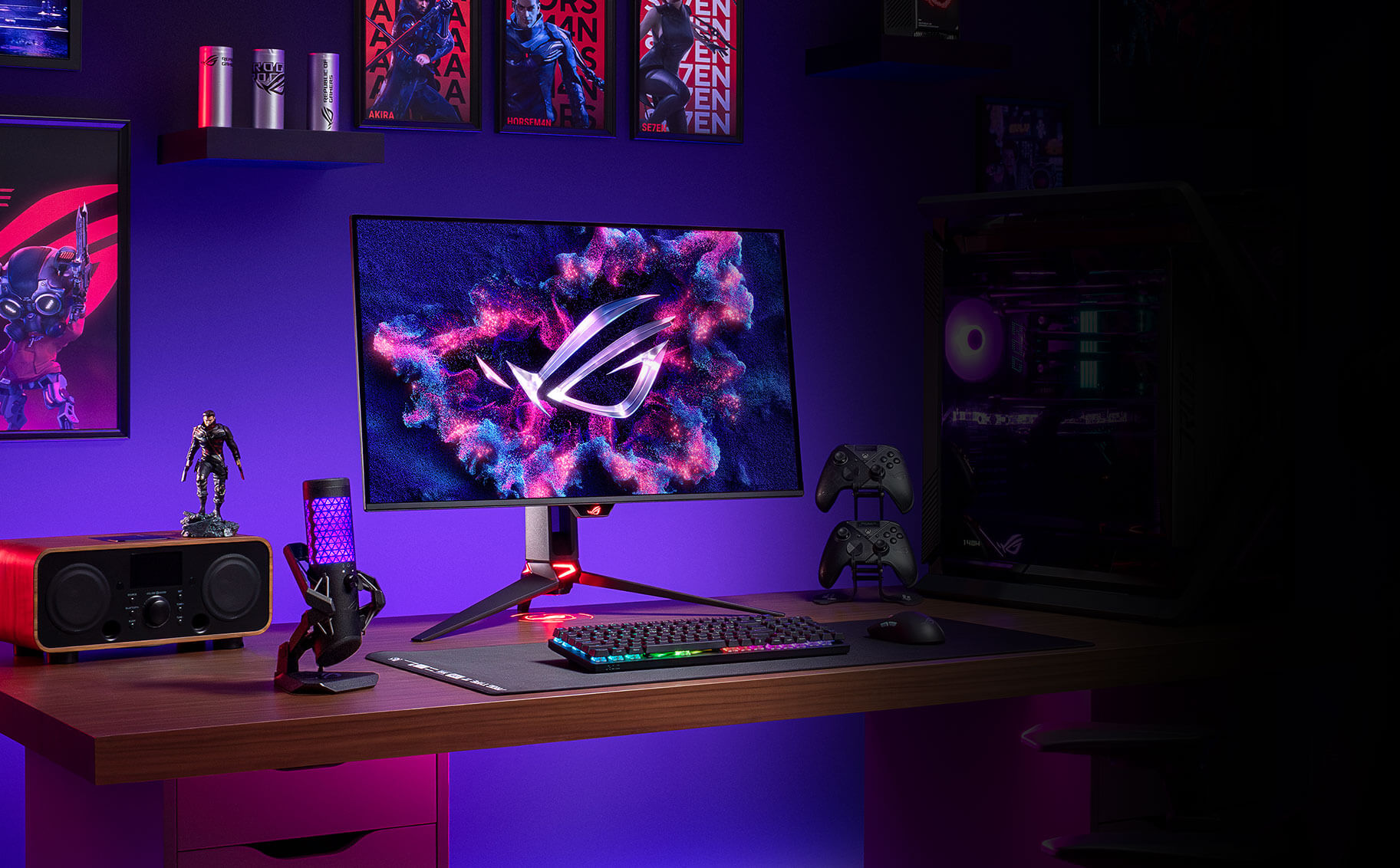
Photo 1 of 11
ASUS ROG Swift OLED PG32UCDM · Photo source
ASUS · ROG
ROG Swift OLED PG32UCDM
ASUS's 31.5-inch 4K 240Hz third-generation QD-OLED gaming monitor with USB-C charging at 90W, a KVM switch and Dolby Vision support.
- Size
- 31.5″
- Resolution
- 3840 × 2160
- PPI
- 140
- Panel
- QD-OLED
- Refresh
- 240 Hz
- Brightness
- 250 nits
- HDR
- True Black 400
- USB-C power
- 90 W
What reviewers say
Reviewers agree it is an outstanding 4K OLED, praising its sharp, accurate and vivid picture, deep blacks, strong HDR, fast 240Hz gaming and text free of fringing. PC Gamer found full-screen brightness limited and the price very high, RTINGS saw VRR flicker and raised blacks in lit rooms, and TFTCentral found the ELMB blur reduction limited.
From tftcentral.co.uk, pcgamer.com and rtings.com
Specifications
Report a wrong or missing specDisplay
- Screen size
- 31.5″
- Resolution
- 3840 × 2160 (4K)
- Sharpness
- 140 pixels per inch
- Panel
- QD-OLED (3rd-gen QD-OLED)
- Refresh rate
- 240 Hz
- Response time (grey to grey)
- 0.03 ms
- Brightness (typical)
- 250 nits
- HDR peak brightness
- 1,000 nits
- HDR certification
- DisplayHDR True Black 400
- HDR formats
- HDR10, Dolby Vision
- Contrast ratio
- 1,500,000:1
- Colour range
- 99% DCI-P3
- DCI-P3 coverage
- 99%
- Screen finish
- Glossy
- Shape
- Flat
- Adaptive sync
- FreeSync Premium Pro, G-Sync Compatible
- Colour depth
- 10-bit (1.07 billion colours)
- Colour accuracy
- ΔE < 2; colour calibration report via DisplayWidget Center
- HDR detail
- HDR10, Dolby Vision; 1,000 cd/m² peak
- Motion blur reduction
- Extreme Low Motion Blur
- Viewing angles
- 178° / 178° (CR ≥ 10)
- Pixel pitch
- 0.1814 x 0.1814 mm
- Eye care
- Flicker-free, TÜV Low Blue Light (hardware)
- Burn-in protection
- ASUS OLED Care, custom heatsink with graphene film, proximity sensor
Connections
- Video inputs
- 2 × HDMI 2.1, DisplayPort 1.4, USB-C
- USB-C charging
- Up to 90 W
- USB ports
- 3 × USB-A
- KVM switch
- Yes
- Ethernet
- No
- Speakers
- No
- HDMI detail
- 2 x HDMI 2.1 (FRL)
- DisplayPort detail
- 1 x DisplayPort 1.4 with DSC
- USB-C detail
- 1 x USB-C with DisplayPort Alt Mode and 90 W Power Delivery
- USB hub detail
- 3 x USB-A 3.2 Gen 1, 1 x USB-B upstream
- Picture by picture
- PiP and PbP
- Audio out
- Earphone jack, S/PDIF optical out
Design
- Stand adjusts
- Height, tilt, swivel
- VESA mount
- Yes
- Weight with stand
- 8.8 kg
- Height adjustment
- 0–80 mm
- Tilt
- -5° to 20°
- Swivel
- -15° to 15°
- VESA pattern
- 100 x 100 mm
- Size with stand
- 718 x 499–579 x 274 mm (W x H x D)
- Size without stand
- 718 x 430 x 74 mm (W x H x D)
- Weight without stand
- 6.0 kg
- Controls
- 1/4-inch tripod socket, Aura Sync lighting
- Colours
- Black
Power and support
- Power use
- Less than 42 W on (200 nits), less than 0.5 W standby, less than 0.3 W off
- Power supply
- External adapter, AC 100–240 V; DC 20 V 14 A
- Software
- DisplayWidget Center
- Certifications
- VESA DisplayHDR 400 True Black, AMD FreeSync Premium Pro, G-SYNC Compatible, TÜV Flicker-free, TÜV Low Blue Light
- Warranty
- 3 years, including panel burn-in
- In the box
- Power adapter and cord, DisplayPort cable, HDMI Ultra High Speed cable, USB-C cable, USB 3.2 cable, VESA mount kit, ROG pouch
Pros and cons
Pros
- 4K at 240Hz with 0.03ms GtG response
- USB-C input with DisplayPort Alt Mode and 90W charging, plus a KVM switch and three USB-A ports
- Three-year warranty that covers burn-in
Cons
- DisplayPort 1.4 (with DSC) rather than DisplayPort 2.1
- Stand adjusts only 80 mm in height, swivels ±15° and doesn't pivot
- 250-nit typical SDR brightness
Closest rivals
Model | Size | Resolution | PPI | Panel | Refresh | Brightness | HDR | USB-C power | Released |
|---|---|---|---|---|---|---|---|---|---|
| 31.5″ | 3840 × 2160 | 140 | QD-OLED | 240 Hz | 300 nits | True Black 500 | 65 W | Apr 2026 | |
| 31.5″ | 3840 × 2160 | 140 | QD-OLED | 240 Hz | 300 nits | True Black 500 | 90 W | Feb 2026 | |
| 31.5″ | 3840 × 2160 | 140 | QD-OLED | 240 Hz | 250 nits | True Black 400 | 15 W | Nov 2025 |

Sources
- rog.asus.com/uk/monitors/27-to-31-5-inches/rog-swift-oled-pg32ucdm/spec
- dlcdnets.asus.com/pub/ASUS/LCD%20Monitors/PG32UCDM/PG32UCDM_English.pdf
- press.asus.com/news/press-releases/rog-swift-oled-pg32ucdm-gaming-monitor-avail…
- tftcentral.co.uk/news/asus-provide-update-on-rog-swift-pg32ucdm-with-32-qd-oled…
Photo: press.asus.com
- Front view with OLED badge displayed on physical screen; native stand lighting: press.asus.com/assets/w_2400,h_2400/bede8e53-7b77-4489-bab3-e0976a4d7bc4/ROG%20…
- Rear upper angled view: press.asus.com/assets/w_3840,h_2560/68fcb029-fda3-4369-9616-8e556c82400a/ROG%20…
- Front-left view: press.asus.com/assets/w_3840,h_2560/a9b6558b-b499-4363-a989-fed7fe7cb338/ROG%20…
- Rear view: dlcdnwebimgs.asus.com/gain/496B6E55-D502-4A81-A7D0-F4DE043BEEBF/w2000/h1470
- Front-right view: dlcdnwebimgs.asus.com/gain/6242673E-AA37-41E7-96FC-98993AE45B45/w2000/h1470
- Side view: dlcdnwebimgs.asus.com/gain/58AE53F6-1E8C-4099-B07F-4CCBB38EB272/w2000/h1470
- Rear shell texture and physical hardware close-up: dlcdnwebimgs.asus.com/files/media/E185B23B-4B03-43EE-BFF1-2881D2338BB1/v1/video…
- Front display tilted view with native screen artwork: dlcdnwebimgs.asus.com/gain/7320BF15-292B-4AE5-922A-3A78DB762000/w2000/h1470
- ASUS ROG Swift OLED PG32UCDM in a purple-lit gaming-room desk setup: ASUS, official ROG Swift OLED PG32UCDM product photograph; complete supplied scene retained; pictured connected devices and accessories do not establish included hardware or product specifications
- ASUS ROG Swift OLED PG32UCDM front view in a purple-lit gaming desk setup: ASUS, official ROG Swift OLED PG32UCDM product photograph; complete supplied scene retained; pictured connected devices and accessories do not establish included hardware or product specifications