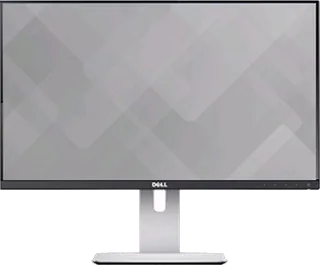
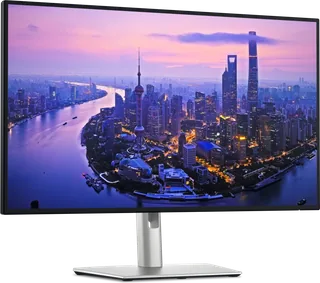
Dell UltraSharp U2414H vs Dell UltraSharp 27 4K Thunderbolt Hub (U2725QE)
Better figure, where one is clearly better
| DellUltraSharp U2414H | DellUltraSharp 27 4K Thunderbolt Hub (U2725QE) | |
|---|---|---|
| Overview | ||
| Released | November 2013 | February 2025 |
| Display | ||
| Screen size | 23.8″ | 27″ |
| Resolution | 1920 × 1080 (Full HD) | 3840 × 2160 (4K) (better) |
| Sharpness | 93 pixels per inch | 163 pixels per inch (better) |
| Panel | IPS | IPS (IPS Black) |
| Refresh rate | 60 Hz | 120 Hz (better) |
| Response time (grey to grey) | 8 ms | 5 ms (better) |
| Brightness (typical) | 250 nits | 450 nits (better) |
| HDR certification | – | DisplayHDR 600 |
| Contrast ratio | 1,000:1 | 3,000:1 |
| Colour range | 96% sRGB | 99% DCI-P3 |
| DCI-P3 coverage | – | 99% |
| Colour accuracy (Delta E) | Below 4 | Below 1.5 (better) |
| Screen finish | Matte | Matte |
| Shape | Flat | Flat |
| Colour depth | 16.77 million colours, according to Dell. | 1.07 billion colours |
| sRGB coverage | – | 100% (CIE 1931) |
| Colour accuracy | – | Delta E < 1.5 (average) (sRGB, BT.709, DCI-P3, Display P3) |
| HDR detail | – | 600 cd/m² HDR peak |
| Response time detail | 8 ms grey-to-grey with overdrive. | 5 ms (Fast mode), 8 ms (Normal mode) |
| Viewing angles | 178° horizontal and vertical. | 178° horizontal, 178° vertical (typical) |
| Pixel pitch | 0.2745 mm. | 0.1554 mm x 0.1554 mm |
| Eye care | – | ComfortView Plus (blue light ≤35%), TÜV Rheinland Eye Comfort 3.0 5-star, flicker-free, ambient light sensor with Auto Brightness |
| Calibration | Factory-calibrated to 96% sRGB with average Delta E below 4. | – |
| Connections | ||
| Video inputs | 2 × HDMI 1.4, 2 × DisplayPort 1.2 | HDMI 2.1, DisplayPort 1.4, Thunderbolt 4 |
| USB-C charging | None | Up to 140 W (better) |
| USB ports | 4 × USB-A | 2 × USB-C, 5 × USB-A, Thunderbolt 4 |
| Ethernet | – | Yes |
| Speakers | No | No |
| HDMI detail | Two HDMI 1.4 inputs with MHL 2.0 support. | 1 x HDMI, up to 3840 x 2160 at 120 Hz FRL with VRR as specified in HDMI 2.1; no ARC/eARC or ALLM |
| DisplayPort detail | One full-size DisplayPort 1.2 and one Mini DisplayPort 1.2 input; separate DisplayPort 1.2 output. | 1 x DisplayPort 1.4 in with DSC (DRR for Microsoft Windows); 1 x DisplayPort 1.4 out |
| USB-C detail | – | Thunderbolt 4 upstream (DisplayPort 1.4 with DSC, Power Delivery 140 W); USB-C 10Gbps upstream for KVM; 2 x USB-C 10Gbps downstream in the quick access ports |
| Daisy chaining | DisplayPort 1.2 MST output. | Thunderbolt 4 downstream port (15 W) or DisplayPort 1.4 out |
| USB hub detail | Four downstream USB 3.0 ports and one upstream port; one downstream port supports BC 1.2 charging. | 4 x USB-A 10Gbps; quick access ports with 1 x USB-A 10Gbps (BC 1.2) and 2 x USB-C 10Gbps |
| Audio out | Audio line output; Dell specifies it is not for headphones. | 3.5 mm analog 2.0 audio line out |
| Speaker detail | No integrated speakers; optional Dell Soundbar. | – |
| Design | ||
| Stand adjusts | Height, tilt, swivel, pivot | Height, tilt, swivel, pivot |
| VESA mount | Yes | Yes |
| Weight with stand | 5.76 kg | 7.06 kg |
| Height adjustment | 130 mm. | 150 mm |
| Tilt | 6.5° forward to 22° backward. | -5° to 21° |
| Swivel | – | -45° to 45° |
| Pivot | 90° in either direction. | -90° to 90° |
| VESA pattern | 100 × 100 mm. | 100 x 100 mm |
| Size with stand | 539.1 × 185 × 355.8–485.8 mm (width × depth × height). | 612.44 x 189.00 x 385.68–535.68 mm (W x D x H) |
| Size without stand | 539.1 × 45.6 × 321.1 mm (width × depth × height). | 612.44 x 55.60 x 353.51 mm (W x D x H) |
| Weight without stand | 3.61 kg without stand or cables; main 5.76 kg includes stand and cables. | 5.22 kg |
| Colours | – | Silver |
| Power and support | ||
| Power use | 16 W typical; 74 W maximum with maximum luminance and USB active; below 0.5 W in standby and off modes. | 25.4 W on mode, 0.5 W standby, 1.5 W networked standby, 0.3 W off, 325 W maximum |
| Power supply | 100–240 V AC, 50/60 Hz. | 100–240 VAC, 50/60 Hz, 4 A (maximum) |
| Software | – | Dell Display and Peripheral Manager (Easy Arrange) |
| Certifications | – | ENERGY STAR, EPEAT Gold with Climate+, TCO Certified, TCO Certified Edge, TÜV Rheinland Eye Comfort 3.0 (5 star) |
| Warranty | – | 3 years limited hardware with Advanced Exchange Service (UK) |
| In the box | Stand, cable cover, power cable, Mini DisplayPort-to-DisplayPort cable, USB upstream cable, calibration report and documentation. | Stand, power cable, DisplayPort cable (1.8 m), USB-A to USB-C upstream cable (1 m), Thunderbolt 4 passive cable (1 m) |
More comparisons
- Dell UltraSharp 27 4K Thunderbolt Hub (U2725QE) vs Lenovo ThinkVision P27UD-40
- Dell UltraSharp 27 4K Thunderbolt Hub (U2725QE) vs Dell UltraSharp 32 4K QD-OLED (U3226Q)
- Dell UltraSharp U2414H vs Dell UltraSharp 32 4K QD-OLED (U3226Q)
- Dell UltraSharp 27 4K Thunderbolt Hub (U2725QE) vs Dell UltraSharp 52 Thunderbolt Hub (U5226KW)
- Dell UltraSharp U2414H vs Dell UltraSharp 52 Thunderbolt Hub (U5226KW)
- Dell UltraSharp 27 4K Thunderbolt Hub (U2725QE) vs MSI MAG 275UPD E14
- Dell 27 Plus 4K USB-C (S2725QC) vs Dell UltraSharp 27 4K Thunderbolt Hub (U2725QE)
- Dell UltraSharp U2410 vs Dell UltraSharp 27 4K Thunderbolt Hub (U2725QE)
- Dell UltraSharp U2412M vs Dell UltraSharp 27 4K Thunderbolt Hub (U2725QE)
- Dell UltraSharp U2415 vs Dell UltraSharp 27 4K Thunderbolt Hub (U2725QE)
- Dell UltraSharp 27 4K USB-C Hub Monitor (U2723QE) vs Dell UltraSharp 27 4K Thunderbolt Hub (U2725QE)
- Dell UltraSharp U2713H vs Dell UltraSharp 27 4K Thunderbolt Hub (U2725QE)
- Dell UltraSharp U2711 vs Dell UltraSharp 27 4K Thunderbolt Hub (U2725QE)
- Dell UltraSharp 27 4K Monitor (U2718Q) vs Dell UltraSharp 27 4K Thunderbolt Hub (U2725QE)
- Dell UltraSharp 27 4K USB-C Monitor (U2720Q) vs Dell UltraSharp 27 4K Thunderbolt Hub (U2725QE)
- Dell UltraSharp 27 4K Thunderbolt Hub (U2725QE) vs Sony INZONE M9