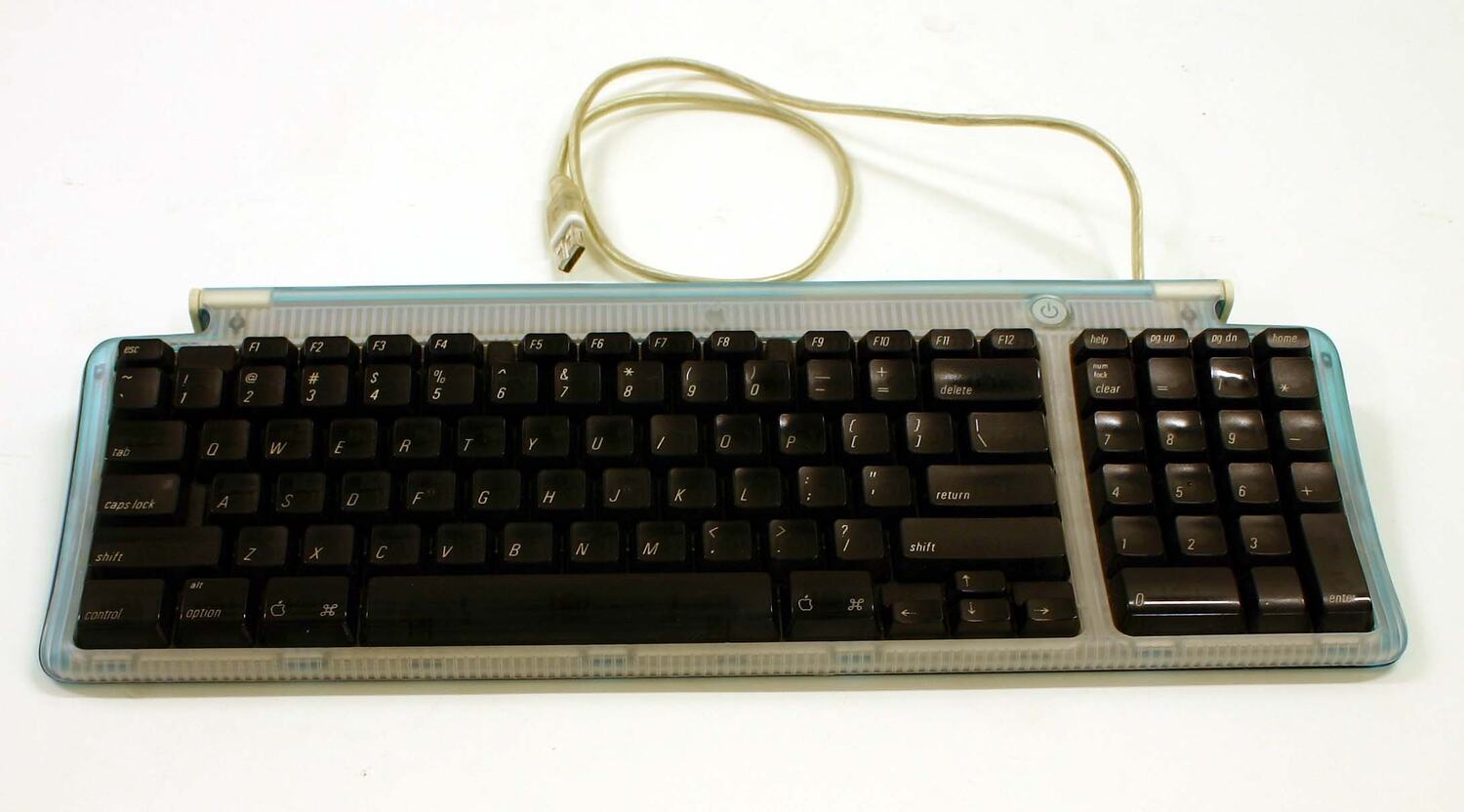
Apple USB Keyboard (1998)
The original iMac's wired USB keyboard, with a numeric keypad, a computer power key and two ports for USB accessories.
- Layout
- Full size
- Switches
- Membrane
- Backlight
- None
- Battery
- –
- Connects by
- Cable
- Weight
- –
Specifications
Report a wrong or missing specTyping
- Layout
- Full size
- Switches
- Membrane
- Backlight
- None
- Keys labelled for
- Mac
- Touch ID
- No
- Switches
- Rubber dome over membrane, identified by Deskthority.
- Layouts
- Apple documented ANSI, ISO and JIS variants. The photographed Bondi Blue example has an ISO layout.
- Special keys
- Apple documented 82 keys, including 12 function keys, a numeric keypad and four inverted-T arrow keys; a power key could turn on the iMac.
Connections and battery
- Connects by
- Cable
- Power
- Cable
- Works with
- Designed for the 1998 iMac's USB ports; Apple's developer note says other USB keyboards could be used with the computer.
Design
- Materials
- Translucent Bondi Blue plastic casing with black keys on the original iMac version, documented by Museums Victoria.
- Colours
- Bondi Blue on the original iMac version; later iMac versions had other matching colours.
- In the box
- Supplied with the original 1998 iMac, according to Apple's iMac specification sheet.
Pros and cons
Pros
- Numeric keypad and separate arrow keys
- Two USB ports for low-power peripherals
- Keyboard power key can turn on the original iMac
Cons
- No separate full-size navigation cluster
- No backlight or wireless connection
Closest rivals
Model | Layout | Switches | Backlight | Battery | Connects by | Weight | Released |
|---|---|---|---|---|---|---|---|
| Full size | Membrane | None | – | Cable | – | Jul 2000 | |
| Full size | Membrane | None | – | Cable | 1200 g | Apr 1994 | |
| Full size | Membrane | None | – | Cable | – | May 2003 |

Newer model: Apple Pro Keyboard (2000).
Sources
- wap.org/events/iMacDevNote.pdf
- wap.org/events/imacspecs.pdf
- apple.com/ca/fr/press/1998/07/iMacSoon.html
- collections.museumsvictoria.com.au/items/1232131
- deskthority.net/wiki/Category:Keyboards_with_rubber_domes