MX518 Gaming-Grade Optical Mouse
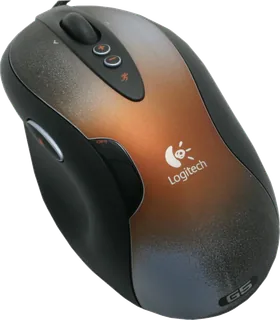
A wired gaming mouse with adjustable sensitivity and a right-hand shape.
- Shape
- Ergonomic
- Buttons
- 8
- DPI
- 1,600
- Battery
- –
- Connects by
- Cable
- Weight
- –
What reviewers say
Techgage and ComputerBase praised the comfortable right-hand shape and precise tracking. Both considered the change from the MX510 modest; ComputerBase questioned whether the higher sensitivity justified an immediate upgrade, while Techgage found the on-the-fly control useful in games.
From techgage.com and computerbase.de
Specifications
Report a wrong or missing specTracking
- Shape
- Ergonomic
- Hand
- Right hand
- Sensitivity
- Up to 1,600 DPI
- Sensor
- Optical
- Buttons
- 8
- Sensor
- Logitech lists 400, 800 and 1,600 dpi settings out of the box, with up to five levels configurable in SetPoint.
- Scroll wheel
- Clickable scroll wheel; no free-spin mode.
Connections and battery
- Connects by
- Cable
- Power
- Cable
- Works with
- USB connection; SetPoint is needed to customise button assignments.
- Software
- Logitech SetPoint.
Design
- Colours
- Dark grey with a patterned top shell.
Pros and cons
Pros
- Sensitivity can change during play without software
- Two thumb buttons and an application switch button
- Optical tracking avoids ball cleaning
Cons
- Right-hand shape excludes left-handed use
- No wireless connection
- Scroll wheel lacks free spinning
Closest rivals
Model | Shape | Buttons | DPI | Battery | Connects by | Weight | Released |
|---|---|---|---|---|---|---|---|
| Ergonomic | 6 | 2,000 | – | Cable | 112 g | 2005 | |
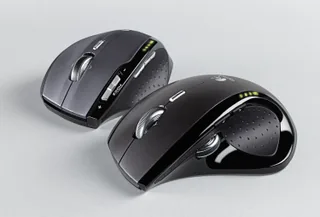
| Ergonomic | 7 | 800 | – | USB receiver | 148 g | Aug 2006 | |
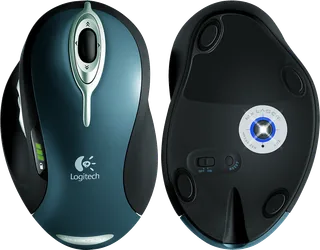
| Ergonomic | 7 | 800 | 23 days | USB receiver | 170 g | Sept 2004 |
Newer model: G MX518 Gaming Mouse.