Photo 1 of 22
ASUS ProArt Display PA278CGRV · Photo source
ASUS · ProArt
ProArt Display PA278CGRV
ASUS's 27-inch 1440p 144Hz IPS monitor for creative work, factory calibrated to ΔE < 2, with USB-C charging at 96W, a KVM switch and DisplayPort daisy chaining.
- Size
- 27″
- Resolution
- 2560 × 1440
- PPI
- 109
- Panel
- IPS
- Refresh
- 144 Hz
- Brightness
- 350 nits
- HDR
- 400
- USB-C power
- 96 W
Specifications
Report a wrong or missing specDisplay
- Screen size
- 27″
- Resolution
- 2560 × 1440 (QHD)
- Sharpness
- 109 pixels per inch
- Panel
- IPS
- Refresh rate
- 144 Hz
- Response time (grey to grey)
- 5 ms
- Brightness (typical)
- 350 nits
- HDR peak brightness
- 400 nits
- HDR certification
- DisplayHDR 400
- HDR formats
- HDR10
- Contrast ratio
- 1,500:1
- Colour range
- 97% DCI-P3, 100% sRGB
- DCI-P3 coverage
- 97%
- Screen finish
- Matte
- Shape
- Flat
- Adaptive sync
- FreeSync, VESA AdaptiveSync
- Colour depth
- 10-bit (1.07 billion colours)
- sRGB coverage
- 100%
- Colour accuracy
- ΔE < 2, factory calibrated, Calman Verified; colour pre-calibration report included
- Colour modes
- sRGB, BT.709, Adobe RGB, P3, BT.2020, DICOM, HDR PQ, Native, two user modes; colour temperatures 9300K, 6500K, 5500K, 5000K, DCI-P3, M Model
- HDR detail
- HDR10; 400 cd/m² peak
- Response time detail
- Trace Free Technology
- Viewing angles
- 178° / 178° (CR ≥ 10)
- Pixel pitch
- 0.233 mm
- Eye care
- Flicker-free, TÜV Low Blue Light, Light Sync (ambient light sensor adjusts brightness and colour temperature)
- Calibration
- ProArt Palette, ProArt Chroma Tune, RGB gain and offset, gamma 1.8–2.6
Connections
- Video inputs
- HDMI 2.1, DisplayPort 1.4, USB-C
- USB-C charging
- Up to 96 W
- USB ports
- 3 × USB-A, USB-C
- KVM switch
- Yes
- Ethernet
- No
- Speakers
- Yes
- HDMI detail
- 1 x HDMI 2.1 (TMDS)
- DisplayPort detail
- 1 x DisplayPort 1.4 in (DSC), 1 x DisplayPort out for daisy chaining
- USB-C detail
- 1 x USB-C with DisplayPort Alt Mode and 96 W Power Delivery; 1 x USB-C upstream (USB 3.2) for the KVM switch
- Daisy chaining
- DisplayPort out
- USB hub detail
- 3 x USB-A and 1 x USB-C, USB 3.2 Gen 1
- Picture by picture
- PiP and PbP
- Audio out
- Earphone jack
- Speaker detail
- 2 x 2 W
Design
- Stand adjusts
- Height, tilt, swivel, pivot
- VESA mount
- Yes
- Weight with stand
- 6.6 kg
- Height adjustment
- 0–130 mm
- Tilt
- -5° to 23°
- Swivel
- -30° to 30°
- Pivot
- -90° to 90°
- VESA pattern
- 100 x 100 mm
- Size with stand
- 612.2 x 536.1 x 190.4 mm (W x H x D)
- Size without stand
- 612.2 x 362.9 x 46.9 mm (W x H x D)
- Weight without stand
- 4.7 kg
Power and support
- Power use
- Less than 20 W on, less than 0.5 W power saving, 0 W off (hard switch)
- Power supply
- 100–240 V, 50/60 Hz
- Software
- DisplayWidget Center (auto rotation), ASUS Power Sync
- Certifications
- VESA DisplayHDR 400, Calman Verified, Mac Compliance, AMD FreeSync, TÜV Low Blue Light, TÜV Flicker-free, TCO Certified, EPEAT Gold, ENERGY STAR
- Warranty
- 3 years, zero bright dot
- In the box
- Quick release stand, power cord, USB-C cable, HDMI cable, DisplayPort cable, colour pre-calibration report
Pros and cons
Pros
- Factory calibrated (ΔE < 2) and Calman Verified, with 97% DCI-P3 and an M Model P3 mode matched to MacBook displays
- USB-C with DisplayPort Alt Mode and 96W charging, plus a KVM switch and a four-port USB hub
- DisplayPort out for daisy chaining a second monitor
Cons
- 1440p on 27 inches is about 109 ppi, compared with 163 ppi for a 27-inch 4K monitor
- Only one HDMI port, and it runs over TMDS
- VESA DisplayHDR 400 with no local dimming
Closest rivals
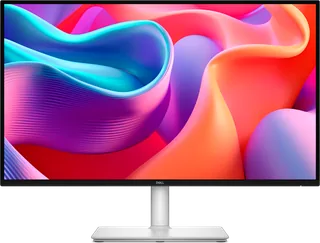
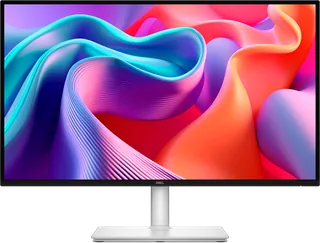
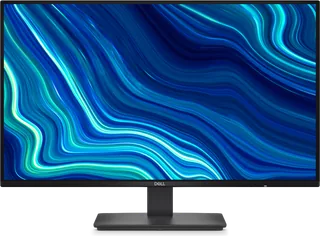
Model | Size | Resolution | PPI | Panel | Refresh | Brightness | HDR | USB-C power | Released |
|---|---|---|---|---|---|---|---|---|---|
| 27″ | 2560 × 1440 | 109 | IPS | 144 Hz | 350 nits | – | 65 W | Sept 2025 | |
| 27″ | 2560 × 1440 | 109 | IPS | 144 Hz | 350 nits | – | – | Sept 2025 | |
| 27″ | 2560 × 1440 | 109 | IPS | 144 Hz | 300 nits | – | – | Apr 2026 |

Sources
- asus.com/uk/displays-desktops/monitors/proart/proart-display-pa278cgrv/techspec
- asus.com/uk/displays-desktops/monitors/proart/proart-display-pa278cgrv
- displayspecifications.com/en/news/78a5ee3
Photo: dlcdnwebimgs.asus.com
- Front view with official ProArt screen artwork: dlcdnwebimgs.asus.com/gain/b0ab1e10-4e45-416d-a6fd-26684c50e914
- Rear view: dlcdnwebimgs.asus.com/gain/fc6c6365-582b-4e4b-b418-888f1f42f81a
- Front-left view: dlcdnwebimgs.asus.com/gain/f6231ec8-020a-4486-b5fc-aa43b4c6050c
- Front-right view: dlcdnwebimgs.asus.com/gain/26405353-4264-4918-b765-7caaf7f341a8
- Angled tilted display view: dlcdnwebimgs.asus.com/gain/e7fd8417-6eb8-40dc-935f-379b0f32c223
- Portrait orientation with ProArt screen artwork: dlcdnwebimgs.asus.com/gain/2d3040a9-78f6-4d8c-9850-3ad495798700
- Lowered display front view: dlcdnwebimgs.asus.com/gain/512af0f1-8fe8-4a51-8815-2c75f8733641
- Rear-left view: dlcdnwebimgs.asus.com/gain/2926cea8-85a2-4df5-9ed5-d10161a4352b
- Rear-right view: dlcdnwebimgs.asus.com/gain/fe0b73cf-00e2-45b8-8e01-164a18fc831e
- Physical rear underside connections and display shell close-up: dlcdnwebimgs.asus.com/gain/b71d2c79-6a84-4343-b25c-01b3157f8df6
- Portrait orientation with clean native screen artwork: dlcdnwebimgs.asus.com/files/media/202510/466a72b6-9548-4c2e-a496-1486ff270c5f/v…
- ASUS ProArt Display PA278CGRV in a dual-monitor video-editing workstation with a seated user: ASUS, official ProArt Display PA278CGRV product photograph; complete supplied scene retained; pictured connected devices and accessories do not establish included hardware or product specifications
- ASUS ProArt Display PA278CGRV in a color-grading workstation with two users: ASUS, official ProArt Display PA278CGRV product photograph; complete supplied scene retained; pictured connected devices and accessories do not establish included hardware or product specifications
- ASUS ProArt Display PA278CGRV in a design workstation with a seated user: ASUS, official ProArt Display PA278CGRV product photograph; complete supplied scene retained; pictured connected devices and accessories do not establish included hardware or product specifications
- ASUS ProArt Display PA278CGRV in an illustration workstation with a seated user: ASUS, official ProArt Display PA278CGRV product photograph; complete supplied scene retained; pictured connected devices and accessories do not establish included hardware or product specifications
- ASUS ProArt Display PA278CGRV in a desk setup with a laptop and on-screen menu: ASUS, official ProArt Display PA278CGRV product photograph; complete supplied scene retained; pictured connected devices and accessories do not establish included hardware or product specifications
- ASUS ProArt Display PA278CGRV in a desktop workstation displaying car-design software: ASUS, official ProArt Display PA278CGRV product photograph; complete supplied scene retained; pictured connected devices and accessories do not establish included hardware or product specifications
- ASUS ProArt Display PA278CGRV in a desk setup with desktop computer and laptop, displaying image-editing software: ASUS, official ProArt Display PA278CGRV product photograph; complete supplied scene retained; pictured connected devices and accessories do not establish included hardware or product specifications
- ASUS ProArt Display PA278CGRV in a desk setup with desktop computer and laptop, displaying dashboard software: ASUS, official ProArt Display PA278CGRV product photograph; complete supplied scene retained; pictured connected devices and accessories do not establish included hardware or product specifications
- ASUS ProArt Display PA278CGRV with a connected laptop in a video-editing setup: ASUS, official ProArt Display PA278CGRV product photograph; complete supplied scene retained; pictured connected devices and accessories do not establish included hardware or product specifications
- ASUS ProArt Display PA278CGRV in a dual-monitor desktop workstation with connected cables: ASUS, official ProArt Display PA278CGRV product photograph; complete supplied scene retained; pictured connected devices and accessories do not establish included hardware or product specifications


