Photo 1 of 10
Dell 27 Plus QHD USB-C (S2725DC) · Photo source
Dell · Plus
27 Plus QHD USB-C (S2725DC)
Dell's 27-inch 1440p 144Hz IPS monitor with a USB-C input that charges a laptop at up to 65W, plus speakers and a height-adjustable stand, for home and hybrid work.
- Size
- 27″
- Resolution
- 2560 × 1440
- PPI
- 109
- Panel
- IPS
- Refresh
- 144 Hz
- Brightness
- 350 nits
- HDR
- –
- USB-C power
- 65 W
What reviewers say
Reviewers agree it is a very capable office monitor for the money, praising its sharp text, wide viewing angles, adjustable stand and single-cable USB-C connection with laptop charging. RTINGS found reflections distracting in sunny rooms, and TechRadar noted it is not suited to creative work and that power users may still need a dock.
From techradar.com and rtings.com
Specifications
Report a wrong or missing specDisplay
- Screen size
- 27″
- Resolution
- 2560 × 1440 (QHD)
- Sharpness
- 109 pixels per inch
- Panel
- IPS
- Refresh rate
- 144 Hz
- Response time (grey to grey)
- 4 ms
- Brightness (typical)
- 350 nits
- Contrast ratio
- 1,500:1
- Colour range
- 99% sRGB
- Screen finish
- Matte
- Shape
- Flat
- Adaptive sync
- FreeSync, VESA AdaptiveSync, HDMI VRR
- Colour depth
- 16.7 million colours
- sRGB coverage
- 99% (CIE 1931)
- Response time detail
- 1 ms MPRT; 4 ms (Extreme), 5 ms (Fast), 8 ms (Normal) grey to grey
- Variable refresh range
- 48–144 Hz (vertical scan range)
- Viewing angles
- 178° horizontal, 178° vertical (typical)
- Pixel pitch
- 0.2331 mm x 0.2331 mm
- Eye care
- ComfortView Plus hardware low blue light (TÜV Rheinland Category 2); TÜV Rheinland Eye Comfort 3.0 (4 star); flicker-free
Connections
- Video inputs
- HDMI 2.1 (TMDS), DisplayPort 1.4, USB-C
- USB-C charging
- Up to 65 W
- USB ports
- USB-C, 2 × USB-A
- Ethernet
- No
- Speakers
- Yes
- HDMI detail
- 1 x HDMI (HDCP 1.4), up to 2560 x 1440 at 144 Hz TMDS with VRR as specified in HDMI 2.1
- DisplayPort detail
- 1 x DisplayPort 1.4 (HDCP 1.4), up to 2560 x 1440 at 144 Hz with AdaptiveSync
- USB-C detail
- USB-C 5Gbps upstream (DisplayPort 1.4 Alt Mode, Power Delivery up to 65 W), up to 2560 x 1440 at 144 Hz; 1 x USB-C 5Gbps downstream quick-access port (15 W)
- USB hub detail
- USB 5Gbps; 1 x USB-A rear; quick access ports with 1 x USB-A and 1 x USB-C (15 W)
- Speaker detail
- 2 x 3 W
Design
- Stand adjusts
- Height, tilt, swivel, pivot
- VESA mount
- Yes
- Weight with stand
- 6.48 kg
- Height adjustment
- 110 mm
- Tilt
- -5° to 21°
- Swivel
- -30° to 30°
- Pivot
- -90° to 90°
- VESA pattern
- 100 x 100 mm
- Size with stand
- 611.34 x 201.83 x 390.13–500.13 mm (W x D x H)
- Size without stand
- 611.34 x 58.87 x 355.98 mm (W x D x H)
- Weight without stand
- 4.62 kg
- Controls
- Joystick
- Colours
- Ash White
Power and support
- Power use
- 21.4 W on mode, 0.3 W standby, 0.3 W off, 175 W maximum
- Energy class
- E
- Power supply
- 100–240 VAC, 50/60 Hz, 3.0 A (typical)
- Software
- Dell Display and Peripheral Manager
- Certifications
- TÜV Rheinland Eye Comfort 3.0 (4 star), TÜV Rheinland hardware low blue light (Category 2)
- Warranty
- 3 years with Advanced Exchange Service and Premium Panel Exchange (UK)
- In the box
- Stand, VESA cover, power cable, USB-C to USB-C 5Gbps cable (1.8 m)
Pros and cons
Pros
- USB-C input with DisplayPort Alt Mode and 65W charging, plus DisplayPort 1.4 and HDMI, all at 2560 x 1440 and 144Hz
- Stand adjusts 110 mm in height, with tilt, swivel and pivot
- Two 3W speakers, and 1500:1 contrast for an IPS panel
Cons
- 65W charging may not be enough for larger laptops; USB ports run at 5Gbps
- sRGB-only colour (99%), no factory calibration figure
- Only a USB-C cable in the box; no HDMI or DisplayPort cable
Closest rivals
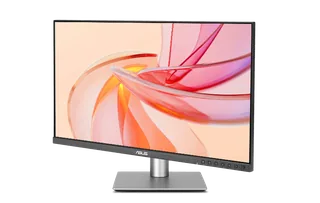
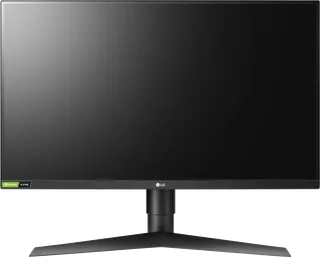
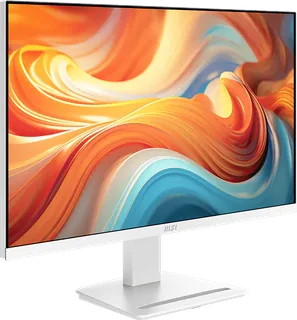
Model | Size | Resolution | PPI | Panel | Refresh | Brightness | HDR | USB-C power | Released |
|---|---|---|---|---|---|---|---|---|---|
| 27″ | 2560 × 1440 | 109 | IPS | 144 Hz | 350 nits | 400 | 96 W | Dec 2025 | |
| 27″ | 2560 × 1440 | 109 | IPS | 144 Hz | 350 nits | – | – | Jul 2019 | |
| 27″ | 2560 × 1440 | 109 | IPS | 144 Hz | 300 nits | – | – | Nov 2025 |
Sources
- dell.com/en-gb/shop/monitors/apd/dell-27-plus-qhd-usb-c-monitor-s2725dc/s2725dc…
- dl.dell.com/content/manual22297555-dell-s-27-qhd-usb-c-monitor-s2725dc-user-s-g…
- eprel.ec.europa.eu/qr/2390300
Photo: i.dell.com
- View right-facing Dell 27 Plus S-Series S2725DC Monitor; official Dell isolated product view: i.dell.com/is/image/DellContent/content/dam/ss2/product-images/dell-client-prod…
- View rear-facing Dell 27 Plus S-Series S2725DC Monitor; official Dell isolated product view: i.dell.com/is/image/DellContent/content/dam/ss2/product-images/dell-client-prod…
- View underside Dell 27 Plus S-Series S2725DC Monitor; official Dell isolated product view: i.dell.com/is/image/DellContent/content/dam/ss2/product-images/dell-client-prod…
- View right-profile Dell 27 Plus S-Series S2725DC Monitor; official Dell isolated product view: i.dell.com/is/image/DellContent/content/dam/ss2/product-images/dell-client-prod…
- View left-profile Dell 27 Plus S-Series S2725DC Monitor; official Dell isolated product view: i.dell.com/is/image/DellContent/content/dam/ss2/product-images/dell-client-prod…
- Dell S2725DC, close-up of physical quick-access USB ports and stand; official Dell product detail: i.dell.com/is/image/DellContent/content/dam/ss2/product-images/dell-client-prod…
- Dell S2725DC, front view with applications within the physical screen; official Dell isolated press photograph: axicom.egnyte.com/dd/9CG6PCQ9YKD3
- Dell S2725DC, angled front view with applications within the physical screen; official Dell isolated press photograph: axicom.egnyte.com/dd/9CG6PCQ9YKD3
- Dell S2725DC, angled front view with applications within the physical screen; official Dell isolated press photograph: axicom.egnyte.com/dd/9CG6PCQ9YKD3