Photo 1 of 10
ASUS ROG Swift OLED PG27UCWM · Photo source
ASUS · ROG
ROG Swift OLED PG27UCWM
ASUS's 26.5-inch 4K Tandem WOLED gaming monitor with an RGB-stripe subpixel layout, running at 240Hz at 4K or 480Hz at 1080p in Dual Mode, with DisplayPort 2.1 UHBR20 and 90W USB-C.
- Size
- 26.5″
- Resolution
- 3840 × 2160
- PPI
- 166
- Panel
- OLED
- Refresh
- 240 Hz
- Brightness
- 250 nits
- HDR
- True Black 400
- USB-C power
- 90 W
What reviewers say
Reviewers agree it is one of the best 27-inch 4K OLEDs, praising very sharp text with no colour fringing, high brightness, accurate colour and fast, responsive gaming. Tom's Hardware found the sRGB modes slightly undersaturated and gamma light out of the box; PC Monitors saw VRR flicker and found the anti-flicker setting too aggressive.
From tomshardware.com and forum.pcmonitors.info
Specifications
Report a wrong or missing specDisplay
- Screen size
- 26.5″
- Resolution
- 3840 × 2160 (4K)
- Sharpness
- 166 pixels per inch
- Panel
- OLED (Tandem RGB-stripe WOLED; Dual mode: 1080p at 480 Hz)
- Refresh rate
- 240 Hz
- Response time (grey to grey)
- 0.03 ms
- Brightness (typical)
- 250 nits
- HDR peak brightness
- 1,000 nits
- HDR certification
- DisplayHDR True Black 400
- HDR formats
- HDR10, Dolby Vision
- Contrast ratio
- 1,500,000:1
- Colour range
- 99% DCI-P3, 130% sRGB
- DCI-P3 coverage
- 99%
- Screen finish
- Glossy
- Shape
- Flat
- Adaptive sync
- G-Sync Compatible, FreeSync Premium Pro, VESA AdaptiveSync
- Subpixel layout
- RGB stripe (no white subpixel)
- Colour depth
- 10-bit (1073.7M colours)
- sRGB coverage
- 130%
- Colour accuracy
- Delta E < 2
- Colour modes
- GameVisual: Scenery, Racing, Cinema, RTS/RPG, FPS, sRGB, MOBA
- HDR detail
- ASUS notes the 1,000 cd/m² HDR peak may vary due to colour pre-calibration
- Motion blur reduction
- Extreme Low Motion Blur (ELMB)
- Viewing angles
- 178° / 178° (CR ≥ 10)
- Pixel pitch
- 0.153 mm
- Eye care
- TÜV-certified Flicker-free, OLED Anti-Flicker
- Burn-in protection
- ASUS OLED Care Pro (pixel cleaning, screen move, boundary detection, logo and taskbar detection, outer and global dimming, target mode); Neo Proximity Sensor with five sensitivity levels and a 1–15 minute auto-away timer; custom heatsink; GaNFET power supply
- Calibration
- Factory pre-calibrated; calibration report via DisplayWidget Center
Connections
- Video inputs
- 2 × HDMI 2.1, DisplayPort 2.1 UHBR20, USB-C
- USB-C charging
- Up to 90 W
- USB ports
- 3 × USB-A
- KVM switch
- Yes
- Ethernet
- No
- Speakers
- No
- HDMI detail
- 2 × HDMI 2.1 (FRL, 48 Gbps)
- DisplayPort detail
- Full 80 Gbps bandwidth (listed as DisplayPort 2.1a in ASUS's press release)
- USB-C detail
- DisplayPort Alt Mode
- USB hub detail
- 3 × USB 3.2 Gen 1 Type-A (5 V / 0.9 A), USB-B upstream
- Picture by picture
- PIP and PBP
- Audio out
- Earphone jack
Design
- Stand adjusts
- Height, tilt, swivel, pivot
- VESA mount
- Yes
- Weight with stand
- 8.1 kg
- Height adjustment
- 0–110 mm
- Tilt
- +20° to −5°
- Swivel
- +30° to −30°
- Pivot
- +90° to −90°
- VESA pattern
- 100 × 100 mm
- Size with stand
- 60.6 × 54.8 × 25.6 cm (W × H × D, highest position)
- Size without stand
- 60.6 × 36.9 × 6.3 cm (W × H × D)
- Weight without stand
- 5.4 kg
- Controls
- 5-way control button and close button on the back; hotkeys for Dual Mode, GamePlus, GameVisual, volume and pixel cleaning
- Colours
- Black
Power and support
- Power use
- Under 50 W on; under 0.5 W power saving; under 0.3 W off
- Energy class
- F (SDR), G (HDR)
- Power supply
- 100–240 V AC, 50/60 Hz
- Software
- DisplayWidget Center; ASUS Display Control CLI and Agent Skill
- Certifications
- TÜV Flicker-free; VESA AdaptiveSync Display (240 Hz and 480 Hz)
- Warranty
- 3 years (including panel burn-in)
- In the box
- DisplayPort 2.1 (DP80) cable, HDMI Ultra High Speed cable, USB-C cable, USB 3.2 cable, power cord, VESA mount kit, microfiber cloth, ROG pouch, ROG sticker, quick start guide, warranty card
Pros and cons
Pros
- RGB-stripe subpixels with no white subpixel, 4K at 240Hz or 1080p at 480Hz in Dual Mode, and 0.03ms grey-to-grey response
- DisplayPort 2.1 UHBR20 (80 Gbps), two HDMI 2.1 ports and a USB-C input with 90W laptop charging, plus a KVM switch
- Stand adjusts for height (110 mm), tilt, swivel and pivot; three-year warranty covers burn-in
Cons
- 250-nit typical brightness and VESA DisplayHDR True Black 400, the lowest True Black tier
- Glossy screen reflects room light
- No built-in speakers
Closest rivals
Model | Size | Resolution | PPI | Panel | Refresh | Brightness | HDR | USB-C power | Released |
|---|---|---|---|---|---|---|---|---|---|
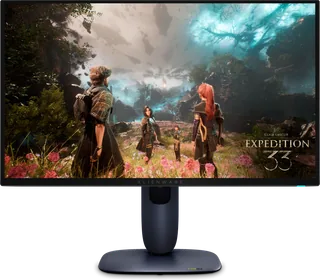
| 26.7″ | 3840 × 2160 | 165 | QD-OLED | 240 Hz | 250 nits | True Black 400 | – | Jan 2025 | |
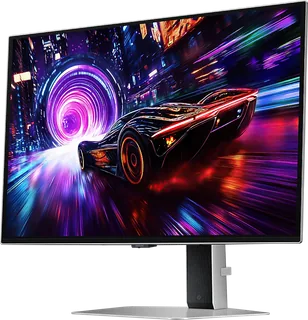
| 27″ | 3840 × 2160 | 163 | QD-OLED | 240 Hz | 250 nits | True Black 400 | – | Apr 2025 | |
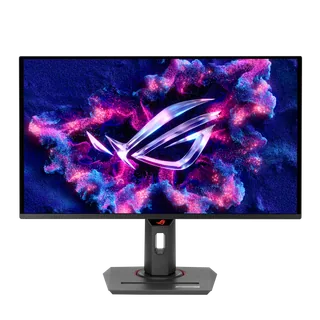
| 26.5″ | 3840 × 2160 | 166 | QD-OLED | 240 Hz | 250 nits | True Black 400 | 90 W | Apr 2025 |

Sources
- rog.asus.com/uk/monitors/27-to-31-5-inches/rog-swift-oled-pg27ucwm/spec
- rog.asus.com/uk/monitors/27-to-31-5-inches/rog-swift-oled-pg27ucwm
- dlcdnets.asus.com/pub/ASUS/LCD%20Monitors/PG27UCWM/ASUS_PG27UCWM_UM_EN.pdf
- press.asus.com/news/press-releases/rog-swift-oled-pg27ucwm-pg32ucwm
- eprel.ec.europa.eu/screen/product/electronicdisplays/2688398
- tftcentral.co.uk/updates/monitor-launch-tracker
Photo: press.asus.com
- Front and rear overlapping views; native stand-light projection: press.asus.com/assets/w_1920,h_1920/ffdca664-2f8a-49a4-bfee-f1f0e5c2e01e/ROG%20…
- Front and rear separated views; native stand-light projection: press.asus.com/assets/w_1920,h_1920/92fc4632-eb66-4cc5-a5f2-a767f3bc2dba/ROG%20…
- Rear-left view; native stand lighting: press.asus.com/assets/w_1920,h_1920/8913e6d3-32bb-4b86-ad3b-3f268de474e8/ROG%20…
- Rear-right view; native stand lighting: press.asus.com/assets/w_1920,h_1920/3e4a9b2b-1097-401b-bb15-3744d09787b0/ROG%20…
- Rear view; native stand lighting: press.asus.com/assets/w_1920,h_1920/3d7ca1a9-28f1-4e3a-8f2e-0379ca5d4924/ROG%20…
- Front view with OLED badge displayed on physical screen: press.asus.com/assets/w_2400,h_2400/6d2f2f5d-57da-437d-8670-a27e4b311a8f/ROG%20…
- Front and rear views with OLED badge displayed on physical screen: press.asus.com/assets/w_2400,h_2400/8ad9ac49-ef27-41dc-91f1-6a2f76a9e737/ROG%20…
- ASUS ROG Swift OLED PG27UCWM/PG32UCWM family monitor on a gaming desk; depicted size unspecified: ASUS official shared PG27UCWM/PG32UCWM press photograph; the depicted monitor size is unspecified
- ASUS ROG Swift OLED PG27UCWM front and rear views in a pale blue studio scene: ASUS, official ROG Swift OLED PG27UCWM photograph in the PG27UCWM and PG32UCWM availability release; complete supplied scene retained


