Photo 1 of 7
Dell UltraSharp 27 4K Monitor (U2718Q) · Photo source
Dell · UltraSharp
UltraSharp 27 4K Monitor (U2718Q)
A 27-inch 4K IPS monitor with Dell HDR10 support, factory-calibrated sRGB colour and a fully adjustable stand.
- Size
- 27″
- Resolution
- 3840 × 2160
- PPI
- 163
- Panel
- IPS
- Refresh
- 60 Hz
- Brightness
- 350 nits
- HDR
- –
- USB-C power
- –
What reviewers say
HEXUS and Entertainment Focus praised the sharp 4K workspace, slim bezels and versatile stand. Both found HDR on a Windows desktop inconvenient to switch on and off, and felt the HDR effect was limited. HEXUS also saw backlight bleed on its test sample; Entertainment Focus considered it better for work than gaming.
From m.hexus.net and entertainment-focus.com
Specifications
Report a wrong or missing specDisplay
- Screen size
- 27″
- Resolution
- 3840 × 2160 (4K)
- Sharpness
- 163 pixels per inch
- Panel
- IPS
- Refresh rate
- 60 Hz
- Response time (grey to grey)
- 5 ms
- Brightness (typical)
- 350 nits
- HDR formats
- HDR10 through HDMI (Dell HDR)
- Contrast ratio
- 1,300:1
- Colour range
- 99.9% sRGB, 99.9% Rec. 709, 80.7% DCI-P3
- DCI-P3 coverage
- 80.7%
- Colour accuracy (Delta E)
- Below 2
- Screen finish
- Matte
- Shape
- Flat
- Colour depth
- 1.07 billion colours.
- sRGB coverage
- 99.9%
- Colour accuracy
- Factory calibrated to average Delta E < 2.
- Colour modes
- 99.9% sRGB and Rec. 709; 80.7% DCI-P3.
- HDR detail
- Dell HDR accepts HDR10 from a compatible HDMI source. Dell cautions that its implementation differs from TV HDR standards; independent reviewers found the effect limited.
- Response time detail
- 5 ms grey-to-grey in Fast mode; 8 ms in Normal mode.
- Viewing angles
- 178° horizontal and vertical (typical).
- Pixel pitch
- 0.1554 × 0.1554 mm.
- Eye care
- Flicker-free screen and ComfortView low-blue-light mode, TÜV certified according to Dell.
Connections
- Video inputs
- HDMI 2.0, 2 × DisplayPort 1.2
- USB-C charging
- None
- USB ports
- 4 × USB-A
- Speakers
- No
- HDMI detail
- One HDMI 2.0 input; the independent HEXUS test found HDR10 input was limited to HDMI.
- DisplayPort detail
- One DisplayPort 1.2 input and one Mini DisplayPort 1.2 input.
- USB hub detail
- Four downstream USB 3.0 Type-A ports and one upstream USB 3.0 Type-B port; two downstream ports support BC 1.2 charging at up to 2 A.
- Audio out
- Audio line out for external speakers; Dell says it does not support headphones.
Design
- Stand adjusts
- Height, tilt, swivel, pivot
- VESA mount
- Yes
- Weight with stand
- 6.55 kg
- Height adjustment
- 130 mm.
- Tilt
- -5° to 21°.
- Swivel
- -45° to 45°.
- Pivot
- -90° to 90°.
- VESA pattern
- 100 × 100 mm.
- Size with stand
- 611.3 × 200.3 × 410.2–540.2 mm (width × depth × height).
- Weight without stand
- 3.70 kg.
Power and support
- Power use
- 30 W typical; less than 0.3 W in standby or sleep.
- Power supply
- 100–240 V AC, 50/60 Hz.
- Software
- Dell Display Manager with Easy Arrange.
- Warranty
- Three years of Advanced Exchange Service and limited hardware warranty in Dell's product sheet; regional terms may differ.
- In the box
- Stand, DisplayPort cable, USB 3.0 upstream cable, power cable, factory calibration report and documentation. Dell's product sheet does not list an HDMI cable.
Pros and cons
Pros
- Sharp 3840 × 2160 panel with 99.9% sRGB and factory calibration
- Height, tilt, swivel and pivot adjustments
- HDMI 2.0, two DisplayPort inputs and four USB-A ports
Cons
- HDR10 is available through HDMI only and has limited impact
- 60 Hz refresh with no adaptive sync
- No USB-C video or laptop charging
Closest rivals
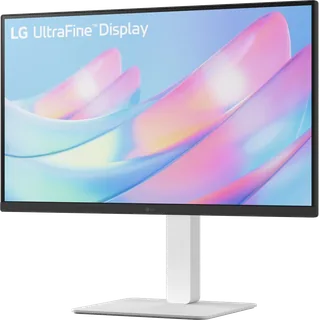
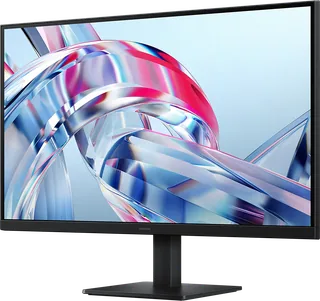
Model | Size | Resolution | PPI | Panel | Refresh | Brightness | HDR | USB-C power | Released |
|---|---|---|---|---|---|---|---|---|---|
| 27″ | 3840 × 2160 | 163 | IPS | 60 Hz | 300 nits | – | – | Nov 2024 | |
| 27″ | 3840 × 2160 | 163 | IPS | 60 Hz | 300 nits | – | – | May 2026 | |
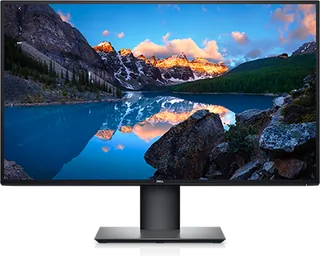
| 27″ | 3840 × 2160 | 163 | IPS | 60 Hz | 350 nits | 400 | 90 W | Jan 2020 |
Sources
- i.dell.com/sites/csdocuments/Product_Docs/en/dell_ultrasharp_27_4k_monitor_u271…
- dl.dell.com/manuals/all-products/esuprt_electronics_accessories/esuprt_electron…
Photo: i.dell.com
- UltraSharp 27 4K Monitor (U2718Q) — Front view with photo applications inside the physical screen.: Dell official brochure; page 1, embedded member Im1.jp2
- UltraSharp 27 4K Monitor (U2718Q) — Angled front view with photo applications inside the physical screen.: Dell official brochure; page 2, embedded member Im0.jp2
- UltraSharp 27 4K Monitor (U2718Q) — Underside view of the physical body and connectors.: Dell official brochure; page 4, embedded member Im0.jp2
- UltraSharp 27 4K Monitor (U2718Q) — Close-up of the physical side USB ports.: Dell official brochure; page 4, embedded member Im10.jp2
- UltraSharp 27 4K Monitor (U2718Q) — Three physical monitors showing different stand orientations.: Dell official brochure; page 4, embedded member Im6.jp2
- UltraSharp 27 4K Monitor (U2718Q) — Side view with its stand.: Dell official brochure; page 4, embedded member Im9.jp2