Photo 1 of 7
Dell UltraSharp 27 Thunderbolt Hub (U2724DE) · Photo source
Dell · UltraSharp
UltraSharp 27 Thunderbolt Hub (U2724DE)
Dell's 27-inch 1440p 120Hz IPS Black monitor with a Thunderbolt 4 hub, 90W charging, 2.5GbE Ethernet and KVM, for laptop users who want a single-cable desk at a lower price than the 4K models.
- Size
- 27″
- Resolution
- 2560 × 1440
- PPI
- 109
- Panel
- IPS
- Refresh
- 120 Hz
- Brightness
- 350 nits
- HDR
- –
- USB-C power
- 90 W
What reviewers say
Reviewers agree it is a strong all-round office monitor, praising its sensible design, accurate colour, improved IPS Black contrast, 120Hz refresh and extensive Thunderbolt connectivity with a KVM switch. Both PCWorld and IT Pro noted there is no HDR; PCWorld pointed out that most rivals at the price are 4K, and IT Pro found the backlighting could be better.
From expertreviews.co.uk, itpro.com and pcworld.com
Specifications
Report a wrong or missing specDisplay
- Screen size
- 27″
- Resolution
- 2560 × 1440 (QHD)
- Sharpness
- 109 pixels per inch
- Panel
- IPS (IPS Black)
- Refresh rate
- 120 Hz
- Response time (grey to grey)
- 5 ms
- Brightness (typical)
- 350 nits
- Contrast ratio
- 2,000:1
- Colour range
- 98% DCI-P3, 98% Display P3, 100% sRGB
- DCI-P3 coverage
- 98%
- Colour accuracy (Delta E)
- Below 2
- Screen finish
- Matte
- Shape
- Flat
- Adaptive sync
- HDMI VRR
- Colour depth
- 1.07 billion colours
- sRGB coverage
- 100%
- Colour accuracy
- Delta E < 2 (average) (sRGB, BT.709, Display P3, DCI-P3); factory calibration report in the box
- Response time detail
- 5 ms (Fast), 8 ms (Normal)
- Variable refresh range
- 48–120 Hz (vertical scan range); Dynamic Refresh Rate (DRR) for Windows 11
- Viewing angles
- 178° horizontal, 178° vertical (typical)
- Pixel pitch
- 0.2331 mm x 0.2331 mm
- Eye care
- ComfortView Plus hardware low blue light; TÜV Rheinland Eye Comfort 3.0 (5 star); ambient light sensor (Auto Brightness); flicker-free
Connections
- Video inputs
- HDMI 2.1 (TMDS), DisplayPort 1.4, Thunderbolt 4
- USB-C charging
- Up to 90 W
- USB ports
- USB-C, 4 × USB-A, Thunderbolt 4
- KVM switch
- Yes
- Ethernet
- Yes
- Speakers
- No
- HDMI detail
- 1 x HDMI (HDCP 1.4), up to 2560 x 1440 at 120 Hz TMDS with VRR as specified in HDMI 2.1; no FRL, HDR or ARC
- DisplayPort detail
- 1 x DisplayPort 1.4 in (DRR for Windows); 1 x DisplayPort out
- USB-C detail
- Thunderbolt 4 upstream (DisplayPort 1.4 Alt Mode, USB 10Gbps, Power Delivery up to 90 W); USB-C 10Gbps upstream (data only); 1 x USB-C 10Gbps downstream quick-access port (15 W)
- Daisy chaining
- DisplayPort out, or Thunderbolt 4 downstream (15 W, video only when daisy chaining); Multi-Monitor Sync of OSD settings
- USB hub detail
- 3 x USB-A 10Gbps rear; quick access ports with 1 x USB-A 10Gbps (BC 1.2) and 1 x USB-C 10Gbps (15 W)
- Picture by picture
- Picture by Picture and Picture in Picture, with KVM switching in PBP
- Audio out
- 3.5 mm audio line out
Design
- Stand adjusts
- Height, tilt, swivel, pivot
- VESA mount
- Yes
- Weight with stand
- 7.37 kg
- Height adjustment
- 150 mm
- Tilt
- -5° to 21°
- Swivel
- -45° to 45°
- Pivot
- -90° to 90°
- VESA pattern
- 100 x 100 mm
- Size with stand
- 612.24 x 192.28 x 385.58–535.58 mm (W x D x H)
- Size without stand
- 612.24 x 50.12 x 352.51 mm (W x D x H)
- Weight without stand
- 5.23 kg
Power and support
- Power use
- 24.4 W on mode, 0.5 W standby, 1.5 W networked standby, 0.3 W off, 225 W maximum
- Energy class
- F
- Power supply
- 100–240 VAC, 50/60 Hz, 2.65 A (maximum)
- Software
- Dell Display and Peripheral Manager (Easy Arrange)
- Certifications
- TÜV Rheinland Eye Comfort 3.0 (5 star), TÜV Rheinland hardware low blue light (Category 2)
- Warranty
- 3 years limited hardware with Premium Panel Exchange (UK)
- In the box
- Stand, power cable, DisplayPort cable (1.8 m), Thunderbolt 4 cable (1 m), USB-A to USB-C cable (1 m), factory calibration report
Pros and cons
Pros
- Thunderbolt 4 hub with 90W charging, 2.5GbE Ethernet, KVM and daisy chaining
- IPS Black panel with 2000:1 contrast, 98% DCI-P3 and factory calibration to Delta E < 2
- 120Hz with VRR; stand adjusts 150 mm with tilt, swivel and pivot, and an ambient light sensor
Cons
- 2560 x 1440 on 27 inches is 109 ppi, less sharp than the 4K U2725QE
- HDMI port is TMDS only, without HDR or FRL
- No speakers
Closest rivals
Model | Size | Resolution | PPI | Panel | Refresh | Brightness | HDR | USB-C power | Released |
|---|---|---|---|---|---|---|---|---|---|
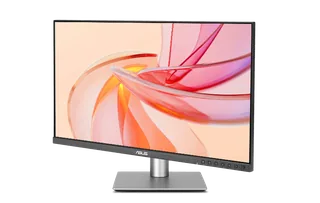
| 27″ | 2560 × 1440 | 109 | IPS | 144 Hz | 350 nits | 400 | 96 W | Dec 2025 | |
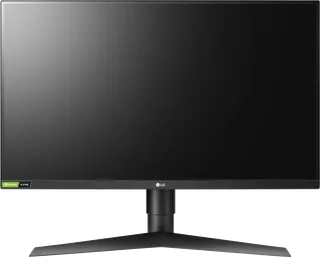
| 27″ | 2560 × 1440 | 109 | IPS | 144 Hz | 350 nits | – | – | Jul 2019 | |
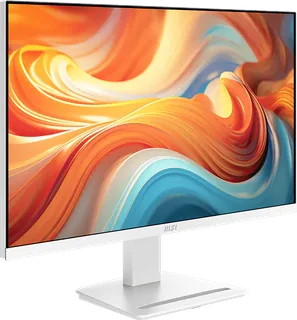
| 27″ | 2560 × 1440 | 109 | IPS | 144 Hz | 300 nits | – | – | Nov 2025 |
Sources
- dell.com/en-gb/shop/monitors/apd/dell-ultrasharp-27-thunderbolt-hub-monitor-u27…
- dl.dell.com/content/manual17050394-dell-ultrasharp-27-thunderbolt-hub-monitor-u…
- eprel.ec.europa.eu/qr/1591644
- tftcentral.co.uk/news/dell-u2724d-and-u2724de-27-monitors-announced-with-the-fi…
Photo: i.dell.com
- UltraSharp 27 Thunderbolt Hub (U2724DE), front three-quarter: i.dell.com/is/image/DellContent/content/dam/ss2/product-images/dell-client-prod…
- UltraSharp 27 Thunderbolt Hub (U2724DE), rear: i.dell.com/is/image/DellContent/content/dam/ss2/product-images/dell-client-prod…
- UltraSharp 27 Thunderbolt Hub (U2724DE), underside ports: i.dell.com/is/image/DellContent/content/dam/ss2/product-images/dell-client-prod…
- UltraSharp 27 Thunderbolt Hub (U2724DE), left profile: i.dell.com/is/image/DellContent/content/dam/ss2/product-images/dell-client-prod…
- UltraSharp 27 Thunderbolt Hub (U2724DE), right profile: i.dell.com/is/image/DellContent/content/dam/ss2/product-images/dell-client-prod…
- UltraSharp 27 Thunderbolt Hub (U2724DE), tilted panel and quick-access ports close-up: i.dell.com/is/image/DellContent/content/dam/ss2/product-images/dell-client-prod…