Photo 1 of 15
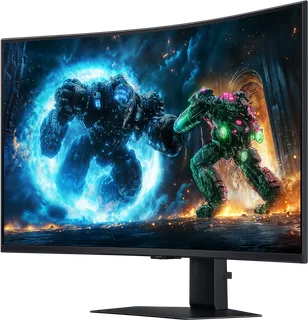
Samsung ViewFinity S8 S80UD (37″) · Photo source
Photo 1 of 15
Samsung ViewFinity S8 S80UD (37″) · Photo source
Samsung · ViewFinity
ViewFinity S8 S80UD (37″) Released March 2025
Samsung's 37-inch 4K VA office monitor with USB-C at 90 W, a KVM switch, Ethernet and a height-adjustable stand, for people who want a large single-cable desk screen for a laptop.
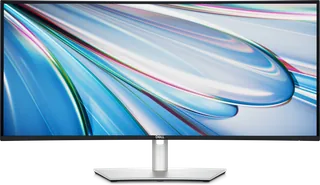
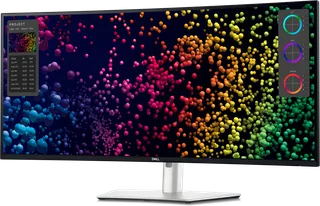
Compare with another monitor Compare with… ViewFinity S7 (S70H) 27″ (2026) ViewFinity S8 (S80HF) (2026) Samsung Odyssey G7 G75F (37″) (2025) Dell UltraSharp 34 Curved Thunderbolt Hub (U3425WE) (2024) Dell UltraSharp 40 Curved Thunderbolt Hub (U4025QW) (2024) Predator X27U F5 (2025) ProCreator PE320QXT (2025) AGON PRO AG326UZD2 (2026) Q27G4SRU (2025) Studio Display (2026) (2026) Studio Display XDR (2026) Studio Display (2022) (2022) Thunderbolt Display (2011) LED Cinema Display (27-inch) (2010) LED Cinema Display (24-inch) (2008) Cinema HD Display (30-inch, DVI) (2004) Cinema Display (20-inch, DVI) (2004) Cinema HD Display (23-inch, DVI) (2004) Cinema Display (20-inch, ADC) (2003) Cinema HD Display (23-inch, ADC) (2002) Studio Display (17-inch LCD, 2001) (2001) Cinema Display (22-inch, ADC) (2000) Studio Display (15-inch ADC, 2000) (2000) Studio Display (17-inch CRT ADC, 2000) (2000) Cinema Display (22-inch, DVI) (1999) Studio Display (15-inch DVI, 1999) (1999) Studio Display (15-inch LCD, 1999) (1999) Studio Display (17-inch CRT, 1999) (1999) Studio Display (21-inch CRT, 1999) (1999) Studio Display (15-inch LCD, 1998) (1998) AppleVision 750 Display (1997) AppleVision 850 (1997) AppleVision 850AV (1997) Multiple Scan 720 Display (1997) AppleVision 1710AV (1995) Multiple Scan 14 Display (1995) Multiple Scan 1705 Display (1995) Multiple Scan 15 Display (1994) Multiple Scan 17 Display (1994) Multiple Scan 20 Display (1994) Apple AudioVision 14 Display (1993) Apple Color Plus 14-inch Display (1993) Macintosh Portrait Display (1989) AppleColor High-Resolution RGB Monitor (1987) ROG Swift OLED PG27UCWM (2026) ROG Strix Pulsar XG27AQNGV (2026) ProArt Display PA278CGRV (2025) ProArt Display 6K PA32QCV (2025) ROG Strix OLED XG27UCDMG (2025) ROG Swift OLED PG32UCDM (2024) ZOWIE XQ2566X (2026) MOBIUZ EX321UZ (2026) PD2730S (2025) 24 Low Mount Adjustable Stand Monitor (SE2426HSR) (2026) Alienware 32 240Hz (AW3226DM) (2026) Alienware 34 240Hz (AW3426DWM) (2026) Pro 24 Adjustable Stand Monitor with Speakers (E2426HS) (2026) Pro 24 Monitor (E2426H) (2026) Pro 27 Monitor (E2726H) (2026) 27 Low Mount Adjustable Stand Monitor (SE2726HSR) (2026) Alienware 34 280Hz QD-OLED (AW3426DW) (2026) Alienware 39 5K OLED (AW3926QW) (2026) 27 QHD Monitor (SE2726D) (2026) Alienware 27 240Hz QD-OLED (AW2726DM) (2026) Alienware 27 280Hz (AW2726DL) (2026) Pro 24 Video Conferencing Monitor (E2426HB) (2026) Pro P 24 (P2426H) (2026) Pro P 24 16:10 USB-C Hub (P2426E) (2026) Pro P 24 USB-C Hub (P2426HE) (2026) UltraSharp 32 4K QD-OLED (U3226Q) (2026) 24 Monitor (SE2426H) (2026) 27 Monitor (SE2726H) (2026) UltraSharp 52 Thunderbolt Hub (U5226KW) (2026) 24 240Hz Monitor (SE2426HG) (2026) 27 240Hz Monitor (SE2726HG) (2026) Pro 27 Adjustable Stand Monitor (E2726HS) (2026) Pro 27 QHD Monitor (E2726DS) (2026) 24 Plus Monitor (S2425HSM) (2025) 27 Plus Monitor (S2725HSM) (2025) 27 Plus QHD Monitor (S2725DSM) (2025) 27 Plus QHD USB-C (S2725DC) (2025) Alienware 25 320Hz (AW2525HM) (2025) Alienware 27 280Hz QD-OLED (AW2725D) (2025) Alienware 34 240Hz QD-OLED (AW3425DW) (2025) 27 Plus 4K Monitor (S2725QS) (2025) 27 Plus 4K USB-C (S2725QC) (2025) Pro 24 Monitor (E2425HM) (2025) Pro 24 Plus QHD USB-C Hub (P2425DE) (2025) Pro 27 Plus 4K USB-C Hub (P2725QE) (2025) Pro 27 Plus QHD USB-C Hub (P2725DE) (2025) UltraSharp 27 4K Thunderbolt Hub (U2725QE) (2025) UltraSharp 32 4K Thunderbolt Hub (U3225QE) (2025) Alienware 27 4K QD-OLED (AW2725Q) (2025) Alienware 27 4K Dual-Resolution (AW2725QF) (2024) Pro 24 Plus (P2425H) (2024) Pro 24 Plus USB-C Hub (P2425HE) (2024) Pro 27 Plus (P2725H) (2024) Pro 27 Plus USB-C Hub (P2725HE) (2024) Alienware 27 360Hz QD-OLED (AW2725DF) (2024) Alienware 32 4K QD-OLED Gaming Monitor (AW3225QF) (2024) UltraSharp 27 Monitor (U2724D) (2023) UltraSharp 27 Thunderbolt Hub (U2724DE) (2023) UltraSharp 24 (U2424H) (2023) UltraSharp 24 USB-C Hub (U2424HE) (2023) Alienware 500Hz (AW2524HF) (2023) UltraSharp 27 4K USB-C Hub Monitor (U2723QE) (2022) Alienware 34 Curved QD-OLED (AW3423DW) (2022) Alienware 34 Curved QD-OLED (AW3423DWF) (2022) UltraSharp 27 Monitor (U2722D) (2021) UltraSharp 27 USB-C Hub Monitor (U2722DE) (2021) UltraSharp 27 USB-C Hub Monitor (U2721DE) (2020) UltraSharp 27 4K USB-C Monitor (U2720Q) (2020) UltraSharp 27 USB-C Monitor (U2719DC) (2018) UltraSharp U2719D (2018) UltraSharp 27 4K Monitor (U2718Q) (2017) UltraSharp U2717D (2016) UltraSharp 27 Monitor with PremierColor (UP2716D) (2015) UltraSharp U2415 (2014) UltraSharp U2715H (2014) UltraSharp U2414H (2013) UltraSharp U2713H (2012) UltraSharp U2713HM (2012) UltraSharp U2412M (2011) UltraSharp U2711 (2010) UltraSharp U2410 (2009) G27Q26 (2026) AORUS FO27Q5P (2025) M27UP (2025) MO32U (2024) Series 7 Pro 31.5″ 4K Thunderbolt 4 Docking Monitor (732xk) (2026) HyperX OMEN OLED 27qs (2026) ThinkVision P27UD-40 (2026) Legion 27Q-10 (2025) Legion Pro 32UD-10 (2025) UltraGear evo GX9 (39GX950B) (2026) UltraGear OLED GX7 (27GX790B) (2026) UltraFine evo 6K (32U990A) (2025) UltraGear OLED 34GX900A (2025) UltraGear OLED 27GX700A (2025) UltraGear OLED 45GX950A (2025) UltraGear 27G850A-B (2025) UltraGear OLED GX7 (27GX790A) (2024) UltraFine 27US550 (2024) UltraGear OLED 32GS95UE (2024) UltraGear 27GR83Q-B (2023) UltraGear 27GL850-B (2019) MPG 322UR QD-OLED X24 (2026) MPG 341CQR QD-OLED X36 (2026) PRO MAX 271PHW E14 (2026) PRO MP251 E14L (2025) PRO MP273QW E14 (2025) MAG 274QP QD-OLED X24 (2025) MAG 272QP QD-OLED X50 (2025) MAG 274QRFW E20 (2025) MAG 325QF E18V (2025) MPG 346CQRF X24 (2025) MAG 275UPD E14 (2025) MAG 321CQF E18 (2025) MAG 322URDF E16 (2025) MAG 274F (2025) MAG 275QF X32 (2025) MAG 274QF (2025) MAG 342CQR E2 (2024) MPG 341CQPX QD-OLED (2024) MPG 321URX QD-OLED (2024) Evnia 32M2N8900P (2026) Brilliance 27E3U7903 (2025) Odyssey OLED G8 32″ (G80SH) (2026) Odyssey OLED G6 (G60SF) (2025) Odyssey G9 (G91F) (2025) Odyssey OLED G8 G81SF 27-inch (2025) Odyssey OLED G8 (G80SD) (2024) Odyssey OLED G9 G95SC (2023) Odyssey Neo G9 G95NC (2023) INZONE M10S II (2026) INZONE M10S (2024) INZONE M9 II (2024) INZONE M3 (2022) INZONE M9 (2022) GDM-F520 (2001) GDM-FW900 (2000) ColorPro VP2788-5K (2025)
Size 37″
Resolution 3840 × 2160
PPI 119
Panel VA
Refresh 60 Hz
Brightness 350 nits
HDR –
USB-C power 90 W Sources samsung.com/uk/monitors/flat/viewfinity-s8-s80ud-37-inch-uhd-usb-c-monitor-with… eprel.ec.europa.eu/screen/product/electronicdisplays/2207801 Photo: images.samsung.com
37-inch ViewFinity S8 S80UD front Black: Samsung 37-inch ViewFinity S8 S80UD back Black: Samsung 37-inch ViewFinity S8 S80UD r-side Black: Samsung 37-inch ViewFinity S8 S80UD r-side-down Black: Samsung 37-inch ViewFinity S8 S80UD tilt1 Black: Samsung 37-inch ViewFinity S8 S80UD tilt2 Black: Samsung 37-inch ViewFinity S8 S80UD swivel1 Black: Samsung 37-inch ViewFinity S8 S80UD swivel2 Black: Samsung 37-inch ViewFinity S8 S80UD dynamic2 Black: Samsung 37-inch ViewFinity S8 S80UD low-dynamic Black: Samsung 37-inch ViewFinity S8 S80UD detail1 Black — physical hardware detail: Samsung 37-inch ViewFinity S8 S80UD detail2 Black — physical hardware detail: Samsung 37-inch ViewFinity S8 S80UD detail3 Black — physical hardware detail: Samsung 37-inch ViewFinity S8 S80UD dynamic Black — physical hardware detail: Samsung Spot a mistake? Tell us