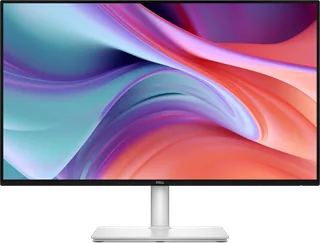
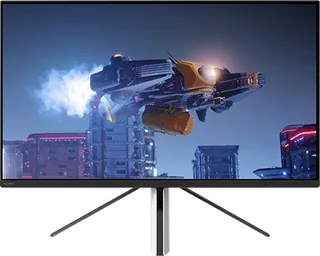
Dell 27 Plus Monitor (S2725HSM) vs Sony INZONE M3
Better figure, where one is clearly better
| Dell27 Plus Monitor (S2725HSM) | SonyINZONE M3 | |
|---|---|---|
| Overview | ||
| Released | September 2025 | December 2022 |
| Display | ||
| Screen size | 27″ | 27″ |
| Resolution | 1920 × 1080 (Full HD) | 1920 × 1080 (Full HD) |
| Sharpness | 82 pixels per inch | 82 pixels per inch |
| Panel | IPS | IPS (Edge-lit LED backlight without local dimming) |
| Refresh rate | 144 Hz | 240 Hz (better) |
| Response time (grey to grey) | 4 ms | 1 ms (better) |
| Brightness (typical) | 300 nits | 400 nits (better) |
| HDR peak brightness | – | 400 nits |
| HDR certification | – | DisplayHDR 400 |
| HDR formats | – | HDR10, HLG |
| Contrast ratio | 1,500:1 | 1,000:1 |
| Colour range | 99% sRGB | 99% sRGB |
| Screen finish | Matte | Matte |
| Shape | Flat | Flat |
| Adaptive sync | FreeSync | VESA AdaptiveSync, G-Sync Compatible, HDMI VRR |
| Colour depth | 16.7 million colours | 1.07 billion colours |
| Colour modes | – | Standard, FPS Game, Cinema, Game 1 and Game 2; black equalizer, crosshair, timer and frame-rate counter |
| HDR detail | – | VESA DisplayHDR 400; edge-lit backlight without local dimming. Typical and peak brightness 400 cd/m²; static and dynamic contrast 1,000:1. |
| sRGB coverage | 99% (CIE 1931) | – |
| Response time detail | 1 ms MPRT; 4 ms (Extreme), 5 ms (Fast), 8 ms (Normal) grey to grey; FreeSync is unavailable in MPRT mode | 1 ms grey-to-grey in Faster mode (Sony UK specifications); the Japanese table calls this Fast mode. These mode labels differ between regional tables. |
| Motion blur reduction | – | No backlight strobing (Sony FAQ) |
| Variable refresh range | 48–144 Hz (FreeSync) | – |
| Viewing angles | 178° horizontal, 178° vertical (typical) | 178° horizontal and vertical |
| Pixel pitch | 0.3114 mm x 0.3114 mm | – |
| Eye care | ComfortView Plus hardware low blue light (TÜV Rheinland Category 2); TÜV Rheinland Eye Comfort 3.0 (4 star); flicker-free | TÜV Rheinland-certified low blue light and flicker-free display |
| Calibration | – | Sony states Delta E below 1 for HDR input in its shared original M9/M3 FAQ; a factory colour-calibration report is supplied. This is not an SDR accuracy claim. |
| Connections | ||
| Video inputs | 2 × HDMI 1.4 | 2 × HDMI 2.1, DisplayPort 1.4, USB-C |
| USB-C charging | None | Up to 15 W (better) |
| USB ports | – | 3 × USB-A |
| KVM switch | – | Yes |
| Ethernet | No | No |
| Speakers | Yes | Yes |
| HDMI detail | 2 x HDMI 1.4 (HDCP 1.4), up to 1920 x 1080 at 144 Hz, 8-bit | 2 × HDMI 2.1; Full HD at up to 240 Hz, HDMI VRR, ALLM, CEC and HDCP 2.3. Supported vertical frequencies 24–240 Hz. PS5 Auto HDR Tone Mapping and Auto Genre Picture Mode require supported PS5 software and settings. |
| DisplayPort detail | – | 1 × DisplayPort 1.4; Full HD at up to 240 Hz, VESA AdaptiveSync and NVIDIA G-SYNC Compatible. Supported vertical frequencies 24–240 Hz. |
| USB-C detail | – | DisplayPort Alternate Mode and USB upstream; USB data transfer up to 480 Mbps (USB 2.0). Power output 5 V / 3 A, equivalent to 15 W (Sony FAQ). |
| USB hub detail | – | 1 × USB-B upstream (USB 3.0, 5 Gbps), 3 × USB-A downstream (5 V / 0.9 A each). Auto KVM switches peripherals between USB-B and USB-C upstream connections; both computers need their corresponding USB upstream connections as well as video. |
| Audio out | – | 3.5 mm headphone jack |
| Speaker detail | 2 x 3 W | 2 W × 2 |
| Design | ||
| Stand adjusts | Height, tilt, swivel, pivot (better) | Height, tilt |
| VESA mount | Yes | Yes |
| Weight with stand | 5.73 kg | 6.2 kg |
| Height adjustment | 110 mm | 70 mm |
| Tilt | -5° to 21° | 0° to 20° |
| Swivel | -30° to 30° | No swivel |
| Pivot | -90° to 90° | No portrait pivot |
| VESA pattern | 100 x 100 mm | 100 × 100 mm |
| Size with stand | 609.69 x 201.83 x 389.07–499.07 mm (W x D x H) | Approximately 615 × 479 × 248 mm (W × H × D) |
| Size without stand | 609.69 x 58.87 x 354.21 mm (W x D x H) | Approximately 615 × 363 × 73 mm (W × H × D) |
| Weight without stand | 3.95 kg | Approximately 4.1 kg |
| Weight detail | – | Approximately 6.2 kg including the stand |
| Controls | – | Rear five-way joystick; no rear RGB lighting |
| Colours | Ash White | White rear housing and black bezel |
| Power and support | ||
| Power use | 17.0 W on mode, 0.5 W standby, 0.3 W off, 43 W maximum | Typical 103 W; Eco mode 21.6 W; standby 0.5 W (Sony UK specifications) |
| Energy class | D | – |
| Power supply | 100–240 VAC, 50/60 Hz, 1 A (typical) | External AC adapter; 100–240 V AC, 50/60 Hz |
| Laptop charging | – | USB supply depends on USB-hub/KVM selection; the Help Guide says USB-B and USB-C upstream connections are required. |
| Software | Dell Display and Peripheral Manager | INZONE Hub for Windows; current version 1.0.19.0 lists Windows 11 Home/Pro. Older launch pages describe Windows 10 support. Firmware updates use a USB upstream connection and video connection. |
| Certifications | TÜV Rheinland Eye Comfort 3.0 (4 star), TÜV Rheinland hardware low blue light (Category 2) | – |
| Warranty | 3 years with Advanced Exchange Service and Premium Panel Exchange (UK) | – |
| In the box | Stand, VESA cover, power cable, HDMI 1.4 cable (1.8 m) | AC adapter, AC power cord, DisplayPort cable, setup guide, operating instructions, factory colour-calibration report, warranty card and INZONE sticker (exact M3 specifications). The shared M9/M3 FAQ says cables are not supplied, conflicting with the exact M3 list. |
More comparisons
- Dell 27 Plus Monitor (S2725HSM) vs Dell 27 Low Mount Adjustable Stand Monitor (SE2726HSR)
- Sony INZONE M10S II vs Sony INZONE M3
- Dell 27 Plus Monitor (S2725HSM) vs Dell 27 Monitor (SE2726H)
- Dell 27 Plus Monitor (S2725HSM) vs MSI PRO MAX 271PHW E14
- Dell 27 240Hz Monitor (SE2726HG) vs Sony INZONE M3
- Dell 24 Plus Monitor (S2425HSM) vs Dell 27 Plus Monitor (S2725HSM)
- Dell 27 Plus Monitor (S2725HSM) vs MSI MAG 274F
- Dell 27 Plus QHD Monitor (S2725DSM) vs Dell 27 Plus Monitor (S2725HSM)
- Dell 27 Plus QHD USB-C (S2725DC) vs Dell 27 Plus Monitor (S2725HSM)
- Dell 27 Plus Monitor (S2725HSM) vs Dell 27 Plus 4K Monitor (S2725QS)
- Dell 27 Plus Monitor (S2725HSM) vs Dell 27 Plus 4K USB-C (S2725QC)
- MSI MAG 274F vs Sony INZONE M3
- Sony INZONE M10S vs Sony INZONE M3
- Sony INZONE M3 vs Sony INZONE M9 II
- Sony INZONE M3 vs Sony INZONE M9