Logitech G MX518 Gaming Mouse vs Logitech G502 HERO
Better figure, where one is clearly better
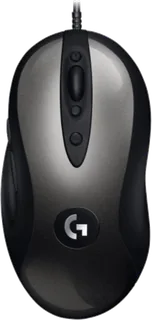
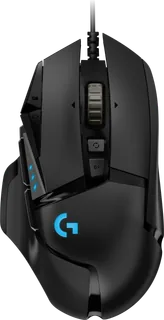
| LogitechG MX518 Gaming Mouse | LogitechG502 HERO | |
|---|---|---|
| Overview | ||
| Released | February 2019 | October 2018 |
| Tracking | ||
| Shape | Ergonomic | Ergonomic |
| Hand | Right hand | Right hand |
| Sensitivity | Up to 16,000 DPI | Up to 25,600 DPI (better) |
| Sensor | HERO 16K optical | HERO 25K |
| Buttons | 8 | 11 (better) |
| Free-spinning wheel | – | Yes |
| Thumb wheel | – | No |
| Sensor | Logitech states 100–16,000 dpi, more than 400 inches per second tracking and no smoothing, filtering or acceleration. | HERO 25K sensor, 100–25,600 DPI; over 400 IPS; over 40 G; 1,000 Hz (1 ms) USB report rate; zero smoothing, acceleration and filtering; up to five DPI settings with three indicator lights (launched in 2018 with the HERO 16K sensor, up to 16,000 DPI) |
| Scroll wheel | Clickable stepped wheel; no free-spin mode. | Dual-mode hyper-scroll wheel (ratcheted or free-spinning) |
| Connections and battery | ||
| Connects by | Cable | Cable |
| Power | Cable | Cable |
| Works with | USB computer; Logitech G HUB or Logitech Gaming Software is optional for custom controls. | Windows, macOS and ChromeOS with a USB port |
| Software | Logitech G HUB or Logitech Gaming Software; settings can be kept in onboard memory. | Logitech G HUB; onboard memory for up to 5 profiles (requires firmware 127.1.7) |
| Design | ||
| Weight | – | 121 g |
| Size | – | 131.2 × 75 × 40 mm (depth × width × height); 121 g without the optional weights (up to 18 g more, 5 × 3.6 g); 2.1 m braided cable |
| Materials | Plastic case with the original MX518 shape. | Mechanical switches developed with Omron, rated for 50 million clicks (at launch); textured rubber side grips; PTFE feet rated for over 250 km; LIGHTSYNC RGB lighting in 1 zone |
| Colours | Dark grey and black. | Black |
| In the box | – | G502 HERO Gaming Mouse, optional 5 × 3.6 g weights and case, user documentation |
| Warranty | – | 2-year limited hardware warranty |
More comparisons
- Logitech G502 HERO vs Logitech PRO X3 SUPERSTRIKE
- Logitech G502 HERO vs Logitech PRO X2 SUPERSTRIKE
- Logitech G502 HERO vs Logitech PRO 2 LIGHTSPEED
- Logitech G502 HERO vs Logitech G502 X PLUS
- Logitech G502 HERO vs Razer Basilisk V3
- Logitech G502 HERO vs Logitech PRO X SUPERLIGHT
- Logitech G MX518 Gaming Mouse vs SteelSeries Rival 3
- Logitech G MX518 Gaming Mouse vs Logitech MX Master 3
- Logitech G MX518 Gaming Mouse vs Logitech G703 LIGHTSPEED
- Logitech G502 HERO vs Logitech G703 LIGHTSPEED
- Logitech G MX518 Gaming Mouse vs Logitech MX518 Gaming-Grade Optical Mouse
- Logitech G MX518 Gaming Mouse vs Logitech MX Master 2S
- Logitech G MX518 Gaming Mouse vs Logitech M720 Triathlon
- Logitech G502 HERO vs Logitech G502 Proteus Spectrum
- Logitech Gaming Mouse G500 vs Logitech G502 HERO
- Logitech G502 HERO vs Logitech G502 Proteus Core