Logitech G213 Prodigy vs Logitech MX Keys
Better figure, where one is clearly better
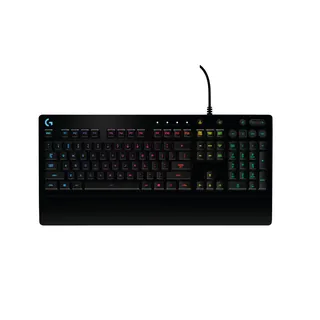
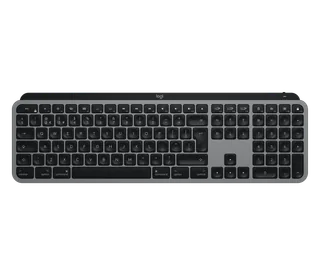
| LogitechG213 Prodigy | LogitechMX Keys | |
|---|---|---|
| Overview | ||
| Released | September 2016 | September 2019 |
| Typing | ||
| Layout | Full size | Full size |
| Switches | Membrane | Scissor |
| Key travel | 4 mm | 1.8 mm |
| Backlight | RGB | White |
| Automatic backlight | – | Yes |
| Keys labelled for | Windows | Mac, Windows and more |
| Touch ID | – | No |
| Switches | Logitech G Mech-Dome keys (membrane and keyframe construction); 50 g actuation force | Scissor switches with 60 g actuation force, rated for 10 million keystrokes (function keys 5 million) |
| Keycaps | – | Spherically dished keys with a matte coating; MX Keys for Mac has Mac-only laser-printed legends |
| Layouts | – | MX Keys for Mac in English UK, Danish/Norwegian/Swedish/Finnish, French, German, Italian, Spanish and Swiss (UK store) |
| Key travel | 4 mm total travel | – |
| Backlight | LIGHTSYNC RGB in five zones, about 16.8 million colours | A hand proximity sensor turns it on and an ambient light sensor sets the level; eight levels; stays off in bright rooms (over 200 lux) and below 10% battery |
| Special keys | Dedicated media controls (play, pause, skip, mute, volume); Game Mode; backlight toggle; anti-ghosting gaming matrix | Easy-Switch keys; Fn + Esc swaps media keys and F-keys; legends for both Windows and Mac (a Mac layout with an Eject key on MX Keys for Mac) |
| Connections and battery | ||
| Connects by | Cable | Bluetooth and USB receiver |
| Devices it switches between | – | 3 |
| Power | Cable | Rechargeable |
| Battery life (maker's claim) | – | Up to 5 months |
| With the backlight on | – | Up to 10 days |
| Receiver | USB 2.0 cable (1.8 m) | Logitech Unifying USB receiver included with both versions |
| Battery life detail | – | Rechargeable 1500 mAh battery; Logitech quotes 10 days with backlighting or 5 months with it off |
| Charging | – | USB-C port at the top right; usable while charging; USB-A to USB-C cable (USB-C to USB-C with MX Keys for Mac) |
| Works with | Windows 7 or later (product page); Windows 10, 8.1, 8 and 7 at release (support specification) | At launch, Bluetooth with Windows 8 or 10, macOS 10.13 or later, iOS 9 or later, Android 6 or later and Linux, and Unifying with Windows 7, 8 or 10, macOS 10.13 or later, Android 6 or later and Linux; MX Keys for Mac lists macOS 10.15 or later, iOS 13.4 or later and iPadOS 14 or later |
| Software | Logitech G HUB | Logitech Options at launch, now Logi Options+ (Windows and macOS); Logitech Flow with a Flow-enabled Logitech mouse |
| Design | ||
| Weight | 1000 g | 810 g (better) |
| Width × depth × height | 452 × 218 × 33 mm | 430.2 × 131.63 × 20.5 mm |
| Size | 452 × 218 × 33 mm; 1,000 g (Logitech's support specification gives 1,100 g with cable and 216 × 452 × 34 mm) | – |
| Materials | Spill-resistant design tested to 60 ml; integrated palm rest; two-level adjustable feet | – |
| Colours | Black | MX Keys for Mac in Space Gray |
| In the box | Keyboard, user documentation | Keyboard, Unifying USB receiver, USB-C charging cable, documentation |
| Warranty | 2-year limited hardware warranty | 2-year limited hardware warranty (UK) |
More comparisons
- Logitech G213 Prodigy vs Logitech G915 X LIGHTSPEED
- Logitech G213 Prodigy vs Logitech G915 X LIGHTSPEED TKL
- Logitech G213 Prodigy vs Logitech G515 LIGHTSPEED TKL
- Logitech G213 Prodigy vs Logitech PRO X 60
- Logitech MX Keys vs Logitech MX Keys S
- Logitech MX Keys vs Logitech MX Mechanical
- Logitech MX Keys vs Logitech MX Mechanical Mini
- Logitech G213 Prodigy vs Logitech G413 SE
- Logitech MX Keys vs Logitech MX Keys Mini
- Apple Magic Keyboard with Numeric Keypad (Lightning) vs Logitech MX Keys
- Apple Magic Keyboard with Numeric Keypad (Lightning) vs Logitech G213 Prodigy
- Apple Magic Keyboard (2015, Lightning) vs Logitech G213 Prodigy