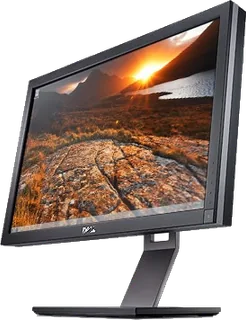
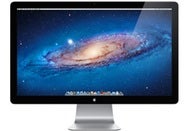
A 27-inch QHD monitor with first-generation Thunderbolt, a built-in camera and a hub for compatible Macs.
Size
27″
Resolution
2560 × 1440
PPI
109
Panel
IPS
Refresh
60 Hz
Brightness
375 nits
HDR
–
USB-C power
–
What reviewers say
Both reviews praised the screen and the convenience of combining a monitor and peripheral hub for compatible Mac notebooks. TechRadar questioned the high price for the panel alone. Macworld found it particularly useful for MacBook Air owners, but criticised reflections, the inflexible stand and limited image controls.
Captive first-generation Thunderbolt input cable; two bidirectional 10 Gbps channels. Requires a Thunderbolt-equipped Mac, not a Mini DisplayPort-only Mac.
Other connections
Gigabit Ethernet (10/100/1000Base-T), FireWire 800 with up to 7 W power, downstream Thunderbolt port and Kensington security slot
Daisy chaining
Downstream Thunderbolt supports compatible devices and a second Thunderbolt Display where the Mac permits it. The port does not directly support Mini DisplayPort, DVI or VGA displays or adapters.
USB hub detail
Three powered USB 2.0 Type-A ports; device charging can work without a host attached
Speaker detail
Built-in 2.1 speaker system with 49 W output
Webcam detail
FaceTime HD camera and microphone; Apple does not publish a megapixel figure in the specifications
Design
Stand adjusts
Tilt
VESA mount
Yes
Weight with stand
10.8 kg
Tilt
Tilt adjustment only; no height, swivel or pivot adjustment (Macworld)
VESA pattern
Requires the separately sold Apple VESA Mount Adapter Kit
Size with stand
Current UK support specifications give 650 × 491 × 207 mm (width × height × depth). The original manual gives 651.7 × 488.1 × 208.13 mm and 10.7 kg rather than the support page's 10.8 kg.
Controls
Brightness and colour profile through macOS Displays preferences; no on-screen menu or physical image controls (Macworld)
Colours
Aluminium enclosure with black glass bezel
Power and support
Power use
Maximum 250 W while charging a MacBook Pro; energy saver 2 W or less. Apple environmental report at 230 V gives 108 W on at full brightness, 1.9 W sleep and 0.75 W off.
Power supply
Internal power supply; 100–240 V AC, 50–60 Hz
Laptop charging
Captive Universal MagSafe connector supplies up to 85 W separately from the Thunderbolt cable; no USB-C power delivery
Software
Original requirement OS X 10.6.8 or later and a Thunderbolt-equipped Mac. Announced 20 July 2011 with availability within 60 days; September sale month follows contemporary MacRumors reports of customer shipments, rather than the announcement date.
Certifications
ENERGY STAR 5.1; EPEAT Gold in the US and Canada
Warranty
One-year limited warranty and 90 days of telephone support
In the box
Thunderbolt Display, AC power cord and printed documentation
Pros and cons
Pros
+Thunderbolt carries video and hub data over one cable
+Ethernet, FireWire 800 and three USB ports
+Separate MagSafe cable provides up to 85 W
Cons
−Requires Thunderbolt rather than a Mini DisplayPort connection