Photo 1 of 8
Dell Alienware 27 4K Dual-Resolution (AW2725QF) · Photo source
Dell · Alienware
Alienware 27 4K Dual-Resolution (AW2725QF)
Alienware's 27-inch dual-resolution IPS gaming monitor, which runs at 4K and up to 180Hz or switches to 1080p at up to 360Hz, for players who want sharp detail and high frame rates in one screen.
- Size
- 27″
- Resolution
- 3840 × 2160
- PPI
- 163
- Panel
- IPS
- Refresh
- 180 Hz
- Brightness
- 400 nits
- HDR
- 600
- USB-C power
- –
What reviewers say
Reviewers agree it is a sharp, very fast 4K IPS gaming monitor whose dual mode works better than most, with bright, vibrant and accurate colour. The common criticisms are contrast and HDR well behind OLED; PC Gamer and TechRadar found connectivity limited, with no USB-C, and PC Gamer thought it expensive for an IPS screen.
From tomshardware.com, pcgamer.com and techradar.com
Specifications
Report a wrong or missing specDisplay
- Screen size
- 27″
- Resolution
- 3840 × 2160 (4K)
- Sharpness
- 163 pixels per inch
- Panel
- IPS (dual mode 1920 x 1080 at 360 Hz)
- Refresh rate
- 180 Hz
- Response time (grey to grey)
- 0.5 ms
- Brightness (typical)
- 400 nits
- HDR peak brightness
- 600 nits
- HDR certification
- DisplayHDR 600
- HDR formats
- Dolby Vision
- Contrast ratio
- 1,000:1
- Colour range
- 95% DCI-P3
- DCI-P3 coverage
- 95%
- Colour accuracy (Delta E)
- Below 2
- Screen finish
- Matte
- Shape
- Flat
- Adaptive sync
- G-Sync Compatible, VESA AdaptiveSync, HDMI VRR
- Colour depth
- 1.07 billion colours (8-bit + A-FRC)
- sRGB coverage
- 100%
- Colour accuracy
- Delta E ≤ 2 (average) (sRGB)
- Colour modes
- FPS, MOBA/RTS, RPG, Sports, three custom game modes; Creator mode with native (DCI-P3) and sRGB colour spaces
- HDR detail
- 600 cd/m² HDR peak; Dolby Vision; VESA DisplayHDR 600
- Response time detail
- 0.5 ms grey-to-grey minimum, 1 ms most observed (Extreme); 2 ms (Super Fast); 3 ms (Fast)
- Variable refresh range
- 48–180 Hz in 4K mode, 48–360 Hz in FHD mode (vertical scan range)
- Viewing angles
- 178° horizontal, 178° vertical (typical)
- Pixel pitch
- 0.1554 mm x 0.1554 mm (163 ppi)
- Eye care
- ComfortView Plus hardware low blue light (TÜV Rheinland Category 3); flicker-free
Connections
- Video inputs
- 2 × HDMI 2.1, DisplayPort 1.4
- USB-C charging
- None
- USB ports
- USB-C, 3 × USB-A
- Ethernet
- No
- Speakers
- No
- HDMI detail
- 2 x HDMI 2.1 FRL (HDCP 1.4 and 2.2), 3840 x 2160 at 165 Hz or 1920 x 1080 at 330 Hz (overclockable to 180 Hz and 360 Hz), HDR, VRR; one port with eARC/ARC for Dolby Atmos pass-through
- DisplayPort detail
- 1 x DisplayPort 1.4 (HDCP 1.4 and 2.2), 3840 x 2160 at 165 Hz or 1920 x 1080 at 330 Hz (overclockable to 180 Hz and 360 Hz), DSC, HDR
- USB hub detail
- USB 5Gbps; 1 x USB-B upstream; 2 x USB-A rear; quick access 1 x USB-C (15 W) and 1 x USB-A with BC1.2 charging
- Picture by picture
- Picture-in-Picture and Picture-by-Picture
Design
- Stand adjusts
- Height, tilt, swivel, pivot
- VESA mount
- Yes
- Weight with stand
- 7.15 kg
- Height adjustment
- 110 mm
- Tilt
- -5° to 21°
- Swivel
- -20° to 20°
- Pivot
- -90° to 90°
- VESA pattern
- 100 x 100 mm
- Size with stand
- 611.44 x 243.70 x 408.68–518.68 mm (W x D x H)
- Size without stand
- 611.44 x 67.40 x 361.18 mm (W x D x H)
- Weight without stand
- 4.75 kg
- Colours
- Black
Power and support
- Power use
- 26.1 W on mode, 0.5 W standby, 0.3 W off, 140 W maximum
- Energy class
- G
- Power supply
- 100–240 VAC, 50/60 Hz, 1.6 A (typical)
- Certifications
- NVIDIA G-SYNC Compatible, VESA AdaptiveSync Display, VESA DisplayHDR 600, TÜV Rheinland hardware low blue light (Category 3)
- In the box
- Stand, power cable, DisplayPort 1.4 cable (1.8 m), HDMI 2.1 FRL cable (1.8 m), USB-A to USB-B 5Gbps cable (1.8 m), Alienware sticker
Pros and cons
Pros
- Switches between 3840 x 2160 at up to 180Hz and 1920 x 1080 at up to 360Hz
- Two HDMI 2.1 FRL ports (one with eARC) and Dolby Vision, for consoles as well as PCs
- VESA DisplayHDR 600, 95% DCI-P3 and a stated sRGB Delta E of 2 or less
Cons
- IPS panel with 1000:1 contrast and an edge-lit backlight, no local dimming figure
- 180Hz and 360Hz are overclocked; 165Hz and 330Hz without overclocking
- Energy class G, 26.1 W in on mode
Closest rivals
Model | Size | Resolution | PPI | Panel | Refresh | Brightness | HDR | USB-C power | Released |
|---|---|---|---|---|---|---|---|---|---|
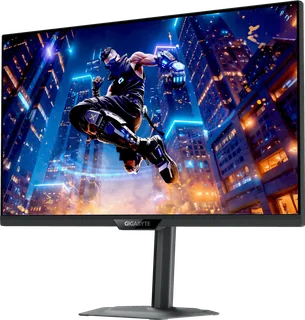
| 27″ | 3840 × 2160 | 163 | IPS | 160 Hz | 350 nits | 400 | 18 W | Jun 2025 | |
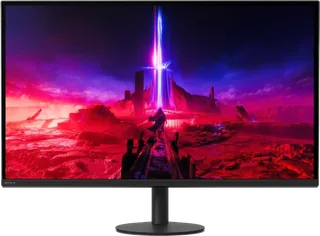
| 27″ | 3840 × 2160 | 163 | IPS | 160 Hz | 400 nits | 600 | – | Sept 2024 | |
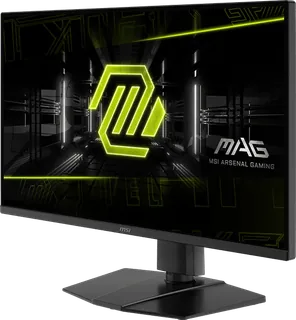
| 27″ | 3840 × 2160 | 163 | IPS | 144 Hz | 250 nits | – | – | Apr 2025 |
Sources
- dell.com/en-gb/shop/monitors/apd/alienware-27-4k-dual-resolution-gaming-monitor…
- dl.dell.com/content/manual10676330-alienware-aw2725qf-monitor-user-s-guide.pdf
- eprel.ec.europa.eu/qr/2046406
Photo: i.dell.com
- View right-facing Right facing Alienware AW2725QF Monitor; official Dell image: i.dell.com/is/image/DellContent/content/dam/ss2/product-images/dell-client-prod…
- View left-facing Left facing Alienware AW2725QF Monitor; official Dell image: i.dell.com/is/image/DellContent/content/dam/ss2/product-images/dell-client-prod…
- View rear-facing Rear facing Alienware AW2725QF Monitor; official Dell image: i.dell.com/is/image/DellContent/content/dam/ss2/product-images/dell-client-prod…
- View top-down Bottom facing Alienware AW2725QF Monitor showing ports & connections; official Dell image: i.dell.com/is/image/DellContent/content/dam/ss2/product-images/dell-client-prod…
- View left-profile Rear facing Alienware AW2725QF Monitor; official Dell image: i.dell.com/is/image/DellContent/content/dam/ss2/product-images/dell-client-prod…
- View right-profile Rear facing Alienware AW2725QF Monitor; official Dell image: i.dell.com/is/image/DellContent/content/dam/ss2/product-images/dell-client-prod…
- Rear view of Alienware AW2725QF Monitor with Alienware Pro Headset resting on top corner of Monitor.; official Dell image; optional accessory shown: i.dell.com/is/image/DellContent/content/dam/ss2/product-images/dell-client-prod…