
Gigabyte · M series
M27UP
Gigabyte's 27-inch 4K SS IPS gaming monitor that runs at 160 Hz, or 320 Hz at 1080p in Tactical Dual Mode, with a KVM switch, a USB-C input and built-in speakers.
- Size
- 27″
- Resolution
- 3840 × 2160
- PPI
- 163
- Panel
- IPS
- Refresh
- 160 Hz
- Brightness
- 350 nits
- HDR
- 400
- USB-C power
- 18 W
Specifications
Report a wrong or missing specDisplay
- Screen size
- 27″
- Resolution
- 3840 × 2160 (4K)
- Sharpness
- 163 pixels per inch
- Panel
- IPS (SS IPS, edge-lit; Dual mode: 1080p at 320 Hz)
- Refresh rate
- 160 Hz
- Response time (grey to grey)
- 1 ms
- Brightness (typical)
- 350 nits
- HDR certification
- DisplayHDR 400
- Contrast ratio
- 1,000:1
- Colour range
- 95% DCI-P3
- DCI-P3 coverage
- 95%
- Screen finish
- Matte
- Shape
- Flat
- Adaptive sync
- G-Sync Compatible
- Colour depth
- 8-bit + FRC (1.07 billion colours)
- sRGB coverage
- 125%
- Response time detail
- 1 ms GTG; Smart OD adjusts overdrive to the refresh rate
- Viewing angles
- 178° (H) / 178° (V)
- Pixel pitch
- 0.1554 × 0.1554 mm
- Eye care
- Flicker-free; TÜV Rheinland-certified low blue light
Connections
- Video inputs
- 2 × HDMI 2.1, DisplayPort 1.4 (DSC), USB-C
- USB-C charging
- Up to 18 W
- USB ports
- 3 × USB-A
- KVM switch
- Yes
- Ethernet
- No
- Speakers
- Yes
- HDMI detail
- 2 × HDMI 2.1; PS5 and Xbox Series X at 4K 120 Hz (4:2:0)
- DisplayPort detail
- 1 × DisplayPort 1.4 (DSC, HBR3)
- USB-C detail
- 1 × USB-C (DisplayPort Alt Mode, USB upstream); Power Delivery up to 18 W, or dynamic 45 W in Smart PD mode
- USB hub detail
- 3 × USB 3.2 Gen 1 downstream, 1 × USB 3.2 Gen 1 upstream
- Picture by picture
- Supported
- Audio out
- Headphone jack
- Speaker detail
- 5 W × 2
Design
- Stand adjusts
- Height, tilt, swivel, pivot
- VESA mount
- Yes
- Weight with stand
- 6.65 kg
- Height adjustment
- 130 mm
- Tilt
- -5° to +21°
- Swivel
- ±15°
- Pivot
- 0° to +90° (clockwise)
- VESA pattern
- 100 × 100 mm
- Size with stand
- 612 × 515 × 192 mm (W × H × D)
- Size without stand
- 612 × 371 × 59 mm (W × H × D)
- Weight without stand
- 5.15 kg
- Controls
- Control button, KVM switch and Tactical Switch button
Power and support
- Power use
- 27 W on (CEC test); under 0.5 W power saving; under 0.3 W off
- Power supply
- Built-in power board, AC 100–240 V
- Software
- OSD Sidekick (needs a USB-B connection to the PC)
- In the box
- Power cable, HDMI 2.1 cable, DisplayPort cable, USB cable, quick start guide, warranty card
Pros and cons
Pros
- The Tactical Switch button toggles between 4K at 160 Hz and 1080p at 320 Hz
- KVM switch, USB-C with DisplayPort Alt Mode, three USB 3.2 downstream ports and 2 × 5 W speakers
- Stand adjusts for height (130 mm), tilt and swivel, and pivots 90° to portrait
Cons
- USB-C supplies 18 W (up to 45 W dynamically in Smart PD mode), not enough for power-hungry laptops
- Edge-lit IPS panel with 1000:1 contrast and only VESA DisplayHDR 400
- Over HDMI 2.1, PS5 and Xbox Series X get 4K at 120 Hz only with 4:2:0 colour
Closest rivals
Model | Size | Resolution | PPI | Panel | Refresh | Brightness | HDR | USB-C power | Released |
|---|---|---|---|---|---|---|---|---|---|
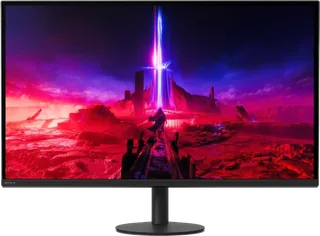
| 27″ | 3840 × 2160 | 163 | IPS | 160 Hz | 400 nits | 600 | – | Sept 2024 | |
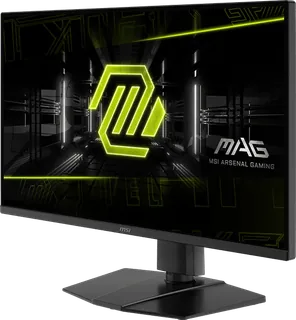
| 27″ | 3840 × 2160 | 163 | IPS | 144 Hz | 250 nits | – | – | Apr 2025 | |
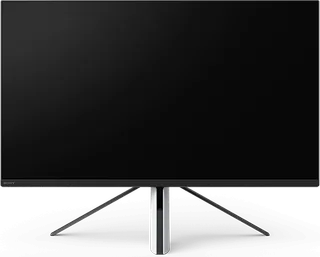
| 27″ | 3840 × 2160 | 163 | IPS | 144 Hz | 400 nits | 600 | 15 W | Jul 2022 |
Sources
- gigabyte.com/uk/Monitor/M27UP/sp
- gigabyte.com/uk/Monitor/M27UP
- download.gigabyte.com/FileList/Manual/GIGABYTE_M27UP_M27UPICE_UM_English_202504…
- gigabyte.com/Press/News/2295
Photo: static.gigabyte.com