Photo 1 of 9
Dell Alienware 32 4K QD-OLED Gaming Monitor (AW3225QF) · Photo source
Dell · Alienware
Alienware 32 4K QD-OLED Gaming Monitor (AW3225QF)
Alienware's 31.6-inch 4K 240Hz curved QD-OLED gaming monitor with Dolby Vision and an HDMI eARC port, for PC and console gamers who want a big, sharp OLED.
- Size
- 31.6″
- Resolution
- 3840 × 2160
- PPI
- 139
- Panel
- QD-OLED
- Refresh
- 240 Hz
- Brightness
- 250 nits
- HDR
- True Black 400
- USB-C power
- –
What reviewers say
Reviewers agree it is a superb 4K OLED gaming monitor, praising its rich, accurate colour, deep contrast, sharp detail and very fast 240Hz response; Tom's Hardware found no flaws of consequence. PC Gamer and TechRadar found it expensive and its many HDR modes and picture settings confusing to live with.
From tomshardware.com, pcgamer.com and techradar.com
Specifications
Report a wrong or missing specDisplay
- Screen size
- 31.6″
- Resolution
- 3840 × 2160 (4K)
- Sharpness
- 139 pixels per inch
- Panel
- QD-OLED
- Refresh rate
- 240 Hz
- Response time (grey to grey)
- 0.03 ms
- Brightness (typical)
- 250 nits
- HDR peak brightness
- 1,000 nits
- HDR certification
- DisplayHDR True Black 400
- HDR formats
- Dolby Vision, VESA DisplayHDR True Black 400
- Contrast ratio
- 1,500,000:1
- Colour range
- 99% DCI-P3 (CIE 1976)
- DCI-P3 coverage
- 99%
- Colour accuracy (Delta E)
- Below 2
- Shape
- Curved (1700R)
- Adaptive sync
- G-Sync Compatible, VESA AdaptiveSync
- Colour depth
- 1.07 billion colours
- Colour accuracy
- ΔE2000 < 2 (average) in sRGB and DCI-P3 preset modes
- HDR detail
- VESA DisplayHDR 400 True Black, Dolby Vision; 450 cd/m² (TB400), 1,000 cd/m² HDR peak
- Viewing angles
- 178° horizontal, 178° vertical (typical)
- Pixel pitch
- 0.1814 mm x 0.1814 mm
Connections
- Video inputs
- 2 × HDMI 2.1, DisplayPort 1.4
- USB-C charging
- None
- USB ports
- 3 × USB-A, USB-C
- Ethernet
- No
- Speakers
- No
- HDMI detail
- 2 x HDMI 2.1 (HDCP 1.4 and 2.3), up to 3840 x 2160 at 240 Hz FRL, HDR and VRR; one with eARC for Dolby Atmos pass-through
- DisplayPort detail
- 1 x DisplayPort 1.4 (HDCP 1.4 and 2.3), up to 3840 x 2160 at 240 Hz with DSC and HDR
- USB hub detail
- USB 3.2 Gen 1 (5 Gbps) hub with one USB-B upstream; 2 x USB-A on the back; 1 x USB-A and 1 x USB-C (BC1.2 charging) in the quick access ports
Design
- Stand adjusts
- Height, tilt, swivel
- VESA mount
- Yes
- Weight with stand
- 9.35 kg
- Height adjustment
- 0–110 mm
- Tilt
- -5° to 21°
- Swivel
- -20° to 20°
- Pivot
- None (don't use in portrait)
- VESA pattern
- 100 x 100 mm
- Size with stand
- 715.56 x 305.72 x 472.77–582.77 mm (W x D x H)
- Size without stand
- 715.56 x 106.44 x 421.92 mm (W x D x H)
- Weight without stand
- 6 kg
Power and support
- Power use
- 42.5 W on mode, 0.5 W standby, 0.3 W off, 190 W maximum
- Software
- Alienware Command Center, Dell Display and Peripheral Manager
- Certifications
- VESA DisplayHDR 400 True Black, NVIDIA G-SYNC Compatible, VESA AdaptiveSync Display
- Warranty
- 3 years limited (UK)
- In the box
- Stand riser and base, power cable, HDMI 2.1 FRL cable, DisplayPort 1.4 cable, USB 3.2 Gen 1 upstream cable, microfibre cloth
Pros and cons
Pros
- 4K at 240Hz with 0.03ms GtG response, on a gentle 1700R curve
- Two HDMI 2.1 FRL ports (one with eARC for Dolby Atmos pass-through) plus DisplayPort 1.4
- VESA DisplayHDR True Black 400 and Dolby Vision, with a 1,000-nit peak
Cons
- No USB-C video input or laptop charging
- 250-nit typical SDR brightness (full white)
- Stand doesn't pivot, and Dell says not to use it in portrait
Closest rivals
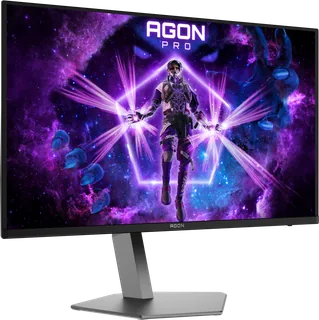
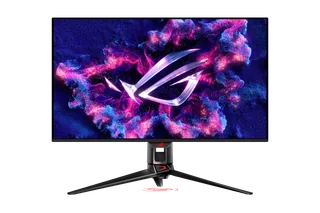
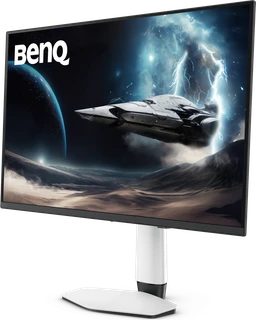
Model | Size | Resolution | PPI | Panel | Refresh | Brightness | HDR | USB-C power | Released |
|---|---|---|---|---|---|---|---|---|---|
| 31.5″ | 3840 × 2160 | 140 | QD-OLED | 240 Hz | 300 nits | True Black 500 | 65 W | Apr 2026 | |
| 31.5″ | 3840 × 2160 | 140 | QD-OLED | 240 Hz | 250 nits | True Black 400 | 90 W | Feb 2024 | |
| 31.5″ | 3840 × 2160 | 140 | QD-OLED | 240 Hz | 300 nits | True Black 500 | 90 W | Feb 2026 |
Sources
- dell.com/en-gb/shop/monitors/apd/alienware-32-4k-qd-oled-gaming-monitor-aw3225q…
- dl.dell.com/content/manual84466845-alienware-aw3225qf-monitor-user-s-guide.pdf
- prnewswire.com/news-releases/alienware-doubles-qd-oled-family-with-two-worlds-f…
Photo: i.dell.com
- Alienware 32 4K QD-OLED Gaming Monitor (AW3225QF), front three-quarter: i.dell.com/is/image/DellContent/content/dam/ss2/product-images/dell-client-prod…
- Alienware 32 4K QD-OLED Gaming Monitor (AW3225QF), front three-quarter, opposite angle: i.dell.com/is/image/DellContent/content/dam/ss2/product-images/dell-client-prod…
- Alienware 32 4K QD-OLED Gaming Monitor (AW3225QF), underside ports: i.dell.com/is/image/DellContent/content/dam/ss2/product-images/dell-client-prod…
- Alienware 32 4K QD-OLED Gaming Monitor (AW3225QF), rear three-quarter: i.dell.com/is/image/DellContent/content/dam/ss2/product-images/dell-client-prod…
- Alienware 32 4K QD-OLED Gaming Monitor (AW3225QF), rear three-quarter, opposite angle: i.dell.com/is/image/DellContent/content/dam/ss2/product-images/dell-client-prod…
- Alienware 32 4K QD-OLED Gaming Monitor (AW3225QF), rear: i.dell.com/is/image/DellContent/content/dam/ss2/product-images/dell-client-prod…
- Alienware 32 4K QD-OLED Gaming Monitor (AW3225QF), front and rear views: i.dell.com/is/image/DellContent/content/dam/ss2/product-images/dell-client-prod…
- Alienware 32 4K QD-OLED Gaming Monitor (AW3225QF), rear construction close-up: i.dell.com/is/image/DellContent/content/dam/ss2/product-images/dell-client-prod…