Photo 1 of 6
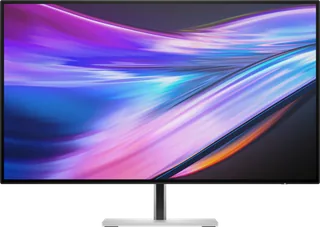
Dell UltraSharp 32 4K Thunderbolt Hub (U3225QE) · Photo source
Dell · UltraSharp
UltraSharp 32 4K Thunderbolt Hub (U3225QE)
Dell's 31.5-inch 4K 120Hz IPS Black monitor with a Thunderbolt 4 hub, up to 140W charging and 2.5GbE Ethernet, the larger sibling of the U2725QE for laptop users who want a single-cable desk.
- Size
- 31.5″
- Resolution
- 3840 × 2160
- PPI
- 140
- Panel
- IPS
- Refresh
- 120 Hz
- Brightness
- 450 nits
- HDR
- 600
- USB-C power
- 140 W
What reviewers say
Reviewers agree it is one of the best office monitors, praising its sharp 4K text, the 120Hz refresh, improved contrast for IPS, excellent stand and very broad connectivity with 140W charging. The common complaints are the lack of speakers and contrast still well short of OLED; RTINGS found reflections distracting in very bright rooms.
From pcworld.com, techradar.com and rtings.com
Specifications
Report a wrong or missing specDisplay
- Screen size
- 31.5″
- Resolution
- 3840 × 2160 (4K)
- Sharpness
- 140 pixels per inch
- Panel
- IPS (IPS Black)
- Refresh rate
- 120 Hz
- Response time (grey to grey)
- 5 ms
- Brightness (typical)
- 450 nits
- HDR peak brightness
- 600 nits
- HDR certification
- DisplayHDR 600
- Contrast ratio
- 3,000:1
- Colour range
- 99% DCI-P3, 100% sRGB
- DCI-P3 coverage
- 99%
- Colour accuracy (Delta E)
- Below 1.5
- Screen finish
- Matte
- Shape
- Flat
- Colour depth
- 1.07 billion colours
- sRGB coverage
- 100% (CIE 1931)
- Colour accuracy
- Delta E < 1.5 (average) (sRGB, BT.709, DCI-P3, Display P3)
- HDR detail
- 600 cd/m² HDR peak
- Response time detail
- 5 ms (Fast mode), 8 ms (Normal mode)
- Viewing angles
- 178° horizontal, 178° vertical (typical)
- Pixel pitch
- 0.18159 mm x 0.18159 mm
- Eye care
- TÜV Rheinland Eye Comfort 3.0 (5 star), low blue light, ambient light sensor
Connections
- Video inputs
- HDMI 2.1, DisplayPort 1.4, Thunderbolt 4
- USB-C charging
- Up to 140 W
- USB ports
- 2 × USB-C, 5 × USB-A, Thunderbolt 4
- KVM switch
- Yes
- Ethernet
- Yes
- Speakers
- No
- HDMI detail
- 1 x HDMI, up to 3840 x 2160 at 120 Hz FRL with VRR as specified in HDMI 2.1; no ARC/eARC or ALLM
- DisplayPort detail
- 1 x DisplayPort 1.4 in with DSC (DRR for Microsoft Windows); 1 x DisplayPort 1.4 out
- USB-C detail
- Thunderbolt 4 upstream (DisplayPort 1.4 with DSC, Power Delivery 140 W); USB-C 10Gbps upstream for KVM; 2 x USB-C 10Gbps downstream in the quick access ports
- Daisy chaining
- Thunderbolt 4 downstream port (15 W) or DisplayPort 1.4 out
- USB hub detail
- 4 x USB-A 10Gbps; quick access ports with 1 x USB-A 10Gbps (BC 1.2) and 2 x USB-C 10Gbps
- Audio out
- 3.5 mm analog 2.0 audio line out
Design
- Stand adjusts
- Height, tilt, swivel, pivot
- VESA mount
- Yes
- Weight with stand
- 9.34 kg
- Height adjustment
- 150 mm
- Tilt
- -5° to 21°
- Swivel
- -30° to 30°
- Pivot
- -90° to 90°
- VESA pattern
- 100 x 100 mm
- Size with stand
- 713.20 x 215.00 x 468.94–618.94 mm (W x D x H)
- Size without stand
- 713.20 x 57.50 x 410.34 mm (W x D x H)
- Weight without stand
- 6.52 kg
- Colours
- Silver
Power and support
- Power use
- 30.5 W on mode, 0.5 W standby, 1.5 W networked standby, 0.3 W off, 335 W maximum
- Energy class
- F
- Power supply
- 100–240 VAC, 50/60 Hz, 4.2 A (maximum)
- Software
- Dell Display and Peripheral Manager (Easy Arrange)
- Warranty
- 3 years limited hardware with Advanced Exchange Service (UK)
- In the box
- Stand, power cable, DisplayPort cable (1.8 m), USB-A to USB-C upstream cable (1 m), Thunderbolt 4 passive cable (1 m)
Pros and cons
Pros
- Thunderbolt 4 hub with up to 140W charging, Ethernet, a KVM switch and a Thunderbolt 4 daisy-chain port
- 120Hz IPS Black panel with 3000:1 contrast, VESA DisplayHDR 600 and 99% DCI-P3
- Stand adjusts for height (150 mm), tilt, swivel and pivot
Cons
- 4K on 31.5 inches is 140 ppi, less sharp than the 27-inch U2725QE (163 ppi)
- No built-in speakers or webcam
- Heavy at 9.34 kg with the stand
Closest rivals
Model | Size | Resolution | PPI | Panel | Refresh | Brightness | HDR | USB-C power | Released |
|---|---|---|---|---|---|---|---|---|---|
| 31.5″ | 3840 × 2160 | 140 | IPS | 120 Hz | 450 nits | 600 | 140 W | Mar 2026 | |
| 31.5″ | 3840 × 2160 | 140 | IPS | 160 Hz | 400 nits | 400 | – | Apr 2025 | |
| 31.5″ | 2560 × 1440 | 93 | VA | 180 Hz | 300 nits | – | – | Apr 2025 |
Sources
- dell.com/en-gb/shop/monitors/apd/dell-ultrasharp-32-4k-thunderbolt-hub-monitor-…
- dl.dell.com/content/manual8442610-dell-ultrasharp-32-4k-thunderbolt-hub-monitor…
- tftcentral.co.uk/news/dell-announce-new-ultrasharp-ips-black-and-dell-plus-qd-o…
Photo: i.dell.com
- right-facing An UltraSharp 32 4K Thunderbolt Hub Monitor with an image of a city skyline.: i.dell.com/is/image/DellContent/content/dam/ss2/product-images/dell-client-prod…
- rear-facing Rear of the UltraSharp 32 4K Thunderbolt Hub Monitor: i.dell.com/is/image/DellContent/content/dam/ss2/product-images/dell-client-prod…
- underside Underside of the UltraSharp 32 4K Thunderbolt Hub Monitor: i.dell.com/is/image/DellContent/content/dam/ss2/product-images/dell-client-prod…
- right-profile Right side profile of the UltraSharp 32 4K Thunderbolt Hub Monitor: i.dell.com/is/image/DellContent/content/dam/ss2/product-images/dell-client-prod…
- left-profile Left side profile of the UltraSharp 32 4K Thunderbolt Hub Monitor: i.dell.com/is/image/DellContent/content/dam/ss2/product-images/dell-client-prod…