Photo 1 of 11
Lenovo Legion Pro 32UD-10 · Photo source
Lenovo · Legion
Legion Pro 32UD-10
Lenovo's 31.5-inch 4K QD-OLED gaming monitor with a 240Hz refresh rate, two HDMI 2.1 ports, DisplayHDR True Black 400 and Dolby Vision, for PC and console players who want a large, sharp OLED screen.
- Size
- 31.5″
- Resolution
- 3840 × 2160
- PPI
- 140
- Panel
- QD-OLED
- Refresh
- 240 Hz
- Brightness
- 250 nits
- HDR
- True Black 400
- USB-C power
- 15 W
What reviewers say
Reviewers agree it is a strong 4K OLED gaming monitor for the money, praising its vivid colours, deep blacks, smooth 240Hz motion and elegant design. Tom's Guide found it dim for an OLED, and The AU Review missed built-in speakers and a headphone jack.
From tomsguide.com and theaureview.com
Specifications
Report a wrong or missing specDisplay
- Screen size
- 31.5″
- Resolution
- 3840 × 2160 (4K)
- Sharpness
- 140 pixels per inch
- Panel
- QD-OLED
- Refresh rate
- 240 Hz
- Response time (grey to grey)
- 0.03 ms
- Brightness (typical)
- 250 nits
- HDR peak brightness
- 1,000 nits
- HDR certification
- DisplayHDR True Black 400
- HDR formats
- Dolby Vision
- Contrast ratio
- 1,500,000:1
- Colour range
- 99% DCI-P3, 99% sRGB
- DCI-P3 coverage
- 99%
- Shape
- Flat
- Adaptive sync
- FreeSync Premium Pro, VESA AdaptiveSync
- Colour depth
- True 10-bit, 1.07 billion colours
- sRGB coverage
- 99% (CIE 1931)
- Colour accuracy
- Average Delta E < 2 at sRGB
- Colour modes
- Warm, Neutral, Cool, sRGB, DCI-P3, User; game modes Standard, FPS1, FPS2, Racing, RTS, Game1, Game2
- HDR detail
- Peak 1,000 nits at 3% APL, 400 nits at 10% APL, 250 nits at 100% APL; HDR modes Auto, HDR Photo, HDR Movie, HDR Game and TB 400
- Motion blur reduction
- VESA ClearMR 13000
- Viewing angles
- 178° / 178°
- Pixel pitch
- 0.1814 × 0.1814 mm
- Eye care
- TÜV Rheinland Low Blue Light (hardware), Eyesafe Display 2.0, Natural Low Blue Light
- Burn-in protection
- OLED Care screen-protection reminders after 6, 12 and 18 hours of use, enforced at 24 hours; image sticking isn't covered by the warranty
- Calibration
- Factory calibrated; calibration report in the box
Connections
- Video inputs
- 2 × HDMI 2.1, DisplayPort 1.4, USB-C
- USB-C charging
- Up to 15 W
- USB ports
- 3 × USB-A
- Ethernet
- No
- Speakers
- No
- HDMI detail
- 2 × HDMI 2.1 FRL (supports FRL 6 Gbps), up to 3840 × 2160 at 240 Hz
- DisplayPort detail
- DisplayPort 1.4 (HBR3), 3840 × 2160 at 240 Hz with 32.4 Gbps bandwidth; DSC can be switched on in the menu
- USB-C detail
- USB-C upstream (USB 10 Gbps) with DisplayPort 1.4 Alt Mode (HBR3) and up to 15 W PD 3.1
- USB hub detail
- 3 × USB-A (USB 5 Gbps) downstream
- Picture by picture
- PIP and PBP
Design
- Stand adjusts
- Height, tilt, swivel
- VESA mount
- Yes
- Weight with stand
- 8.5 kg
- Height adjustment
- 135 mm
- Tilt
- −5° to 22°
- Swivel
- −45° to 45°
- VESA pattern
- 100 × 100 mm
- Size with stand
- 718.9 × 245.4 × 463.1–598.1 mm (W × D × H)
- Size without stand
- 718.9 × 51.2 × 415.3 mm (W × D × H)
- Weight without stand
- 6.1 kg
- Controls
- Up, down, left, right and menu/OK controls, plus game-mode, input and power buttons
- Colours
- Raven Black
Power and support
- Power use
- 130 W typical, 175 W max, < 0.5 W sleep, < 0.3 W off
- Energy class
- F
- Power supply
- Built-in, 100–240 V AC, 50–60 Hz
- Software
- Lenovo Artery (Lenovo Accessories and Display Manager), Legion Space
- Certifications
- Windows 10 and 11; RoHS; volatile organic compound certification
- Warranty
- 3-year limited
- In the box
- Monitor with stand, power cable (1.8 m), DP 1.4 cable (1.8 m), HDMI 2.1 cable (1.8 m), USB-C Gen 2 HBR3 cable (1.5 m), screwdriver and 8 screws, factory calibration report, quick setup guide, warranty booklet
Pros and cons
Pros
- 4K QD-OLED panel at 240Hz with 0.03ms grey-to-grey response
- Two HDMI 2.1 inputs that carry 4K at 240Hz, plus DisplayPort 1.4 and USB-C with DisplayPort Alt Mode
- VESA DisplayHDR True Black 400 and Dolby Vision, with 99% DCI-P3 and factory calibration to an average Delta E below 2
Cons
- Lenovo's user guide says image sticking or colour spots from prolonged use aren't covered by the warranty
- 250-nit typical brightness; Lenovo's 1,000-nit peak is measured on 3% of the screen
- USB-C supplies only 15W, too little to charge a laptop, and the stand doesn't pivot to portrait
Closest rivals
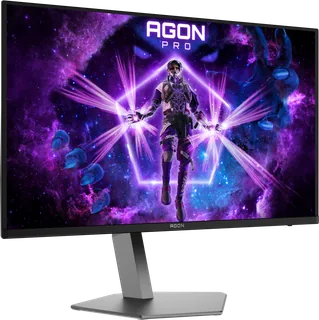
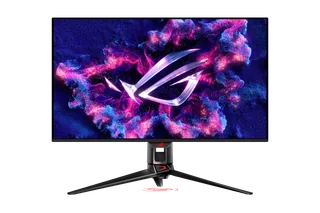
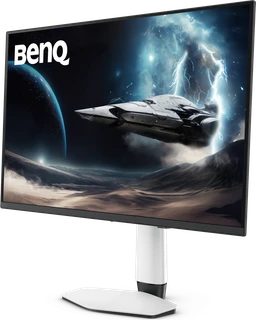
Model | Size | Resolution | PPI | Panel | Refresh | Brightness | HDR | USB-C power | Released |
|---|---|---|---|---|---|---|---|---|---|
| 31.5″ | 3840 × 2160 | 140 | QD-OLED | 240 Hz | 300 nits | True Black 500 | 65 W | Apr 2026 | |
| 31.5″ | 3840 × 2160 | 140 | QD-OLED | 240 Hz | 250 nits | True Black 400 | 90 W | Feb 2024 | |
| 31.5″ | 3840 × 2160 | 140 | QD-OLED | 240 Hz | 300 nits | True Black 500 | 90 W | Feb 2026 |
Sources
- lenovo.com/gb/en/p/accessories-and-software/monitors/gaming/69d0gacbuk
- psref.lenovo.com/Detail/Legion_Pro_32UD_10_Monitor
- psrefstuff.lenovo.com/syspool/Sys/PDF/datasheet/Legion-Pro-32UD-10-Monitor_Gami…
- download.lenovo.com/consumer/monitor/legion_pro_32ud_10_english.pdf
- news.lenovo.com/pressroom/press-releases/legion-gaming-devices-ai-tablets-softw…
Photo: media.lenovonews.fiestic.com
- Legion Pro 32UD-10 — Front left; exact monitor hardware and photographed screen preserved: Lenovo Innovation World 2025 press kit; exact ZIP member Legion Pro 32UD-10 Monitor Standard/png/01_Legion_Pro_32UD-10_Front_left.png
- Legion Pro 32UD-10 — Front right; exact monitor hardware and photographed screen preserved: Lenovo Innovation World 2025 press kit; exact ZIP member Legion Pro 32UD-10 Monitor Standard/png/03_Legion_Pro_32UD-10_Front_right.png
- Legion Pro 32UD-10 — Rear left; exact monitor hardware and photographed screen preserved: Lenovo Innovation World 2025 press kit; exact ZIP member Legion Pro 32UD-10 Monitor Standard/png/04_Legion_Pro_32UD-10_Rear_left.png
- Legion Pro 32UD-10 — Side ports; exact monitor hardware and photographed screen preserved: Lenovo Innovation World 2025 press kit; exact ZIP member Legion Pro 32UD-10 Monitor Standard/png/05_Legion_Pro_32UD-10_Side_ports.png
- Legion Pro 32UD-10 — Left side; exact monitor hardware and photographed screen preserved: Lenovo Innovation World 2025 press kit; exact ZIP member Legion Pro 32UD-10 Monitor Standard/png/06_Legion_Pro_32UD-10_Left_side.png
- Legion Pro 32UD-10 — Bottom ports no labels; exact monitor hardware and photographed screen preserved: Lenovo Innovation World 2025 press kit; exact ZIP member Legion Pro 32UD-10 Monitor Standard/png/08_Legion_Pro_32UD-10_Bottom_ports_no_labels.png
- Legion Pro 32UD-10 — Right side; exact monitor hardware and photographed screen preserved: Lenovo Innovation World 2025 press kit; exact ZIP member Legion Pro 32UD-10 Monitor Standard/png/09_Legion_Pro_32UD-10_Right_side.png
- Legion Pro 32UD-10 — Rear right; exact monitor hardware and photographed screen preserved: Lenovo Innovation World 2025 press kit; exact ZIP member Legion Pro 32UD-10 Monitor Standard/png/10_Legion_Pro_32UD-10_Rear_right.png
- Legion Pro 32UD-10 — Rear; exact monitor hardware and photographed screen preserved: Lenovo Innovation World 2025 press kit; exact ZIP member Legion Pro 32UD-10 Monitor Standard/png/11_Legion_Pro_32UD-10_Rear.png
- Legion Pro 32UD-10 — Front left arm open; exact monitor hardware and photographed screen preserved: Lenovo Innovation World 2025 press kit; exact ZIP member Legion Pro 32UD-10 Monitor Standard/png/12_Legion_Pro_32UD-10_Front_left_arm_open.png