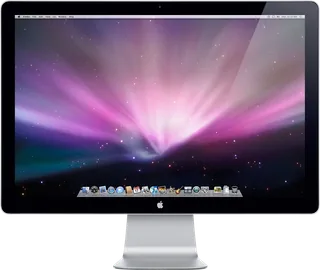
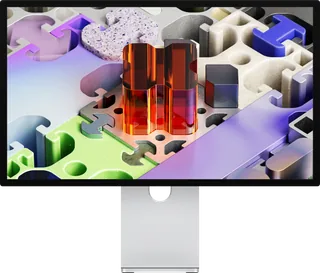
Apple LED Cinema Display (24-inch) vs Apple Studio Display XDR
Better figure, where one is clearly better
| AppleLED Cinema Display (24-inch) | AppleStudio Display XDR | |
|---|---|---|
| Overview | ||
| Released | November 2008 | March 2026 |
| Display | ||
| Screen size | 24″ | 27″ |
| Resolution | 1920 × 1200 (WUXGA) | 5120 × 2880 (5K) (better) |
| Sharpness | 94 pixels per inch | 218 pixels per inch (better) |
| Panel | IPS | Mini-LED (5K Retina XDR (IPS LCD, oxide TFT)) |
| Refresh rate | 60 Hz | 120 Hz (better) |
| Brightness (typical) | 330 nits | 1,000 nits (better) |
| HDR peak brightness | – | 2,000 nits |
| Colour range | – | P3 + Adobe RGB, 81% BT.2020 |
| Dimming zones | – | 2,304 |
| Contrast ratio | 1,000:1 | – |
| Screen finish | Glossy | Glossy |
| Shape | Flat | Flat |
| Adaptive sync | – | VESA AdaptiveSync |
| Colour depth | Up to 16.7 million colours; panel bit depth is not specified. Macworld UK identifies an H-IPS LG-Philips LM240WU6-SDA1 panel; Apple describes TFT LCD without naming the IPS subtype. | 1 billion colours |
| Colour modes | – | Apple XDR Display (P3-2,000 nits), Apple XDR Display (P3 + Adobe RGB-2,000 nits), HDR Video (P3-ST 2084), HDTV Video (BT.709-BT.1886), NTSC Video (BT.601 SMPTE-C), PAL and SECAM Video (BT.601 EBU), Digital Cinema (P3-DCI), Digital Cinema (P3-D65), Design and Print (P3-D50), Design and Print (Adobe RGB-D50), Photography (P3-D65), Photography (Adobe RGB-D65), HDR Photography (P3-D65), Internet and Web (sRGB), Medical Imaging (DICOM-350 nits), Medical Imaging (DICOM-600 nits); custom reference modes |
| HDR detail | – | 2,000 nits peak across 40% of the screen and 1,000 nits full-screen sustained (below 25 °C); HDR reference modes use PQ (SMPTE ST 2084) |
| Variable refresh range | – | 47–120 Hz (Adaptive Sync); fixed 47.95, 48, 50, 59.94, 60 and 120 Hz |
| Response time detail | Typical 14 ms without a specified transition; omitted from the grey-to-grey row | – |
| Viewing angles | 178° horizontally and vertically | 89° left, right, up and down |
| Calibration | – | Individually factory calibrated (Apple CMF 2026); Visual Fine-Tune and Fine-Tune Calibration in Pro Display Calibrator |
| Connections | ||
| Video inputs | Mini DisplayPort | Thunderbolt 5 |
| USB-C charging | None | Up to 140 W (better) |
| USB ports | 3 × USB-A | Thunderbolt 5, 2 × USB-C |
| Ethernet | – | No |
| Speakers | Yes | Yes |
| Webcam | iSight camera with microphone | 12MP Center Stage with Desk View |
| USB-C detail | – | Upstream Thunderbolt 5 (up to 120 Gb/s) with 140 W host charging |
| Daisy chaining | – | Downstream Thunderbolt 5 port daisy-chains more displays; up to four with certain Mac configurations |
| DisplayPort detail | Captive Mini DisplayPort cable; original manual requires the separate USB connection for audio, camera, microphone and hub functions | – |
| USB hub detail | Three powered USB 2.0 Type-A ports; upstream USB cable required for data | 1 × Thunderbolt 5 downstream (up to 120 Gb/s), 2 × USB-C (up to 10 Gb/s) for peripherals, storage and networking |
| Speaker detail | Built-in 2.1 system with 12 W output in the original A1267 manual | Six speakers with force-cancelling woofers; wide stereo; Spatial Audio with Dolby Atmos |
| Webcam detail | Built-in iSight; maker specifications do not publish a megapixel figure | Three-mic array with directional beamforming; camera features and firmware updates need a Mac |
| Design | ||
| Stand adjusts | Tilt | Height, tilt (better) |
| VESA mount | Yes | Yes |
| Weight with stand | 9.5 kg | 8.5 kg |
| Height adjustment | – | 105 mm |
| Tilt | – | −5° to +25° |
| Pivot | – | Landscape only on the stand; portrait with the VESA mount adapter |
| VESA pattern | Requires the separately sold Apple VESA Mount Adapter Kit | 100 × 100 mm (VESA mount adapter option) |
| Size with stand | Current specifications give 573.2 × 478.4 × 197.1 mm (width × height × depth) and 9.5 kg. Original manual gives 573.22 × 478.38 × 197.10 mm and 9.49 kg; the current rounded weight is retained. | 62.3 × 21.4 × 47.8–58.3 cm (W × D × H) |
| Size without stand | – | 62.3 × 3.3 × 36.2 cm with VESA mount adapter (W × D × H) |
| Weight without stand | – | 6.3 kg with VESA mount adapter |
| Controls | Resolution, brightness, colour profile and calibration through Mac OS X Displays preferences; no physical image controls (Macworld) | – |
| Colours | Aluminium enclosure with black glass bezel | – |
| Power and support | ||
| Power use | Maximum 212 W while charging a MacBook Pro; energy saver 1 W or less | – |
| Power supply | Internal power supply; 100–240 V AC, 50–60 Hz | 100–240 V AC, 50–60 Hz, single phase |
| Laptop charging | Separate captive universal MagSafe charging connector; no USB-C power delivery | – |
| Software | Original requirement MacBook, MacBook Air or MacBook Pro with Mini DisplayPort. October 2008 announcement specifies November availability. | Needs an Apple silicon Mac with macOS Tahoe 26.3.1 or later, or an iPad with iPadOS 26.3.1 or later |
| Certifications | ENERGY STAR 4.0; EPEAT Gold | ENERGY STAR |
| Warranty | – | 1-year limited warranty and 90 days of complimentary technical support from Apple |
| In the box | Display, AC power cord, cleaning cloth and printed documentation | Studio Display XDR, Thunderbolt 5 Pro Cable (1 m) |
More comparisons
- Apple AppleColor High-Resolution RGB Monitor vs Apple Studio Display XDR
- Apple Macintosh Portrait Display vs Apple Studio Display XDR
- Apple Apple Color Plus 14-inch Display vs Apple Studio Display XDR
- Apple AppleVision 850 vs Apple Studio Display XDR
- Apple AppleVision 850AV vs Apple Studio Display XDR
- Apple Multiple Scan 15 Display vs Apple Studio Display XDR
- Apple Multiple Scan 17 Display vs Apple Studio Display XDR
- Apple Multiple Scan 20 Display vs Apple Studio Display XDR
- Apple Multiple Scan 720 Display vs Apple Studio Display XDR
- Apple AppleVision 1710AV vs Apple Studio Display XDR
- Apple Studio Display (17-inch LCD, 2001) vs Apple Studio Display XDR
- Apple Studio Display (17-inch CRT, 1999) vs Apple Studio Display XDR
- Apple Studio Display (21-inch CRT, 1999) vs Apple Studio Display XDR
- Apple Studio Display (17-inch CRT ADC, 2000) vs Apple Studio Display XDR
- Apple Studio Display (15-inch LCD, 1998) vs Apple Studio Display XDR
- Apple Studio Display (15-inch LCD, 1999) vs Apple Studio Display XDR