
Magic Keyboard with Numeric Keypad (Lightning)
Apple's full-size rechargeable keyboard with a numeric keypad, document navigation keys and Lightning charging.
- Layout
- Full size
- Switches
- Scissor
- Backlight
- None
- Battery
- –
- Connects by
- Bluetooth
- Weight
- 390 g
Specifications
Report a wrong or missing specTyping
- Layout
- Full size
- Switches
- Scissor
- Backlight
- None
- Keys labelled for
- Mac
- Touch ID
- No
- Switches
- Scissor mechanism beneath each key, with a low-profile design
- Special keys
- Numeric keypad, full-size arrow keys, document navigation controls and multimedia keys; F1–F19, Home, End, Page Up, Page Down and forward Delete are described in iMore's exact-model hands-on
Connections and battery
- Connects by
- Bluetooth
- Devices it switches between
- 1
- Power
- Rechargeable
- Battery life detail
- About a month or more between charges, according to Apple; tested in April 2017 with preproduction keyboards and shipping iMacs. Not an upper-bound battery-life claim.
- Charging
- Built-in rechargeable battery; the included Lightning-to-USB cable charges from a Mac or USB power adapter and automatically pairs with a Mac
- Works with
- Bluetooth-enabled Mac with macOS 10.12.4 or later; iOS devices with iOS 10.3 or later. Apple's guide requires removing the existing pairing before pairing with a different Mac.
- Software
- Keyboard preferences configure modifier keys, shortcuts and input sources and show battery level
Design
- Weight
- 390 g
- Width × depth × height
- 418.7 × 114.9 × 10.9 mm
- Size
- Height 0.41–1.09 cm, width 41.87 cm and depth 11.49 cm; Apple's 0.39 kg weight varies by configuration and manufacturing process
- Colours
- Silver with white keys in the retained UK store listing
- In the box
- Keyboard and Lightning-to-USB-A cable. TechCrunch's 5 June 2017 launch report records immediate shipping; the retained maker sheet does not give a release date. This entry covers the Lightning model without Touch ID.
Pros and cons
Pros
- Dedicated number pad, navigation keys and full-size arrows
- Automatically pairs with a Mac when connected by cable
- Apple quotes about a month or more between charges
Cons
- No backlight
- No Touch ID
- Requires removing its pairing before moving to another Mac
Closest rivals
Model | Layout | Switches | Backlight | Battery | Connects by | Weight | Released |
|---|---|---|---|---|---|---|---|
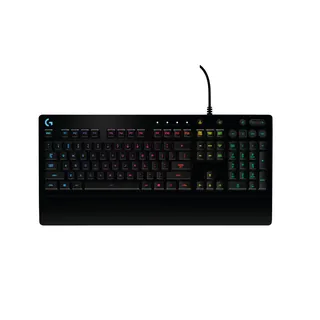
| Full size | Membrane | RGB | – | Cable | 1000 g | Sept 2016 | |
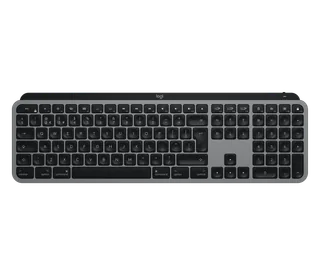
| Full size | Scissor | White | 5 months | Bluetooth and USB receiver | 810 g | Sept 2019 | |
| Compact | Scissor | None | – | Bluetooth | 231 g | Oct 2015 |

Sources
- apple.com/uk/shop/product/mxcj3b/a/magic-keyboard-with-numeric-keypad-british-e…
- support.apple.com/en-gb/112037
- cdsassets.apple.com/live/6GJYWVAV/user/ma1980_magic-keyboard-numeric-keypad-ug.…
- techcrunch.com/2017/06/05/apple-has-a-new-wireless-magic-keyboard-with-a-full-n…
- imore.com/should-you-buy-magic-keyboard-numeric-keypad
Photo: cdsassets.apple.com
