Photo 1 of 8
Dell UltraSharp 27 USB-C Hub Monitor (U2722DE) · Dell official product gallery
Dell · UltraSharp
UltraSharp 27 USB-C Hub Monitor (U2722DE)
Dell's 27-inch QHD IPS office monitor with a 90 W USB-C connection, Ethernet and DisplayPort daisy chaining.
- Size
- 27″
- Resolution
- 2560 × 1440
- PPI
- 109
- Panel
- IPS
- Refresh
- 60 Hz
- Brightness
- 350 nits
- HDR
- –
- USB-C power
- 90 W
What reviewers say
TFTCentral and MonitorNerds found the U2722DE useful as a single-cable laptop display, praising its adjustable stand, broad colour gamut and extensive connections. Both considered it better for office and creative work than fast games; TFTCentral found the sRGB preset particularly accurate but reported overshoot in the Fast response mode.
From tftcentral.co.uk and monitornerds.com
Specifications
Report a wrong or missing specDisplay
- Screen size
- 27″
- Resolution
- 2560 × 1440 (QHD)
- Sharpness
- 109 pixels per inch
- Panel
- IPS
- Refresh rate
- 60 Hz
- Response time (grey to grey)
- 5 ms
- Brightness (typical)
- 350 nits
- Contrast ratio
- 1,000:1
- Colour range
- 100% sRGB, 100% Rec.709, 95% DCI-P3
- DCI-P3 coverage
- 95%
- Colour accuracy (Delta E)
- Below 2
- Screen finish
- Matte
- Shape
- Flat
- Colour depth
- 1.07 billion colours
- sRGB coverage
- 100% sRGB and 100% Rec.709 claimed by Dell
- Colour modes
- Factory-calibrated sRGB and Rec.709 presets, plus Standard and wider-gamut modes
- Response time detail
- 5 ms Fast, 8 ms Normal, grey-to-grey
- Viewing angles
- 178° horizontal and vertical
- Pixel pitch
- 0.2331 mm
- Eye care
- ComfortView Plus low-blue-light backlight and flicker-free operation
- Calibration
- Factory average Delta E below 2 for sRGB and Rec.709, according to Dell
Connections
- Video inputs
- HDMI, DisplayPort 1.4, USB-C
- USB-C charging
- Up to 90 W
- USB ports
- 4 × USB-A, USB-C
- KVM switch
- Yes
- Ethernet
- Yes
- Speakers
- No
- DisplayPort detail
- One DisplayPort 1.4 input and one DisplayPort output for MST daisy chaining.
- USB-C detail
- USB-C 3.2 Gen 2 DisplayPort 1.4 input supplies up to 90 W; a separate rear USB-C upstream port is data only. Quick-access downstream USB-C supplies up to 15 W.
- Daisy chaining
- DisplayPort MST output for a second compatible display.
- USB hub detail
- Three rear USB-A 3.2 Gen 2 ports, one quick-access USB-A with Battery Charging 1.2, and one quick-access USB-C 3.2 Gen 2 with up to 15 W.
- Picture by picture
- Picture-in-picture and picture-by-picture modes
- Audio out
- 3.5 mm audio line output
Design
- Stand adjusts
- Height, tilt, swivel, pivot
- VESA mount
- Yes
- Height adjustment
- 150 mm
- Tilt
- -5° to 21°
- Swivel
- -45° to 45°
- Pivot
- -90° to 90°
- VESA pattern
- 100 × 100 mm
- Size with stand
- 611.3 × 185 × 385.1–535.1 mm (W × D × H)
- Size without stand
- 611.3 × 49.5 × 352 mm (W × D × H)
- Weight without stand
- 4.78 kg
Power and support
- Power use
- 20.4 W on, 0.5 W standby, 0.3 W off
- Energy class
- E
- Power supply
- 100–240 V AC, 50–60 Hz
- Software
- Dell Display Manager
- Certifications
- ENERGY STAR, EPEAT Gold and TCO Certified
- Warranty
- Dell three-year Advanced Exchange Service and Premium Panel Exchange
- In the box
- Stand, DisplayPort cable, USB-C to USB-C cable, USB-C to USB-A upstream cable and factory calibration report
Pros and cons
Pros
- USB-C video, data and up to 90 W laptop charging through one cable
- Ethernet, KVM switching and DisplayPort output for a second monitor
- 100% sRGB and 95% DCI-P3 coverage claimed by Dell
Cons
- 60 Hz refresh rate with no advertised adaptive sync
- No built-in speakers
- QHD resolution offers less detail than a 27-inch 4K monitor
Closest rivals
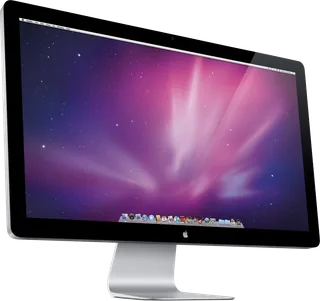
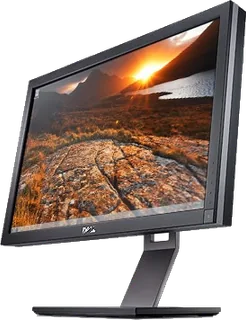
Model | Size | Resolution | PPI | Panel | Refresh | Brightness | HDR | USB-C power | Released |
|---|---|---|---|---|---|---|---|---|---|
| 27″ | 2560 × 1440 | 109 | IPS | 60 Hz | 375 nits | – | – | Sept 2010 | |
| 27″ | 2560 × 1440 | 109 | IPS | 60 Hz | 375 nits | – | – | Sept 2011 | |
| 27″ | 2560 × 1440 | 109 | IPS | 60 Hz | 350 nits | – | – | 2010 |
Sources
- dell.com/en-us/shop/dell-ultrasharp-27-usb-c-hub-monitor-u2722de/apd/210-ayzg/m…
- dl.dell.com/manuals/all-products/esuprt_electronics_accessories/esuprt_electron…
- tftcentral.co.uk/news/dell-announce-range-of-new-ultrasharp-monitors-including-…
Photo: Dell official product gallery
- UltraSharp 27 USB-C Hub Monitor (U2722DE) — Angled front view with applications inside the screen.: Dell official product gallery
- UltraSharp 27 USB-C Hub Monitor (U2722DE) — Left-side view with its stand.: Dell official product gallery
- UltraSharp 27 USB-C Hub Monitor (U2722DE) — Right-side view with its stand.: Dell official product gallery
- UltraSharp 27 USB-C Hub Monitor (U2722DE) — Rear view with its stand.: Dell official product gallery
- UltraSharp 27 USB-C Hub Monitor (U2722DE) — Underside view of the physical connector panel.: Dell official product gallery
- UltraSharp 27 USB-C Hub Monitor (U2722DE) — Front view with company report inside the screen.: Dell official Japanese brochure; page 1, embedded member Im2.jp2
- UltraSharp 27 USB-C Hub Monitor (U2722DE) — Portrait front view with company report inside the screen.: Dell official Japanese brochure; page 4, embedded member Im2.jp2